My Account
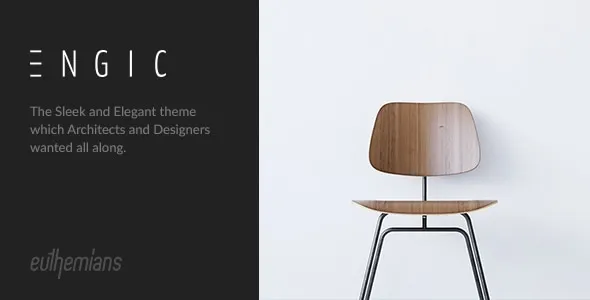
Engic – A Sleek Multiuse Responsive WordPress Theme
Engic – A Sleek Multiuse Responsive WordPress Theme is a versatile website design solution for businesses, agencies, freelancers, entrepreneurs, and creative professionals who want to establish a polished online presence. Designed around a modern, multipurpose website concept, Engic provides a foundation for building websites that communicate brand identity, present services, showcase projects, and share important business information. Whether you are creating a corporate website, launching a digital agency, promoting professional services, or developing a portfolio, this WordPress theme can serve as a starting point for a website tailored to your objectives.
A professional website plays an important role in how customers discover and evaluate a business. Visitors expect clear information, convenient navigation, readable content, and a consistent visual presentation. Engic is intended to support these goals through a sleek design direction and a responsive website approach. By combining a suitable layout with relevant content, compelling imagery, and a clear navigation structure, you can create a digital experience that helps visitors understand your services and take the next step.
The multipurpose nature of Engic makes it a potential option for different website projects rather than a single narrowly defined industry. You can plan pages around your company’s services, team, portfolio, products, or professional expertise, depending on the available theme layouts and customization options. Built for the WordPress ecosystem, the theme can also be part of a broader website setup that uses compatible plugins to support SEO, contact forms, analytics, security, and other business requirements. Before implementation, review the current product documentation to confirm the features and integrations available in your version.
Sleek and Modern Website Design
A well-designed website should create a positive first impression while making information easy to find. Engic focuses on a modern multipurpose presentation, providing a starting point for businesses and professionals who want a website that looks organized and communicates their value clearly.
A sleek design often relies on a balanced combination of typography, whitespace, colors, imagery, and content hierarchy. These elements help visitors understand which information matters most and where they should look next. Rather than filling every page with decorative elements, a thoughtful design highlights the services, products, and messages that are most relevant to your audience.
You can develop a visual identity that reflects the personality of your business. A technology company might use a clean, contemporary appearance, while a creative agency may prefer more expressive imagery and distinctive typography. A consulting firm may benefit from a restrained professional presentation that emphasizes expertise and trust.
The effectiveness of a website depends on how well its design supports its purpose. Use consistent colors, clear headings, descriptive buttons, and relevant visuals throughout the site. With the right content and configuration, Engic can provide a foundation for a professional online presence that feels coherent across its main pages.
Multipurpose WordPress Website Solution
One of the main advantages of a multipurpose WordPress theme is the ability to adapt the website to different business requirements. Instead of starting with a completely new design for every project, you can use a shared foundation and customize its presentation around your goals.
Engic may be suitable for a range of website concepts, including corporate websites, service businesses, digital agencies, consulting firms, creative studios, personal portfolios, and startup websites. The exact suitability depends on the layouts and customization features included with the theme.
For a corporate website, the structure might emphasize company information, services, team profiles, and contact details. A digital agency could focus on creative capabilities, project showcases, and client inquiries. A freelancer might use the website to present selected work, describe professional skills, and attract new opportunities.
A multipurpose approach can also make future changes easier to plan. If your business expands its services or changes its positioning, you may be able to reorganize pages and update the visual presentation without rebuilding the entire website. The extent of this flexibility depends on the theme’s architecture and the tools available in your WordPress installation.
Responsive Layout for Different Devices
Visitors may access your website through desktop computers, laptops, tablets, and smartphones. A responsive layout helps the website adapt to different screen sizes, allowing visitors to browse content without unnecessary zooming or horizontal scrolling.
Engic is positioned as a responsive WordPress theme, making cross-device presentation an important part of its intended design approach. Responsive layouts can help text, images, navigation elements, and content sections adjust to the available screen space.
Mobile usability is particularly important for business websites because potential customers may discover a company through search engines, online directories, advertising campaigns, or shared links. Visitors should be able to understand your services, read important information, and locate contact options on a smaller screen.
When configuring your website, check how headings wrap, whether images display correctly, and whether buttons are easy to tap. Navigation menus should remain convenient to use, while forms should provide enough space for visitors to enter information accurately.
Responsive behavior can be affected by plugins, custom CSS, embedded content, and the way individual pages are built. Test the complete website across several screen sizes before launch, including the homepage, service pages, portfolio sections, and contact forms. This process helps ensure that the finished site provides a consistent experience across devices.
Create a Professional Business Homepage
The homepage is often the first page visitors see when exploring your business online. It should explain what your company does, identify the value you offer, and guide visitors toward useful information or relevant actions.
Engic can serve as a starting point for a homepage that introduces your brand through a clear headline, supporting text, relevant imagery, and links to important sections. Depending on the layouts provided, you may be able to organize the page around services, company information, featured projects, testimonials, or calls to action.
Begin with a headline that communicates your primary offering in straightforward language. Follow it with a short explanation of who you help and what makes your services relevant. Visitors should not have to search through several sections to understand the purpose of your website.
Service highlights can direct users toward dedicated pages where they can learn more about your offerings. A portfolio or project section may demonstrate your experience, while a company introduction can provide context about your background and approach.
Calls to action should be clear and relevant. Depending on your business model, you might invite visitors to request a quote, schedule a consultation, explore a project, or contact your team. Avoid adding too many competing actions to the same section.
A strong homepage combines attractive design with useful information. Keep the content organized, ensure that links lead to the correct destinations, and review the layout periodically as your business evolves.
Showcase Your Services and Expertise
Service pages are essential for businesses that want to explain what they offer and help potential customers determine whether those services meet their needs. Engic can provide a starting point for organizing your offerings into clear sections and presenting them in a professional format.
Each service page should describe the problem you help solve, the audience you serve, and the benefits of working with your business. Explain your process where relevant and include practical details that help visitors understand what they can expect.
For example, a digital agency may organize its services around website design, development, branding, search optimization, and digital marketing. A consulting firm might focus on strategy, operations, business planning, or specialized advisory services. A technology company may present implementation, integration, and ongoing support options.
Use descriptive headings and concise paragraphs to make each page easy to scan. Relevant diagrams, screenshots, photographs, or project examples can provide additional context when they genuinely support the message.
If you offer several services, consider creating a dedicated page for each major offering instead of placing every detail on one long page. This structure allows visitors to explore the services most relevant to them and gives you more opportunities to provide detailed information.
Ensure that the content accurately describes your actual capabilities. A well-organized service page should build understanding and confidence rather than rely on vague promotional language.
Build a Strong Brand Identity
A consistent brand identity helps visitors recognize your business and understand its personality. Engic can act as a foundation for presenting brand colors, typography, imagery, messaging, and other visual elements across your WordPress website.
Start by defining the impression you want to create. A professional consulting company may prefer a calm, structured design, while a creative agency may use stronger visual contrasts and more expressive imagery. A technology startup might emphasize clarity, innovation, and a contemporary presentation.
Choose a limited color palette and use it consistently across buttons, headings, backgrounds, links, and promotional sections. Select typography that supports readability and reflects the tone of your business. Make sure that important text remains easy to read against its background.
Your logo and other brand assets should appear consistently in the website’s main areas. Images should also match the character of your business. Use authentic team photographs, relevant project images, or suitable illustrations instead of unrelated stock imagery whenever possible.
Brand consistency extends beyond visual design. Use a recognizable writing style and maintain consistent terminology across your homepage, service descriptions, company information, and calls to action.
The available customization controls depend on the theme version and supported WordPress tools. Review these options before making major design decisions so that your branding plan fits the capabilities of your chosen setup.
Portfolio and Project Presentation
For agencies, freelancers, studios, and service providers, a portfolio can help demonstrate practical experience. Visitors often want to see examples of previous work before deciding whether a business is a good fit for their needs.
Engic can be considered for a website that incorporates project showcases where suitable portfolio layouts or compatible tools are available. You can organize selected projects by industry, service type, or project category, helping visitors find examples that relate to their own requirements.
A useful project presentation should explain more than the final visual result. Where appropriate, describe the client’s objective, the challenge involved, your approach, and the outcome. Include screenshots, photographs, or other relevant materials that illustrate the work accurately.
If you cannot disclose certain client details, respect confidentiality agreements and provide only information that you are authorized to share. Use clear project titles and concise summaries so visitors can understand each example without reading an unnecessarily long explanation.
A portfolio should be kept current. Replace outdated examples when more relevant work becomes available, correct broken links, and remove material that no longer reflects your business direction.
The exact presentation of portfolio items will depend on the theme’s included templates and your chosen configuration. If the theme does not provide the project functionality you need, check whether a compatible portfolio plugin or custom implementation is appropriate.
User-Friendly Navigation and Page Structure
Clear navigation allows visitors to explore a website without confusion. Even a visually attractive design can become frustrating if important information is difficult to locate.
Plan your main menu around the needs of your audience. A business website may include Home, About, Services, Projects, Blog, and Contact sections. Smaller websites may need fewer menu items, while larger organizations might benefit from carefully organized dropdown menus.
Use straightforward labels that describe the destination of each link. Avoid internal company terminology that new visitors may not understand. Keep the most important pages easy to access, particularly service information and contact details.
Organize long pages with descriptive headings and concise sections. Internal links can guide visitors toward related services, project examples, or supporting articles. A logical page hierarchy helps visitors understand how the website is organized and makes ongoing content management easier.
Before launch, test every navigation item on desktop and mobile devices. Confirm that dropdown menus behave correctly, that buttons lead to the intended pages, and that no important destinations are missing.
Review your navigation as the business grows. Remove obsolete links and reorganize sections when necessary so that visitors can continue finding information quickly.
Search Engine Optimization for WordPress
Search engine optimization can help potential customers discover your website when they search for relevant services, products, or information. An effective SEO approach combines helpful content, clear page structure, descriptive metadata, and sound technical maintenance.
Begin by identifying the services and topics that matter to your target audience. Develop pages that explain your offerings clearly and answer common customer questions. Use relevant search terms naturally in titles, headings, and body content where they accurately describe the page.
Each important page should have a descriptive title and a useful summary. Meta descriptions can help communicate the page’s purpose in search results, although search engines may choose to display other text. Use readable URLs and link related pages together when it helps visitors explore your website.
Image optimization is also valuable. Use appropriate file sizes and descriptive alternative text for informative images. Avoid filling image descriptions or page content with repeated keywords that do not improve understanding.
A compatible SEO plugin may help manage metadata, sitemaps, canonical settings, and other optimization tasks. Check that your site can be crawled and that important pages are not accidentally blocked by technical settings.
Engic’s design alone cannot guarantee search rankings. Results depend on content quality, competition, technical performance, backlinks, user needs, and other factors. Treat SEO as an ongoing process that combines technical care with useful, original content.
Content Marketing and Business Blogging
A blog can help businesses share expertise, answer customer questions, and keep their website updated with useful information. Engic may serve as a foundation for a website that combines service pages with educational articles, company updates, and industry insights, depending on the available blog layouts.
Start by identifying topics that matter to your audience. These may include practical guides, explanations of common challenges, project insights, industry developments, or answers to frequently asked questions.
For example, a design agency might publish articles about website usability and visual branding. A consulting firm could share planning resources and operational advice, while a technology business might publish tutorials or explanations of digital tools.
Each article should have a clear purpose and provide information that readers can use. Use descriptive titles, informative headings, and concise paragraphs. Add relevant images or examples when they help explain the subject.
Internal links can connect blog posts with relevant service pages, helping readers discover more information about your business. Avoid turning every article into a sales pitch; educational content is often more useful when it addresses the reader’s question directly.
A consistent publishing plan is more valuable than publishing large quantities of low-quality content. Review older articles regularly and update information when services, tools, or industry practices change.
Contact Forms and Customer Inquiries
A business website should make it easy for visitors to ask questions or request additional information. Clear contact options help convert interest into meaningful conversations and give customers a convenient way to reach your team.
Depending on the layouts and plugins you use, an Engic-based website can incorporate contact information and form functionality through compatible WordPress tools. A contact page may include a form, business email address, telephone number, office details, or other appropriate communication channels.
Keep forms simple by requesting only the information needed to respond. Typical fields may include a name, email address, subject, and message. If you need project details or a service preference, explain why the information is useful.
Test form delivery before launch. Confirm that messages reach the intended inbox, that confirmation messages display correctly, and that spam protection does not prevent legitimate inquiries. Review privacy requirements if the form collects personal information.
Calls to action can also be placed on service pages and project showcases. A relevant invitation, such as requesting a consultation or discussing a project, helps visitors understand the next step without creating unnecessary pressure.
Ensure that contact options remain easy to find on mobile devices. A responsive layout is most useful when important actions are also convenient to complete.
Performance and Website Loading Speed
Website performance contributes to the overall user experience. Visitors are more likely to navigate comfortably when pages load efficiently and interactive elements respond as expected.
An Engic-based website’s performance depends on several factors, including hosting, images, plugins, scripts, caching, and the way individual pages are built. Begin by selecting hosting that meets your website’s technical requirements and expected traffic.
Optimize images before uploading them. Use dimensions appropriate for their display area and choose efficient file formats when suitable. Large, uncompressed photographs can slow pages considerably, particularly when several images appear together.
Install only the plugins that serve a clear purpose. Multiple extensions with overlapping functions can increase complexity and create compatibility problems. Review third-party scripts and embedded content, as these can also affect page loading.
Caching and other optimization tools may help, but test them carefully with your theme and any dynamic features. Forms, navigation menus, and other interactive components should continue to work correctly after performance changes.
Use website performance testing tools to identify the largest problems rather than making changes blindly. Regular reviews can help keep the website responsive as new pages and content are added.
Security and Ongoing WordPress Maintenance
Maintaining a WordPress website involves more than creating its design and publishing content. Regular updates, backups, and security practices help protect the site and reduce the risk of unexpected disruption.
Keep WordPress, Engic, and installed plugins updated according to their respective maintenance guidance. Before major updates, review compatibility information and create a recent backup. If your website is business-critical, consider testing significant changes in a staging environment.
Use strong, unique passwords for administrator accounts and provide users with only the permissions they need. Choose reputable plugins and themes, review their update histories, and remove software that is no longer used.
Regular backups should include the database and important website files. Store backups securely and verify that you can restore them when necessary. A backup is most useful when the recovery process has been tested.
Monitor the website for broken links, unexpected layout changes, suspicious activity, and outdated content. If you use custom code, document your modifications and apply them through suitable development practices to reduce the risk of losing changes during updates.
Security depends on the entire WordPress environment, including hosting, account practices, software updates, and third-party integrations. The theme should be part of a broader maintenance strategy rather than treated as a complete security solution.
Suitable for Agencies, Freelancers, and Businesses
The multipurpose direction of Engic makes it a potential starting point for several professional website projects, provided the theme’s current features match the requirements.
Digital agencies: Present design, development, branding, and marketing services through organized service pages and relevant project examples.
Corporate businesses: Introduce company information, explain services, share important announcements, and provide clear contact options.
Consultants: Highlight expertise, outline advisory services, present professional credentials, and encourage suitable inquiries.
Creative studios: Showcase selected projects, communicate a distinctive visual identity, and explain the creative services available.
Freelancers: Build a professional portfolio, describe skills and experience, and make it easy for prospective clients to get in touch.
Technology startups: Introduce products or services, communicate the company’s value proposition, and provide information for potential customers and partners.
Professional service providers: Create an organized website that explains offerings, establishes credibility, and guides visitors toward a consultation or inquiry.
Small businesses: Establish a central online destination for business information, service details, opening information where relevant, and customer communication.
These applications are examples of possible website directions, not a guarantee that every specialized feature is included. Confirm the current layouts, integrations, and customization capabilities before selecting the theme for a specific project.
Accessibility and a Better User Experience
An accessible website helps more visitors understand information and use its interactive features. Readable typography, clear navigation, sufficient contrast, and well-structured content contribute to a more inclusive experience.
Use meaningful heading levels to organize pages and avoid relying on color alone to communicate important information. Links should explain where they lead, and forms should have clear labels and helpful error messages.
Provide appropriate alternative text for informative images. Decorative images generally do not need detailed descriptions, while images that communicate essential information should have text alternatives that explain their purpose.
Check that menus, buttons, and other interactive elements are usable with common keyboard navigation patterns where applicable. Maintain sufficient spacing around controls and ensure that important text remains legible on smaller screens.
Accessibility should be considered throughout the website rather than addressed only after the design is complete. Review the theme, plugins, content, and customizations together, and test important user journeys before launch.
Customize Engic to Match Your Business
A multipurpose website becomes more effective when its visual identity and content are tailored to the business it represents. Engic can provide a starting framework, while thoughtful customization helps align the finished website with your objectives.
Begin with your brand colors, typography, logo, and image style. Apply these elements consistently across the homepage, service pages, project showcases, and supporting content. Avoid introducing too many competing design styles.
Next, determine which pages are essential. A small consulting business may need a concise homepage, a few service pages, an About page, and a contact form. A larger agency may require detailed service descriptions, multiple project categories, team information, and a regularly updated blog.
Write original copy for every important page. Explain what your business does, who it serves, and how visitors can learn more. Replace any demonstration content with accurate information and relevant imagery before publishing the site.
Depending on the theme version, you may be able to adjust layouts and visual settings through supported WordPress customization tools. Advanced changes may require compatible page-building software or custom development.
Make changes gradually and test the website after each major adjustment. This helps preserve usability while allowing the design to evolve alongside your brand.
Getting Started with Engic
Setting up Engic begins with a WordPress installation and a hosting environment that meets the theme’s requirements. Before installation, review the product documentation for supported WordPress versions, required plugins, installation instructions, and licensing conditions.
Install the theme using the recommended process and activate only the dependencies required by the supplied documentation. If demo content is available, it may help you understand the intended page structure, but replace all placeholder information and images before making the site public.
Configure the main navigation and create the essential pages for your business. These may include Home, About, Services, Projects, Blog, and Contact, depending on your website’s purpose.
Customize the visual presentation using your brand assets, then prepare page content that explains your offerings clearly. Test links, forms, menus, and responsive layouts across common devices. Check image loading and review the website for spelling errors or incomplete sections.
Before launch, verify that backups, security practices, analytics, and relevant SEO settings are configured appropriately. Confirm that all essential customer journeys work as expected, especially when visitors need to submit a form or contact your business.
The exact setup steps depend on the theme version and included features, so use the current documentation as the primary source for installation and configuration guidance.
Why Choose Engic – A Sleek Multiuse Responsive WordPress Theme?
Choosing a WordPress theme is an important step in building a professional website. Engic is intended for users who want a sleek, multipurpose design foundation that can be adapted to different business and professional needs.
Its multipurpose positioning makes it worth considering for projects that need a combination of business information, service presentations, portfolio content, and contact pathways. With a clear structure and carefully selected content, you can build a website that introduces your brand and helps visitors understand your offerings.
WordPress also provides an ecosystem of tools that can extend the website as your needs change. Compatible plugins may support search optimization, analytics, contact forms, backups, security, and other capabilities. Choosing extensions carefully helps maintain a manageable and reliable installation.
A successful website ultimately depends on more than the theme. Accurate information, original content, good performance, clear navigation, and regular maintenance all influence the visitor experience. Engic can provide the design starting point, while your content and configuration determine how effectively the finished website supports your goals.
Before purchasing or deploying the theme, confirm its current features, supported software versions, included layouts, customization options, and compatibility with the plugins you plan to use.
Final Thoughts
Engic – A Sleek Multiuse Responsive WordPress Theme is a potential foundation for businesses, agencies, freelancers, and professionals who want to establish a modern online presence using WordPress. Its multipurpose design direction can support a range of website concepts, from corporate presentations and service websites to creative portfolios and professional business pages.
By combining an appropriate layout with original content, consistent branding, relevant imagery, and convenient navigation, you can create a website that communicates your value and helps visitors find the information they need. Responsive testing, performance optimization, accessibility considerations, and ongoing maintenance further contribute to a dependable user experience.
Review the current theme documentation before installation to confirm that its capabilities match your requirements. Once configured, focus on presenting your business accurately, keeping important information up to date, and making each page useful to your intended audience.
With thoughtful planning and consistent maintenance, Engic can serve as the starting point for a professional WordPress website that adapts to your brand and supports your evolving business objectives.