My Account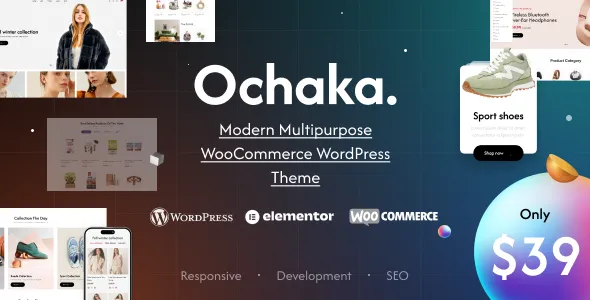
Ochaka – Multipurpose WooCommerce WordPress Theme
Ochaka – Multipurpose WooCommerce WordPress Theme is a versatile website design solution for businesses, entrepreneurs, and online retailers who want to build a professional eCommerce store with WordPress and WooCommerce. Designed for flexible online selling, Ochaka provides a foundation for creating attractive product pages, organized shopping categories, engaging storefront layouts, and a convenient shopping experience. Whether you are launching a new online business or refreshing an existing store, this multipurpose WooCommerce WordPress theme can help you establish a consistent brand identity and present your products in a professional way.
An effective online store requires more than a collection of product listings. It needs a clear visual structure, intuitive navigation, informative product pages, and a straightforward purchasing journey. Ochaka is intended for store owners who want a theme that can support different product categories and business models without restricting their website to a single industry. Depending on the available theme features, supported layouts, and installed plugins, you can adapt the storefront to suit your product range, branding preferences, and business objectives.
A Versatile WooCommerce Theme for Different Businesses
Every online business has its own audience, products, and presentation requirements. A fashion boutique needs attractive product photography and category navigation, while an electronics retailer may prioritize product specifications, comparison information, and organized inventory. A home decor store benefits from carefully arranged product collections, whereas a beauty shop may focus on visual branding and product discovery.
Ochaka – Multipurpose WooCommerce WordPress Theme offers a flexible starting point for creating a storefront that reflects these different business needs. Rather than relying on a design limited to one type of product, a multipurpose approach allows store owners to plan a website around their brand and merchandise.
Depending on the theme’s included layouts and customization options, Ochaka may be adapted for clothing stores, accessory shops, electronics retailers, furniture businesses, cosmetics stores, lifestyle brands, home improvement shops, and other WooCommerce-powered websites. Before choosing a specific setup, review the current theme demo and documentation to confirm which layouts and features are included.
Built for WordPress and WooCommerce
WordPress provides a flexible content management system for building and maintaining websites, while WooCommerce adds eCommerce functionality for managing products and selling online. Together, these platforms give store owners a foundation for presenting merchandise, organizing categories, managing orders, and developing an online retail presence.
Ochaka is designed for this WordPress and WooCommerce environment. This makes it a suitable option to explore if you want to combine website content with online shopping functionality within a familiar content management workflow.
WooCommerce can support essential store operations such as product management, shopping carts, checkout, order processing, and payment integrations through compatible extensions and configurations. The exact capabilities of a finished store depend on your WooCommerce setup, selected payment providers, shipping requirements, and installed plugins rather than the theme alone.
By selecting an appropriate layout and configuring the store carefully, you can create a shopping destination that gives visitors a clear route from discovering a product to reviewing its details and placing an order.
Professional Storefront Design
The storefront is often the first part of an online business that customers experience. A polished appearance can help communicate brand identity, make products easier to discover, and establish a consistent impression across the website.
Ochaka can serve as the visual foundation for a storefront that brings together product imagery, promotional content, category links, and supporting information. A thoughtfully arranged homepage can introduce the brand, highlight selected products, communicate current offers, and direct shoppers toward important collections.
For the strongest results, use a consistent design system throughout the website. Select colors that reflect your brand, choose readable typography, maintain balanced spacing, and use product images with consistent proportions. Avoid placing too many competing promotional elements on the same page, as excessive visual clutter can make shopping more difficult.
A well-planned storefront should help customers understand what the business sells and where to find it. With an appropriate Ochaka configuration, you can develop a clear and cohesive presentation that supports your products and business goals.
Flexible Product Category Organization
Product organization plays an important role in the usability of an eCommerce website. When customers can identify relevant categories quickly, they can move through the catalog with less effort and discover products that match their needs.
A WooCommerce store using Ochaka can be structured around the types of merchandise it offers. For example, a fashion retailer might separate clothing, footwear, bags, and accessories, while a home furnishing business could organize its inventory into furniture, lighting, bedding, and decorative items.
Clear category names help visitors understand what each section contains. Category descriptions can provide additional context, while carefully selected category images can make the browsing experience more engaging. If your store contains many products, consider using subcategories to keep the navigation manageable.
The most effective structure depends on your inventory and the theme’s supported navigation options. Plan your category hierarchy before adding large numbers of products, and test it from a customer’s perspective to ensure that important items remain easy to find.
Product Pages That Present Essential Information
Product pages help customers evaluate merchandise before making a purchase. They should answer common questions, communicate important details, and present the product in a way that supports informed decisions.
When configuring product pages in an Ochaka-based store, include clear product titles, accurate descriptions, appropriate pricing, high-quality photographs, and relevant specifications. Where applicable, explain materials, dimensions, compatibility, care instructions, available sizes, colors, or other details that influence purchasing decisions.
Product photography deserves particular attention. Use images that accurately represent the merchandise and show important details. Consistent backgrounds, suitable lighting, and multiple useful views can help customers understand what they are buying.
Longer descriptions should be organized into readable sections instead of presented as one large block of text. Important information should be easy to scan, especially for shoppers comparing several similar products.
WooCommerce supports different product types and catalog arrangements. The exact presentation of these products depends on the theme configuration and any compatible extensions used to add specialized functionality.
Shopping Cart and Checkout Experience
A smooth checkout process is essential for an online store. Customers should be able to review their selections, understand the costs involved, provide the required information, and complete their purchases without unnecessary confusion.
WooCommerce provides the underlying shopping cart and checkout functionality, while the selected theme and compatible plugins can influence the visual presentation of these pages. When setting up Ochaka, check that the cart and checkout experience is consistent with the rest of the website.
Keep checkout instructions clear and avoid requesting unnecessary information. Display shipping charges, taxes, discounts, and other applicable costs transparently. Make sure customers can review their order before completing payment and can identify any errors in their submitted details.
The checkout process should also be tested using the payment gateways, shipping methods, and order settings configured for your business. A theme does not independently guarantee a particular payment method or checkout feature; these capabilities depend on the store’s integrations and configuration.
Responsive Shopping Across Devices
Customers may visit an online store using desktop computers, laptops, tablets, and smartphones. A website that is difficult to navigate on smaller screens can create unnecessary friction and make product discovery less convenient.
When configuring Ochaka, prioritize a responsive storefront that adapts to different screen sizes. Check how the homepage, navigation menu, product grids, product images, forms, cart, and checkout appear on both mobile and desktop devices.
Mobile usability involves more than reducing the width of a page. Buttons should be easy to tap, text should remain readable, product details should be accessible, and visitors should be able to move between categories without struggling with complicated navigation.
Test the actual website on multiple screen sizes after customization. Images, page-builder sections, third-party widgets, and additional plugins can affect the final layout, so testing the completed store is important even when the theme is designed for responsive use.
Customizing the Store to Match Your Brand
A consistent brand identity helps customers recognize your business and distinguish it from competing stores. Your website should reflect the same visual personality found in your product packaging, marketing materials, social media profiles, and other customer communications.
Ochaka can be used as a starting point for developing a storefront that aligns with your brand. Depending on the theme’s available customization controls, you may be able to adjust colors, typography, logos, layouts, images, and other visual elements.
Begin by defining a small set of brand colors and selecting typography that remains readable across different devices. Use a recognizable logo and consistent image treatments throughout the store. Ensure that headings, buttons, product cards, and promotional banners follow a coherent design style.
Customization should also serve a practical purpose. Make important shopping links prominent, keep the primary navigation understandable, and give product information enough room to remain legible. A visually attractive website is most effective when its design helps customers complete their tasks.
Before relying on a particular customization feature, confirm whether it is included in Ochaka, provided through a supported page builder, or requires an additional plugin.
Homepage Sections for Product Discovery
The homepage introduces visitors to your business and provides a starting point for exploring your catalog. It should communicate what you sell, establish trust, and guide customers toward relevant products.
A useful homepage structure may include a prominent introductory banner, selected product categories, featured merchandise, new arrivals, best-selling items, seasonal promotions, and links to essential store information. The appropriate combination depends on your inventory and the layouts available in the theme.
Promotional banners should use concise messaging and direct visitors to relevant destinations. For example, a banner announcing a seasonal collection should lead to that collection rather than an unrelated page. Similarly, featured product sections should contain items that support your current business priorities.
Avoid treating the homepage as a place to display every available product. Instead, use it to highlight the most important categories and provide clear routes to the complete catalog.
A carefully planned homepage can help first-time visitors understand your business while giving returning customers quick access to new products and relevant offers.
Product Grids and Catalog Presentation
Product grids allow shoppers to scan multiple items and compare their appearance, titles, and prices. A consistent catalog layout can make browsing more comfortable and help visitors move naturally from category pages to individual product pages.
When setting up product listings, consider the amount of information displayed on each product card. Product images, titles, prices, and relevant availability or promotional information can help shoppers decide which items to explore. Too many additional labels and design elements may make the catalog harder to scan.
Image dimensions should be consistent wherever possible. Products photographed at dramatically different scales can create an uneven grid, while poorly cropped images may obscure important details.
For stores with extensive catalogs, plan the number of products displayed on each page and make pagination or other supported navigation options easy to use. The goal is to balance product visibility with page clarity and performance.
Ochaka’s precise catalog layouts and display controls should be verified against its current theme documentation and demo before implementation.
Supporting Promotions and Seasonal Campaigns
Online stores frequently update their offers to reflect seasonal events, new collections, product launches, and marketing campaigns. A flexible storefront can make it easier to communicate these changes without rebuilding the entire website.
Depending on your configuration, an Ochaka-powered WooCommerce store may use homepage banners, category highlights, featured products, and other compatible content elements to promote current campaigns. WooCommerce pricing and coupon functionality can support eligible discounts when configured correctly.
Keep promotional messaging accurate and easy to understand. State applicable conditions clearly, use valid campaign dates, and ensure that the destination page matches the offer being advertised.
Promotional content should not overwhelm the regular shopping experience. A balanced combination of campaign messaging and useful product information helps customers understand both the offer and the merchandise.
After a campaign ends, remove outdated banners and review related links so that visitors are not directed to expired promotions.
Search-Friendly Website Structure
Search engine optimization helps potential customers discover products through relevant search queries. A well-organized website gives search engines and visitors clearer information about the pages available on the store.
Ochaka can form part of an SEO-oriented WooCommerce website when combined with useful content, sensible category organization, descriptive product information, and appropriate technical configuration. The theme itself does not guarantee search rankings or indexing results.
Start by creating unique titles and descriptions for your important products and categories. Use language that explains what each page offers instead of repeating the same generic text throughout the catalog.
Organize headings logically, use descriptive image alternative text where appropriate, and create internal links between relevant categories, products, and supporting articles. Product URLs should be readable and consistent with the structure of your website.
A compatible SEO plugin may provide additional controls for metadata, XML sitemaps, canonical URLs, and other optimization tasks. Configure these features carefully and avoid creating duplicate pages unnecessarily.
Useful content should prioritize shoppers’ questions and needs. Keyword placement should sound natural rather than repetitive, because excessive keyword repetition can reduce readability and make product pages appear low quality.
Product Descriptions That Support Conversions
An effective product description explains the value of an item and helps shoppers decide whether it meets their requirements. Instead of relying on generic promotional language, describe the product’s actual characteristics and practical benefits.
For an Ochaka-based store, each product listing should use content that reflects the merchandise being sold. Explain relevant specifications, intended use, materials, dimensions, included components, compatibility, or care requirements whenever those details apply.
Use short paragraphs and descriptive subheadings to make longer descriptions easier to scan. Bullet lists can highlight key specifications, while a separate section can address shipping, returns, or product maintenance where relevant.
Do not invent product claims, certifications, guarantees, or technical specifications. Accurate descriptions help establish trust and can reduce confusion after an order has been placed.
Unique content also helps differentiate individual product pages. Even when several products belong to the same category, each listing should provide the specific information customers need to evaluate that item.
Website Speed and Performance Considerations
Website performance influences how comfortably customers can browse a store, particularly when product pages contain large photographs, promotional graphics, and third-party scripts.
The performance of an Ochaka-powered website depends on more than the theme. Hosting quality, image sizes, caching, plugin selection, page-builder content, external services, and WooCommerce configuration can all influence loading times.
Use appropriately sized product images and compress them without making them difficult to inspect. Avoid loading unnecessary media and remove plugins or widgets that do not contribute meaningful functionality. Choose reliable hosting and use caching tools that are compatible with your website’s dynamic shopping features.
After customizing the store, test representative pages such as the homepage, category pages, individual products, cart, and checkout. Performance can vary between these pages, so testing only the homepage does not provide a complete picture.
If a performance issue appears, investigate the cause before adding multiple optimization plugins. Overlapping tools or incompatible settings can create new problems. Check the theme’s documentation for any recommended performance settings and compatibility considerations.
Accessibility and Ease of Use
An accessible online store helps a wider range of visitors navigate content, understand product information, and interact with shopping controls.
When building with Ochaka, use readable text, sufficient color contrast, meaningful link labels, and descriptive headings. Images that communicate important product information should have appropriate alternative text. Form fields should have understandable labels, and interactive elements should be usable with a keyboard where supported.
Do not communicate essential information through color alone. For example, if product availability or order status is represented with colors, include text that explains the status as well.
Review menus, search controls, product variations, and checkout forms for clarity. Test the website using different devices and, where practical, keyboard navigation and accessibility evaluation tools.
Accessibility depends on the theme, your customizations, content choices, plugins, and the wider website configuration. Review the completed website rather than assuming that a particular theme automatically satisfies every accessibility requirement.
Building a Fashion and Apparel Store
Fashion retailers need to present products in a way that emphasizes style, fit, color, and available variations. Ochaka may provide a suitable starting point for a clothing or apparel storefront when its available layouts support the desired presentation.
A fashion store could organize merchandise into categories such as men’s clothing, women’s clothing, footwear, bags, accessories, seasonal collections, and new arrivals. Product pages can explain fabric, sizing, fit, care instructions, and available colors.
Use consistent product photography to maintain a recognizable visual identity. Lifestyle images can communicate styling ideas, while detailed product images help customers examine materials and finishes.
If your store offers multiple sizes or colors, configure the appropriate WooCommerce product variations and confirm that shoppers can select the correct option before adding an item to their cart. Any additional size-guide or product-filter functionality should be checked for availability through the theme or compatible plugins.
Creating an Electronics or Technology Store
Electronics retailers often need to display technical specifications and compatibility details alongside product images and pricing. A well-organized catalog can help customers distinguish between similar products and identify the items that match their requirements.
An Ochaka-based store could be organized around categories such as computers, mobile accessories, audio equipment, smart devices, gaming products, and home electronics, depending on the available theme layouts and business requirements.
Product descriptions should explain important technical details accurately. Include model information, supported connections, dimensions, included accessories, compatibility requirements, and warranty information when verified and relevant.
Where customers need additional guidance, supporting articles or buying guides can help explain product differences. Internal links can connect those resources with the products they discuss, improving navigation and providing more context for shoppers.
The store should clearly distinguish between confirmed specifications and general marketing descriptions. Accurate information is especially important when customers are purchasing products with specific compatibility requirements.
Supporting Home Decor and Lifestyle Products
Home decor and lifestyle stores rely on visual presentation to communicate how products may fit into a customer’s environment. Images, category organization, and informative descriptions can all contribute to the shopping experience.
A store built with Ochaka could feature categories for furniture, lighting, rugs, wall decor, kitchen accessories, bedding, and decorative items. The actual category structure should reflect the products you sell and the way your customers prefer to browse.
Include practical details such as dimensions, materials, colors, assembly requirements, cleaning instructions, and delivery considerations where applicable. These details help customers evaluate whether a product suits their space and expectations.
Consistent photography can create a cohesive storefront, while contextual images may help customers understand the scale or intended use of an item. Keep product information accurate and ensure that images do not create a misleading impression of size, finish, or included accessories.
Useful Features for Growing Online Stores
A growing eCommerce business may need more than a basic product catalog. Depending on its goals, the store may benefit from features that improve product discovery, customer communication, inventory management, and order handling.
WooCommerce and its extension ecosystem can support a range of additional capabilities, including product filtering, customer reviews, discount coupons, wishlists, product recommendations, shipping integrations, and payment options. Whether each capability is available in the Ochaka demo or requires a separate extension must be confirmed before implementation.
Choose additional functionality according to a clear business need. A store with a large catalog may benefit from advanced filters, while a smaller boutique might prioritize product photography and simple navigation. Too many plugins can increase maintenance requirements and introduce compatibility or performance concerns.
Before installing a new extension, review its compatibility, maintenance status, documentation, support arrangements, and potential effect on checkout or other essential store operations.
Content Pages That Build Customer Confidence
A professional online store should provide information beyond product listings. Supporting pages help visitors understand the business, find answers, and make informed purchasing decisions.
Consider creating an About Us page that explains your brand, a Contact page with reliable communication details, and clear Shipping, Returns, Privacy Policy, and Terms and Conditions pages appropriate to your business and jurisdiction.
Frequently asked questions can address common concerns about order processing, delivery, payments, product care, and returns. Keep these answers accurate and update them whenever your business policies change.
A blog or resource section can provide useful information related to your products. Tutorials, buying guides, product comparisons, and maintenance advice can support customers while expanding the range of useful content available on your website.
When these pages are connected through clear navigation and relevant internal links, they help create a more complete shopping destination.
Store Security and Ongoing Maintenance
An eCommerce website handles important business information and may process customer details, orders, and payment-related transactions through connected services. Security and maintenance should therefore be part of the store’s ongoing management.
Keep WordPress, WooCommerce, Ochaka, and installed plugins updated according to their compatibility requirements. Before applying significant updates, create a backup and test the changes in a staging environment when possible.
Use strong administrator passwords, assign user permissions carefully, and choose reputable extensions from trusted sources. Configure SSL for secure connections and confirm that payment processing is handled through appropriately configured providers.
Schedule backups and establish a recovery procedure so that the store can be restored if an update or configuration change causes problems. Periodically test important workflows, including product selection, cart updates, checkout, order notifications, and customer account functions where applicable.
The theme is one part of the overall security setup. Reliable hosting, responsible administration, updated software, and careful plugin management are also necessary.
Installation and Store Setup
Preparing an Ochaka-powered website begins with confirming the requirements listed in the theme’s official documentation. Check the supported WordPress and PHP versions, required plugins, installation procedure, and any recommended server settings before beginning.
A typical setup process involves installing WordPress on suitable hosting, installing the theme through the appropriate method, and activating any required companion plugins. If demo content or an import tool is included, review its documentation and import only the elements needed for your website.
After the theme is installed, configure your branding, navigation, homepage, product categories, WooCommerce settings, and essential information pages. Add a small selection of products first so you can evaluate the layout and shopping workflow before importing a larger catalog.
Configure payment gateways, shipping methods, taxes, email notifications, and other operational settings according to your business requirements. Complete test orders where appropriate and verify that the resulting order information and notifications behave as expected.
Always consult the current theme documentation for exact installation instructions, supported tools, and compatibility requirements. The available setup options can differ by theme release.
Who Should Consider Ochaka?
Ochaka – Multipurpose WooCommerce WordPress Theme may be worth considering for several types of online businesses.
New eCommerce entrepreneurs: Business owners launching their first WordPress store can use a multipurpose theme as a starting point for presenting products and establishing their brand.
Small and medium-sized retailers: Existing businesses can explore a unified storefront for product categories, promotions, and essential store information.
Fashion and lifestyle brands: Clothing, accessories, and lifestyle retailers can evaluate the theme’s available layouts for visual product presentation and category browsing.
Electronics and specialty stores: Businesses selling products with technical specifications can build structured catalogs with detailed product information.
Home and decor retailers: Stores selling furniture, lighting, and decorative goods can prioritize product imagery and organized collections.
Web designers and developers: Professionals creating WooCommerce websites for clients can assess whether Ochaka’s design and customization options fit the requirements of a particular project.
Suitability ultimately depends on the current theme release, included features, compatibility with the required plugins, and the level of customization the project needs.
Benefits of Choosing a Multipurpose WooCommerce Theme
A multipurpose theme can provide a practical foundation for building an online store without requiring every page to be designed from the beginning. It can help establish consistent layouts and visual patterns across the homepage, catalog, product pages, and supporting content.
With a carefully configured Ochaka website, store owners can work toward the following goals:
- Present products through an organized and consistent storefront.
- Establish a recognizable visual identity for the business.
- Structure categories to make merchandise easier to discover.
- Provide detailed product information for informed purchasing.
- Combine store content with WooCommerce shopping functionality.
- Create a browsing experience suited to the needs of the target audience.
- Expand the store through compatible WooCommerce extensions when required.
- Maintain a consistent presentation across key website pages.
These are potential outcomes of selecting and configuring a suitable theme, not guaranteed results. Actual performance and available functionality depend on the theme version, website setup, content quality, hosting, and compatible integrations.
Best Practices for Getting Started
Before launching an Ochaka-powered store, establish a clear plan for the website’s structure and purpose. Identify your primary customer groups, decide which product categories matter most, and determine the information shoppers need before purchasing.
Prepare product photographs and descriptions before building the entire catalog. Consistent images and accurate content make it easier to create a coherent storefront and reduce the need for extensive revisions later.
Keep the main navigation focused on important categories. Use the homepage to introduce your business and highlight selected products rather than trying to display every item at once.
Test the website on mobile and desktop devices. Check that product variations work correctly, prices and stock information are accurate, and customers can complete the configured checkout process.
Finally, review the finished website as a first-time visitor. Confirm that customers can identify what you sell, locate relevant products, understand the purchase process, and find answers to common questions without unnecessary effort.
Why Choose Ochaka – Multipurpose WooCommerce WordPress Theme?
Choosing an appropriate WooCommerce theme is an important step toward building a store that combines attractive design with practical shopping functionality. Ochaka offers a multipurpose direction for businesses that want to develop an online storefront around their products, brand identity, and customer experience.
Its potential value lies in providing a design foundation that can be evaluated and configured for different eCommerce needs. By combining the theme with WooCommerce, accurate product content, organized categories, suitable integrations, and reliable hosting, store owners can work toward creating a professional online shopping destination.
Before purchasing or installing Ochaka, review the current demo, included layouts, documentation, licensing terms, support details, and compatibility information. Confirm that the available features match your planned store and that any additional functionality can be supplied through supported integrations.
Final Thoughts
Ochaka – Multipurpose WooCommerce WordPress Theme is an option to explore when building a WordPress-based online store for a varied range of products. Its multipurpose positioning makes it relevant to retailers who want a flexible starting point for storefront design, catalog organization, and WooCommerce integration.
A successful online store depends on more than its visual theme. Clear navigation, useful product descriptions, accurate specifications, responsive design, performance optimization, secure configuration, and a well-tested checkout process all contribute to a better shopping experience.
With careful planning and the right supporting tools, Ochaka can serve as the foundation for a branded eCommerce website designed around your business needs. Evaluate its current features and compatibility before implementation, then focus on creating a store that makes products easy to discover, information easy to understand, and purchasing straightforward for your customers.