My Account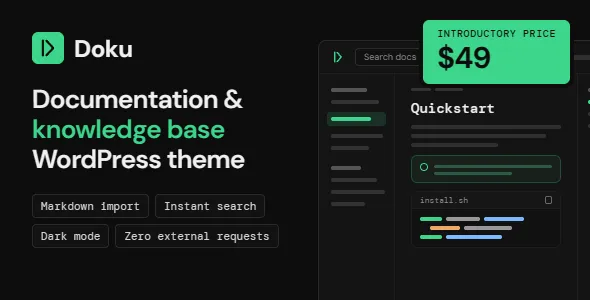
Doku – Software Documentation & Knowledge Base WordPress Theme
Doku – Software Documentation & Knowledge Base WordPress Theme is a purpose-focused website solution for software companies, SaaS providers, application developers, digital product creators, and businesses that need to organize technical information in an accessible online environment. Designed around the needs of documentation websites and knowledge bases, Doku provides a starting point for presenting product guides, setup instructions, tutorials, frequently asked questions, troubleshooting resources, and other helpful information. By using WordPress as the foundation, businesses can build a centralized destination where customers, developers, and team members can find the information they need without relying entirely on direct support. Whether you are launching a new software product, maintaining a growing application, or improving the way users learn about your services, Doku offers a documentation-oriented direction for building a clear and professional knowledge platform.
Build a Centralized Software Documentation Website
Software products often require more explanation than a short product description or a basic landing page can provide. Users may need help installing an application, configuring account settings, connecting integrations, understanding individual features, or resolving unexpected problems. When instructions are scattered across emails, chat conversations, downloadable files, and unrelated web pages, finding the correct answer can become unnecessarily difficult.
A dedicated documentation website creates a more organized way to manage this information. Instead of asking customers to search through different communication channels, businesses can publish a structured collection of resources in one accessible location. Doku is designed for this type of website, giving software teams a foundation for presenting information in a documentation-focused format.
A centralized knowledge base can benefit both customers and internal teams. Customers gain a place to learn about a product at their own pace, while support representatives can direct users to relevant instructions when answering common questions. Product managers can maintain explanations of important features, and developers can document technical workflows that need to remain accessible over time.
The value of documentation increases as a product grows. A small application may initially require only a few setup guides and frequently asked questions. As new features, integrations, and subscription options are introduced, the number of resources can expand quickly. A well-organized documentation website makes it easier to maintain that growth without turning the user experience into a confusing collection of articles.
Doku can serve as the starting point for this long-term information strategy. With appropriate page planning, consistent article formatting, and clear navigation, businesses can develop a knowledge resource that supports product adoption and helps users understand how to get more value from the software they use.
A Practical Foundation for Knowledge Base Websites
A knowledge base should do more than store articles. It should help visitors identify the subject they need, understand the available instructions, and move naturally between related resources. This requires a thoughtful combination of information architecture, readable content, and a consistent interface.
Doku is positioned for websites that need to present structured information rather than rely exclusively on promotional pages. Software companies can use this approach to organize documentation around product areas, user roles, technical processes, or common questions. The precise templates, navigation features, and article components available will depend on the theme’s supplied design and official feature list.
For example, a project management application might separate its documentation into account setup, project creation, task management, team collaboration, reporting, and billing. A marketing automation platform might organize resources around campaign creation, audience management, analytics, integrations, and troubleshooting. A developer tool could group documentation into installation, configuration, authentication, API usage, and deployment.
This organization helps users build an understanding of the product progressively. Someone visiting the website for the first time can begin with introductory material, while an experienced user can go directly to a specific procedure or technical reference.
A well-planned knowledge base also makes content maintenance easier. When articles have clear categories and consistent titles, editors can identify gaps, update outdated instructions, and keep related information together. This becomes particularly important when several people contribute to the same documentation project.
With Doku, website owners can establish the foundation for a professional knowledge platform and develop its content structure around the needs of their product and audience.
A Documentation Experience That Supports Users
When people visit software documentation, they are often trying to complete a task. They might be setting up an account, enabling a feature, connecting a third-party service, or resolving a technical issue. Their priority is usually to find a reliable answer quickly, not to navigate through unnecessary promotional content.
A documentation-oriented website should therefore make information easy to locate and understand. Clear page titles, descriptive section headings, logical content groupings, and consistent navigation can all contribute to a better experience. Instructions should follow a sensible order, while warnings and important requirements should appear where readers need them.
Doku provides a theme foundation for creating this type of information environment. Site owners can plan their documentation pages around real user questions and make sure each resource has a clear purpose. Instead of publishing articles simply to increase the size of the knowledge base, teams should focus on solving specific problems and explaining useful workflows.
Consider an article that explains how to connect a software application to an external service. A helpful guide would identify any prerequisites, explain where to find the required settings, describe the connection process, and show users how to verify that the integration works. If common errors occur during setup, the article could also explain how to identify and resolve them.
This approach makes documentation more actionable. Visitors are not simply reading about a feature; they are learning how to use it successfully.
A consistent documentation experience can also strengthen confidence in a software product. When instructions are clear and information is maintained regularly, customers have more reason to trust the product and the team responsible for supporting it.
Organize Articles into Logical Categories
Information architecture is one of the most important parts of any knowledge base. Even high-quality articles become difficult to use when they are placed in unrelated categories or named inconsistently. A documentation website should reflect the way users think about a product and the questions they are likely to ask.
Doku can be used as the foundation for a category-based documentation structure, depending on the available theme templates and the WordPress content configuration. Before publishing a large number of articles, website owners should decide how the documentation will be grouped and how visitors will move between related subjects.
One approach is to organize articles according to the stages of the customer journey. Getting started resources can introduce the product, explain account creation, and guide users through their first configuration. Feature guides can describe individual capabilities in greater detail. Advanced documentation can cover more complex workflows, while troubleshooting resources can address common errors and unexpected behavior.
Another approach is to use product modules as the main categories. This structure can work well for applications with distinct areas, such as dashboards, user management, billing, integrations, and reporting. Each category can then contain focused articles that explain the relevant workflows.
For developer-focused products, a technical structure may be more appropriate. Installation, authentication, configuration, API references, webhooks, deployment, and error handling can each serve as major sections.
The best structure depends on the product and its users. A simple application may need only a handful of categories, while a comprehensive software platform may require several levels of organization. In either case, category names should be specific enough to communicate what visitors will find inside them.
Regular reviews are also important. As products evolve, some articles may become outdated, categories may overlap, and new questions may require dedicated resources. Maintaining the information architecture helps prevent the knowledge base from becoming harder to use as it expands.
Create Helpful Product Guides and Tutorials
Product documentation is most useful when it explains how to accomplish real tasks. General descriptions can introduce a feature, but step-by-step guides help users understand what to do and what to expect at each stage.
With Doku, businesses can plan documentation pages for onboarding instructions, feature explanations, setup procedures, and practical tutorials. The specific presentation options available should be checked against the installed theme package, but the content itself can be structured to suit a wide range of software products.
A strong tutorial usually begins by explaining its purpose. Readers should know what the guide will help them accomplish and whether they need any permissions, account settings, software versions, or external services before starting. These prerequisites prevent users from reaching the middle of a procedure only to discover that they cannot complete it.
The main instructions should then follow a clear sequence. Each step should focus on a meaningful action and explain where the user should go, what they should change, and how they can confirm the result. When an interface label is important, using its exact wording can help readers locate it more easily.
Visual references can be useful when they clarify a complicated interface or demonstrate a specific result. Screenshots should reflect the current product version and avoid displaying private customer information. If an interface changes, the corresponding images and instructions should be reviewed together.
Troubleshooting notes can make tutorials more effective. For instance, a guide might explain what to check if a connection fails, a required option is missing, or a configuration value is rejected. These details help readers recover from common obstacles without abandoning the procedure.
A collection of well-maintained tutorials can reduce repeated questions, improve onboarding, and help customers become more confident using a product.
Support SaaS Companies and Digital Products
Software-as-a-Service businesses depend on clear communication throughout the customer lifecycle. New users need onboarding guidance, established customers need explanations of advanced functionality, and administrators may require information about access controls, integrations, or account management.
Doku is suited to the broader documentation needs of SaaS companies and digital product businesses that want a dedicated place for this material. It can serve as the foundation for a support-oriented website that complements the main marketing website and application interface.
For a SaaS company, documentation may cover account registration, workspace creation, team invitations, subscription management, data imports, integrations, notifications, and reporting. A digital product business may need installation guides, configuration instructions, compatibility information, license guidance, update procedures, and frequently asked questions.
Keeping these resources organized can improve the overall customer experience. Prospective users can learn how a product works before purchasing, new customers can understand the first steps, and existing users can consult the same documentation when exploring additional features.
A separate documentation destination may also be helpful when the main marketing website contains extensive product information. Instead of combining every technical instruction with sales pages, businesses can maintain a clear distinction between promotional content and practical support resources.
The documentation website should still feel connected to the main brand. Consistent colors, typography, terminology, and navigation references can reassure visitors that they are using an official resource. Product names and feature labels should match those used inside the application so users do not have to translate between different naming systems.
By building documentation around the real needs of customers, software businesses can create a more dependable support experience while keeping product knowledge accessible.
Make Technical Information Easier to Understand
Technical documentation often contains concepts that may be unfamiliar to some readers. Terms related to authentication, configuration, permissions, integrations, deployment, or data processing can become barriers when they are introduced without explanation.
A useful knowledge base balances technical accuracy with accessible writing. Doku can provide the website foundation, while the documentation team determines how information is explained, illustrated, and maintained.
One effective practice is to introduce a concept before relying on it in a procedure. If an article requires an API key, explain where the key comes from and what it is used for. If a workflow depends on administrator access, state that requirement before the instructions begin. If a setting affects other parts of the application, explain the expected result and any relevant limitations.
Examples can make abstract ideas more concrete. A guide about importing data might include an example of the expected file structure. A configuration article could show a representative value while making clear which parts readers need to replace with their own information. Sensitive credentials, access tokens, and private data should never be published in examples.
Consistency in terminology is equally important. If the application calls a section “Workspace Settings,” documentation should use that exact phrase rather than alternating among several similar labels. Consistent language makes it easier for readers to connect written instructions with the actual interface.
Long technical articles should be divided into meaningful sections. Headings help users scan the page, return to a specific step, and understand how different parts of a procedure relate to each other. However, headings should remain descriptive rather than becoming so numerous that they interrupt the flow of the explanation.
These writing practices complement the role of Doku by helping businesses turn complex product knowledge into accessible, practical documentation.
Help Customers Find Answers Independently
Many customers prefer to solve routine questions on their own when reliable instructions are available. A well-maintained knowledge base gives them the opportunity to find answers at a convenient time, without waiting for a support representative to respond.
Self-service documentation can cover questions about account setup, feature availability, common configuration errors, billing procedures, compatibility, and product usage. The most useful starting point is often the support team’s existing question history, because repeated inquiries reveal where customers encounter uncertainty.
Doku can be used to build a central location for these resources. Businesses should organize articles around common user needs and make sure the titles accurately describe the questions or tasks covered. A page titled “How to Reset Your Account Password” is more immediately informative than a vague heading such as “Account Help.”
Content should also explain the difference between a normal process and a genuine error. For example, a guide might describe how long a data import typically takes, what users should see during processing, and which signs indicate that additional troubleshooting is necessary. Clear expectations can prevent unnecessary support requests.
A knowledge base should not attempt to eliminate human support entirely. Some issues require account-specific investigation, security review, or direct assistance. In those cases, documentation should explain how to contact the appropriate support channel and what information users should provide. Sensitive details should be shared through approved support processes rather than posted publicly.
The strongest self-service experience combines useful articles with a clear route to further assistance. By helping customers resolve routine issues while preserving access to human support when necessary, a business can create a more balanced support system.
Build a Consistent and Recognizable Brand Experience
A documentation website is part of the product experience, not merely a technical repository. Its presentation can influence how customers perceive the quality, reliability, and maturity of the business behind the software.
Doku offers a starting point for establishing a dedicated documentation identity that can be aligned with a company’s existing brand. Website owners can plan the use of logos, colors, typography, illustrations, and writing conventions so the knowledge base feels connected to the broader product ecosystem. The degree of visual customization available will depend on the theme’s actual settings and templates.
Brand consistency does not require every page to look promotional. In a documentation environment, clarity should remain the priority. Visual elements should help readers understand the content, identify important actions, and distinguish between instructions, warnings, examples, and supplementary information.
For instance, a software company may use its primary brand colors for navigation and links while reserving more noticeable visual treatment for important notices. A technical product may use diagrams and interface screenshots where they genuinely improve understanding. A business application may prefer a restrained presentation that keeps attention on instructions and examples.
Consistent terminology is another part of brand identity. Product names, feature labels, subscription terminology, and support references should be aligned across the marketing website, application interface, and documentation. This consistency reduces confusion and helps customers recognize official information.
A recognizable knowledge base can also improve trust when visitors arrive from search engines or external community discussions. When the website clearly identifies the product and presents accurate information, users can more easily understand where the guidance comes from.
The result is a documentation destination that supports the brand without distracting from the main purpose of helping users.
Create a Useful Resource for Developers
Developer-facing products often require documentation that goes beyond introductory instructions. Developers may need precise details about authentication methods, configuration parameters, API endpoints, request formats, response structures, webhooks, version compatibility, and error handling.
Doku can provide a WordPress-based starting point for organizing this material into a dedicated technical knowledge resource. The specific technical components and formatting options supported by the theme should be verified before planning advanced reference layouts.
A useful developer documentation structure separates introductory guidance from detailed technical references. Getting started pages can explain prerequisites and the first successful setup. Configuration guides can describe the available options, while API documentation can explain how applications communicate with the service. Troubleshooting resources can address common implementation errors.
Examples are particularly valuable in technical content. A developer who understands the expected input and output of an operation can often implement it more efficiently than someone reading only a conceptual explanation. Code examples should be accurate, current, and safe to copy into a test environment. Any credentials or secrets used in examples should be clearly represented as placeholders rather than real values.
Version information also matters. Software behavior may change between releases, so documentation should identify relevant versions where necessary and explain when an instruction applies only to a particular release. Deprecated methods should be clearly marked, and replacement approaches should be documented where available.
Technical reference material benefits from a consistent format. If every endpoint or configuration option follows a predictable structure, developers can locate the information they need with less effort. Descriptive headings and meaningful examples make even large reference collections easier to navigate.
With a carefully planned content structure, Doku can support a documentation website that serves developers, technical administrators, integration partners, and other users who need precise product information.
Improve the Software Onboarding Experience
Onboarding is the process through which new users learn how to begin using a product. When the initial experience is confusing, customers may struggle to reach the first useful outcome, even if the software offers substantial value.
Documentation can make onboarding more manageable by breaking the learning process into clear stages. Instead of presenting every feature at once, businesses can guide new users through essential tasks and introduce advanced workflows when they become relevant.
Doku can serve as a central location for onboarding guides, introductory tutorials, setup instructions, and explanations of core functionality. These resources should be written with the needs of first-time users in mind, avoiding assumptions about product knowledge that new customers may not yet have.
An effective onboarding guide typically begins with the simplest successful workflow. It explains how to access the product, complete the necessary initial configuration, and perform a useful first task. Once the reader understands the basics, related guides can introduce additional features, integrations, and advanced options.
The documentation should also explain common decisions. For example, if users must choose between different configuration methods, a guide can describe the purpose of each method and identify the situations where one may be more appropriate than another. This helps readers understand the reasoning behind a process rather than following instructions without context.
Links between articles can create a natural learning path. A basic setup guide might link to an account management article, which in turn links to security settings or team collaboration resources. These relationships allow readers to explore further without forcing every detail into one lengthy page.
Onboarding documentation should be reviewed alongside product changes. A new interface, revised registration flow, or updated setup requirement can quickly make existing instructions inaccurate. Keeping the material current helps ensure that new customers receive the guidance they expect.
Create a Better Frequently Asked Questions Section
Frequently asked questions can provide a convenient starting point for visitors who need quick answers to common concerns. However, a useful FAQ section requires more than a random collection of short responses. Questions should reflect actual user needs, and answers should be specific enough to resolve the issue or direct the reader to a more detailed resource.
Doku can be used as a foundation for publishing FAQ content as part of a broader knowledge base. The available layouts for FAQ presentation should be confirmed against the supplied theme package, while the questions themselves should be selected from customer feedback, support conversations, sales inquiries, and product usage patterns.
Questions can cover subjects such as account access, product capabilities, subscription policies, integrations, compatibility, troubleshooting, and account administration. Grouping related questions helps visitors focus on the subject they care about instead of reading an undifferentiated list.
Answers should begin with the direct response whenever possible. If the question asks whether a feature is available, state the current situation clearly and explain any relevant limitations. If the answer involves a multi-step procedure, provide a short overview and link to a complete guide where appropriate.
It is also important to distinguish between general information and account-specific matters. A public FAQ can explain the standard billing process, but it should not expose private customer information or make assumptions about an individual account. Questions involving sensitive details should direct users to a secure support channel.
The FAQ section should evolve as the product and customer base change. New questions may become common after a release, while older questions may no longer be relevant. Reviewing the section periodically helps keep it focused and useful.
When combined with more detailed tutorials and technical references, a well-organized FAQ can make the overall documentation website more approachable.
Support Troubleshooting and Problem-Solving Guides
Troubleshooting documentation is valuable because it helps users move from identifying a problem to understanding its likely cause and selecting an appropriate solution. Without clear guidance, a minor configuration issue can lead to repeated attempts, unnecessary frustration, or a support request that could have been avoided.
Doku can provide a home for troubleshooting articles that address known issues and explain practical diagnostic steps. These resources should be based on the product’s actual behavior rather than generic assumptions about software problems.
A strong troubleshooting article begins by describing the symptom. It should help readers determine whether the guide applies to their situation and explain any prerequisites for following the instructions. The article can then identify likely causes, describe safe checks, and present the steps needed to resolve the issue.
For example, if an integration is not connecting, the guide might ask users to confirm the service status, verify the relevant configuration, check required permissions, and review any available error message. The exact steps should reflect the actual integration and the product’s official support guidance.
Troubleshooting content should avoid recommending risky actions without appropriate warnings. Deleting data, changing access permissions, resetting configuration, or modifying production settings may have consequences. If a procedure can affect customer data or service availability, the article should explain the risks and recommend suitable precautions.
It is also helpful to describe what success looks like. After completing a fix, users should know how to verify that the original problem has been resolved. If the issue persists, the article should explain which information to collect and how to contact support.
By documenting recurring problems and verified solutions, software teams can create a more reliable resource for customers and internal support staff.
Use WordPress to Manage Documentation Content
WordPress provides a flexible content management foundation for websites that publish articles, guides, landing pages, and other information. For organizations that already use WordPress, maintaining documentation within a familiar platform can simplify some publishing and administration tasks.
Doku is designed for a WordPress documentation use case, making it a potential starting point for teams that want to create a dedicated knowledge base without building an entire website design from scratch. The exact content types, theme settings, integrations, and editing workflow should be checked in the official theme documentation before implementation.
WordPress allows website administrators to create and update pages, manage menus, publish posts, and organize content using the tools available in their installation. Depending on the site’s configuration and chosen plugins, the platform can also be extended with additional search, security, backup, analytics, and content-management capabilities.
A documentation website should be planned carefully before plugins are installed. Every extension adds another dependency to maintain, and not every knowledge base needs a large collection of additional features. Site owners should identify the essential requirements first, then select compatible tools that address those needs.
The publishing workflow also deserves attention. Documentation teams can establish guidelines for titles, category assignments, article structure, review dates, screenshots, and version information. These conventions help maintain consistency when multiple contributors update the knowledge base.
Before launch, administrators should test the website on the intended WordPress version and verify compatibility with the required plugins. They should also confirm that the theme’s installation instructions, bundled resources, and licensing terms are understood.
With a deliberate setup process, WordPress can provide an adaptable foundation for managing software documentation as the product and its audience grow.
Plan Navigation Around Common User Questions
Navigation influences how easily visitors move through a knowledge base. If users cannot identify where a subject belongs, they may leave without finding an answer, even when the required article exists.
A documentation website should be organized around the questions people ask and the tasks they want to complete. Doku can serve as the design foundation for this structure, while site owners determine the most useful categories, menu labels, and links based on their product.
The main navigation should emphasize the most important areas. A small product might need only Getting Started, Features, Integrations, and Troubleshooting. A larger platform could require additional sections for administration, developer resources, account management, security, and billing.
Navigation labels should be descriptive. A heading such as “Account and Access” communicates more than an abstract label that users must interpret. If the product uses specific terminology in its interface, using the same language in documentation menus can further reduce confusion.
Internal links are equally important. An article about setting up an integration should link to the relevant configuration guide, while a troubleshooting page can link to the procedure for checking the required settings. These connections help users continue their learning without repeatedly returning to the main documentation page.
The structure should be tested with people who are unfamiliar with the website. Ask them to locate a common instruction or answer a specific question. Their experience may reveal unclear labels, missing categories, or navigation paths that make sense to the documentation team but not to customers.
Navigation should also be reviewed when new product areas are introduced. A knowledge base that was easy to use with twenty articles may need a different structure when it contains hundreds. Periodic reviews help preserve clarity as the documentation expands.
Make Documentation More Discoverable Through SEO
Search engines can help users find answers when they search for a particular software feature, configuration problem, or product workflow. A well-maintained documentation website can therefore serve both existing customers and people who are evaluating the product for the first time.
Doku provides a website foundation for publishing documentation content, but search visibility depends on many factors beyond the theme itself. Useful content, accessible page structures, descriptive titles, appropriate technical settings, internal links, performance, and crawlability all influence how search engines discover and understand pages.
Each article should focus on a clear subject. Instead of using a broad title such as “Important Information,” a page could use a more specific title such as “How to Configure Email Notifications.” Descriptive titles help readers understand the article’s purpose and can align with the language people use when searching for assistance.
Content should answer the intended question directly. If a page explains a setup procedure, it should provide the actual steps, requirements, expected results, and relevant troubleshooting guidance. Adding unrelated paragraphs merely to increase word count does not make documentation more useful.
A logical URL structure can also help communicate the relationship between resources. Categories and slugs should be understandable, concise, and consistent with the site’s overall organization. If existing documentation URLs already receive traffic or external links, changes should be planned carefully and supported with appropriate redirects when necessary.
Internal linking helps connect related articles and makes additional information easier to discover. It can also help search engines understand how individual resources relate to the broader product documentation.
Site owners should check that important pages are accessible to crawlers and are not unintentionally blocked by indexing directives, authentication requirements, or incorrect technical settings. Sitemap configuration and canonical URLs should be reviewed where relevant.
Search performance should be evaluated over time using available analytics and search reporting tools. The goal is not simply to attract visitors, but to bring the right people to accurate resources that genuinely solve their problems.
Improve Readability Across Long Documentation Pages
Technical information can become difficult to follow when paragraphs are too long, instructions are poorly grouped, or key details are buried beneath unnecessary explanations. Readability should therefore be treated as an essential part of documentation quality.
Doku can be used as the foundation for pages containing detailed product information, but the content structure should be designed to support scanning and comprehension. Readers should be able to identify the subject of a section, understand the next step, and return to a specific part of the guide when needed.
Descriptive headings help divide a long article into meaningful topics. Short paragraphs make explanations easier to process, while numbered steps are appropriate when the order of actions matters. Bulleted lists can be useful for prerequisites or related options, but they should not replace explanation where context is important.
Technical examples should be clearly separated from surrounding prose. Code, commands, configuration values, and sample outputs should be labeled accurately so readers understand what they can copy and which values must be replaced. If a command could change data or affect a production environment, the guide should explain the relevant precautions.
Images and diagrams should be included when they clarify something that would otherwise be difficult to explain. Decorative graphics that do not support the user’s task can make the page longer without improving understanding. Alternative text should describe meaningful images so that people using assistive technologies can understand their purpose.
Consistency across articles helps users become familiar with the documentation style. If each guide uses predictable heading patterns and similar terminology, readers can concentrate on the information rather than learning a different presentation format on every page.
Reviewing content from the reader’s perspective is often more effective than simply checking spelling. Ask whether the purpose is clear, whether any step depends on unstated knowledge, and whether the reader can determine what to do if the expected result does not occur.
Maintain Documentation as the Product Evolves
Documentation is not a one-time publishing task. Software products change as features are introduced, interfaces are updated, integrations evolve, and older workflows are replaced. If the knowledge base is not maintained, even a well-designed website can become a source of confusion.
Doku can serve as the central location for documentation that needs ongoing review. To keep that information reliable, teams should establish a process for identifying outdated articles and updating them alongside product releases.
One useful practice is to connect documentation work with the product development process. When a new feature is planned, the team can identify which guides, examples, screenshots, and FAQs will need to change. Documentation updates can then be reviewed before or alongside the release rather than being postponed indefinitely.
Articles should be checked for accuracy, not merely for formatting. A page may still look professional even though its instructions reference an old menu, a discontinued integration, or a configuration option that no longer exists. Reviewing the actual workflow helps prevent these problems.
Version information is particularly important for software with frequent releases. If an instruction applies only to certain versions, the article should make that limitation clear. When a procedure changes, the team should decide whether to update the existing page, maintain separate version-specific guidance, or direct readers to the current approach.
Feedback can also reveal documentation gaps. Support tickets, product feedback, search queries, and repeated questions may indicate that an article is incomplete or difficult to find. Prioritizing these issues helps the documentation team focus on changes that will benefit users most.
A consistent review process makes the knowledge base more dependable and helps ensure that the website continues to reflect the product it documents.
A Flexible Starting Point for Different Industries
Although software companies are a natural audience for a documentation-focused theme, structured knowledge resources are useful across many digital industries. Any organization that provides a product, service, platform, or technical workflow may need a central place for instructions and reference information.
A SaaS business could use a knowledge base to explain its subscription platform and customer workflows. An application developer could publish installation guides, feature tutorials, and troubleshooting resources. An agency could document its client portal, explain service procedures, and maintain internal reference material. An e-learning platform could organize instructions for students, instructors, and administrators.
Doku can be considered for these different use cases when its available layouts and functionality match the website’s requirements. Before selecting a theme for a specialized project, businesses should review the supplied templates and confirm whether additional functionality will be necessary.
For example, a public help center may require straightforward article publishing and clear navigation, while a developer portal may need advanced code presentation and version-specific references. An internal knowledge base may require restricted access and user permissions, while a customer-facing documentation site may need publicly accessible pages and a clear support contact route.
These requirements should be evaluated separately from visual design. A theme can provide the website’s presentation layer, but user authentication, access management, advanced search, feedback collection, and other specialized features may require compatible plugins or additional development.
By defining the intended audience and the most important workflows before installation, website owners can determine whether Doku is a suitable foundation for their particular documentation project.
Build Trust Through Accurate and Transparent Information
People rely on documentation to make decisions and complete tasks. If instructions are inaccurate, incomplete, or misleading, users may lose confidence in the product even when the underlying software works as intended.
A professional knowledge base should clearly distinguish confirmed product behavior from recommendations, limitations, and workarounds. When a feature is available only on certain plans or requires a particular configuration, the article should state that requirement directly. When a procedure depends on a third-party service, relevant dependencies should be explained.
Doku can provide the website foundation for presenting this information, but accuracy depends on the content and review process established by the business. Subject matter experts should verify technical details, and editors should ensure that the writing remains clear to the intended audience.
Examples should be representative of actual workflows. Screenshots should reflect the current interface, and sample configurations should avoid exposing private information. If a product changes, affected instructions should be updated so that visitors do not follow outdated procedures.
Transparent documentation should also explain limitations. If a process is unavailable in a particular environment, requires administrator permissions, or carries a risk of data loss, users should be informed before they begin. Clear warnings help readers make appropriate decisions.
Trust is strengthened when the documentation is consistent with the product itself. Names, settings, supported integrations, and expected results should match the actual application. When users encounter an issue that the knowledge base does not address, the website should offer a reasonable way to request further assistance.
This combination of accurate content, clear explanations, and appropriate support pathways helps create a more dependable documentation experience.
Consider Performance, Accessibility, and Mobile Usability
A documentation website should remain practical to use across different devices and browsing conditions. Some visitors will read guides on a desktop while configuring software, while others may consult instructions from a phone or tablet. The website should support the intended reading experience without making essential information difficult to access.
Doku’s actual responsive behavior and accessibility characteristics should be confirmed through the theme’s documentation and hands-on testing. Website owners should not assume that a theme automatically meets every performance or accessibility requirement simply because it is designed for a modern WordPress installation.
Performance depends on the complete website configuration. Large images, excessive scripts, unnecessary plugins, poorly optimized hosting, and third-party integrations can all affect loading speed. Images should be appropriately sized, extensions should be selected carefully, and performance should be tested after major configuration changes.
Accessibility is equally important. Clear headings, meaningful link text, sufficient contrast, keyboard navigation, and appropriate alternative text can make documentation easier to use for a wider audience. Forms and interactive controls should have understandable labels, and important instructions should not depend exclusively on color or visual position.
Mobile usability should be evaluated using real devices or reliable responsive testing tools. Navigation should remain understandable on narrow screens, paragraphs should be readable, and code examples should not make the entire page difficult to navigate. Tables and wide technical diagrams may need special consideration.
Search and navigation should also be tested with realistic tasks. A visitor should be able to identify a relevant article, read the instructions, and move to related information without unnecessary friction.
These checks help ensure that the documentation website serves users with different devices, browsing habits, and accessibility needs.
Expand the Knowledge Base as Your Business Grows
A new software product may begin with a small documentation library, but its information requirements usually increase as customers discover more use cases. New features introduce new instructions, integrations require setup guides, and support teams identify questions that deserve permanent answers.
Doku can serve as a foundation for expanding the documentation website over time. The key is to scale the information architecture deliberately rather than adding new pages without considering their relationship to existing content.
A useful expansion strategy begins by identifying the most important user journeys. Businesses can prioritize documentation that helps new customers get started, explains frequently used features, and resolves recurring support problems. More advanced references can be added as the product and audience develop.
Content ownership becomes increasingly important as the library grows. Each major documentation area should have a clear review process so that articles remain accurate. Teams should also establish consistent naming conventions and decide how new pages will be categorized and linked.
A larger knowledge base may benefit from more advanced search, article feedback, version management, or analytics. These capabilities should be selected according to actual requirements and verified for compatibility with the installed theme and WordPress configuration. Adding functionality gradually can be more manageable than installing numerous tools before the site’s needs are understood.
Documentation performance should be reviewed using more than page views alone. Search terms that produce no useful results, articles that receive repeated negative feedback, and common support questions may reveal opportunities for improvement. The objective is to make the knowledge base more effective, not merely larger.
By treating documentation as an ongoing product resource, businesses can maintain a website that continues to serve customers as their software becomes more capable.
Why Choose Doku for a Software Documentation Website?
Choosing a documentation theme is about finding a suitable foundation for presenting information clearly and maintaining it over time. A useful theme should align with the website’s purpose, support the intended content structure, and allow the business to create a recognizable experience for its audience.
Doku is positioned for software documentation and knowledge base projects, making it relevant to teams that need a dedicated destination for technical guides, tutorials, product instructions, FAQs, and troubleshooting resources. Its WordPress foundation may also appeal to businesses that prefer managing their documentation within an established content management system.
The theme can help establish the presentation layer for a documentation website, while the quality of the finished resource will depend on the accuracy of the content, the organization of articles, and the suitability of the selected WordPress configuration. Before deployment, it is important to verify the theme’s included features, supported page layouts, installation requirements, compatibility, and any bundled dependencies.
A successful documentation site should make information easy to find, explain technical processes in understandable language, and help users complete tasks confidently. Doku can be evaluated against these priorities when planning a new knowledge base or redesigning an existing documentation website.
For organizations that want to bring scattered product information into one structured location, a dedicated documentation theme can be a useful starting point. With careful planning and regular maintenance, the resulting website can support onboarding, self-service assistance, product education, and long-term customer success.
Turn Product Knowledge into a Useful Online Resource
A documentation website becomes valuable when it connects people with reliable information at the moment they need it. Clear setup guides help new users get started, feature explanations reveal how software works, technical references support advanced workflows, and troubleshooting articles provide direction when something goes wrong.
Doku – Software Documentation & Knowledge Base WordPress Theme is intended for businesses that want to establish a dedicated home for this type of content. It provides a starting point for planning a documentation-focused website around the needs of software users, developers, customers, and internal teams.
The most effective results come from combining a suitable theme with a thoughtful content strategy. Begin with the questions users ask most frequently, organize the answers into meaningful sections, and write each article around a specific task or problem. Keep terminology consistent, verify instructions against the actual product, and review important resources whenever the software changes.
It is also worth testing the finished website before making it the primary destination for customer support. Confirm that navigation works as intended, articles display correctly on different devices, links lead to the right resources, and any required search or access-control functionality behaves as expected.
With these foundations in place, a WordPress documentation website can become more than a collection of articles. It can serve as a dependable resource that helps people understand a product, solve problems independently, and make better use of the tools available to them. For teams seeking a dedicated starting point for that experience, Doku offers a documentation-oriented direction that can be developed around their particular product and audience.