My Account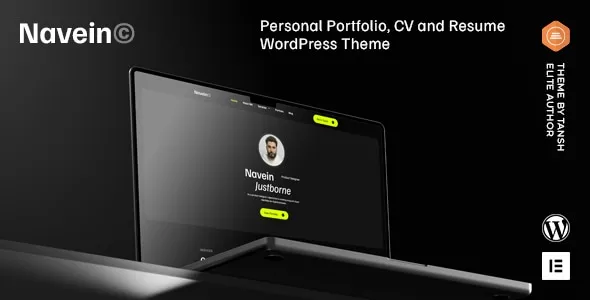
Navein – Personal Portfolio WordPress Theme
Navein – Personal Portfolio WordPress Theme is a modern website design solution for freelancers, creative professionals, designers, developers, consultants, and individuals who want to establish a professional online presence. A personal portfolio website provides a central place to showcase skills, highlight completed projects, introduce professional experience, and help potential clients or employers understand what makes an individual stand out. With a flexible WordPress foundation, Navein can be considered for portfolio projects that require a polished visual presentation, organized content, and a consistent personal brand.
In today’s digital environment, a professional website can play an important role in building credibility and creating new opportunities. Whether you work in graphic design, web development, photography, digital marketing, content creation, or consulting, a well-structured portfolio can communicate your expertise more effectively than a simple list of qualifications. By combining carefully selected projects with a clear introduction, relevant experience, and convenient contact information, you can create an online destination that reflects your professional identity.
Navein is intended for individuals who want to present their work through a dedicated WordPress website. The final design and available functionality depend on the installed theme version, its customization options, and any compatible plugins used alongside it. With appropriate content, thoughtful styling, and a clear website structure, this theme can serve as a starting point for developing a personal portfolio that supports professional growth, networking, and client acquisition.
What Is Navein Personal Portfolio WordPress Theme?
Navein is a personal portfolio WordPress theme designed for professionals who want to present their skills, experience, creative work, and personal brand online. Unlike a general business website that focuses primarily on an organization and its services, a portfolio website places the individual and their achievements at the center of the experience.
A personal portfolio can help visitors quickly understand who you are, what you do, and the value you can provide. It can include an introduction, a professional biography, a project gallery, detailed case studies, testimonials, a resume, and contact information. The exact page layouts and design elements available for Navein should be confirmed through its current product demo and documentation.
WordPress provides a content management system for organizing website pages, publishing articles, managing images, and maintaining navigation. A suitable portfolio theme establishes the visual foundation for presenting this information consistently.
For example, a web developer could use a portfolio to showcase websites and explain the technologies involved in each project. A graphic designer might present branding projects and visual identities, while a photographer could organize selected images into dedicated galleries. Consultants and other professionals may focus on experience, qualifications, services, and client outcomes.
The main objective is to make professional information accessible and memorable. By organizing relevant content into a clear structure, Navein can be evaluated as a potential foundation for a personal website tailored to specific career goals.
Modern Design for a Professional Online Presence
The appearance of a portfolio website influences how visitors perceive the person behind it. A clean, consistent design helps users focus on the work, understand the professional’s strengths, and navigate between important sections without unnecessary distractions.
Navein can be used as a starting point for creating a visually coherent personal portfolio that reflects an individual’s professional style. The final appearance will depend on the available theme settings, selected layouts, typography, color palette, images, and any additional customization.
A strong portfolio design balances visual appeal with practical usability. Headings should communicate information clearly, project images should be presented at appropriate sizes, and important links should be easy to identify. Visitors should not have to search extensively to find a resume, service description, or contact option.
Creative professionals may prefer a more expressive presentation with prominent imagery and distinctive typography. Developers and consultants may choose a restrained layout that prioritizes readability, technical experience, and project details. Professionals in other fields can adapt their visual identity to suit their audience and industry.
Consistency across pages is equally important. Repeating a clear heading hierarchy, using a limited set of colors, and maintaining predictable spacing can help create a recognizable professional identity.
Before publishing the website, review the complete design on desktop and mobile devices. Check that the layout supports the content and that visual effects do not interfere with readability or navigation.
Responsive Design for Desktop, Tablet, and Mobile
Visitors may discover a personal portfolio through a search engine, professional networking platform, social media profile, or shared project link. They may open it on a desktop computer, tablet, or smartphone, so the browsing experience should remain convenient across different screen sizes.
As a responsive WordPress theme, Navein should be evaluated for how effectively its layouts adapt to different devices. Responsive behavior may include adjusting content columns, resizing images, reorganizing navigation, and changing spacing according to the available screen width. The exact behavior should be tested in the current theme version.
Mobile usability is particularly important for portfolios that contain large project previews, image galleries, or detailed case studies. Text should remain readable, buttons should be comfortable to tap, and navigation should provide a straightforward route to the most important sections.
A portfolio should also work well when visitors arrive directly at a project page rather than the homepage. Each page needs a clear title, relevant context, and a convenient way to explore other work or return to the main portfolio.
Responsive testing should include the homepage, project galleries, biography, resume, blog, and contact page, where applicable. Custom CSS, third-party widgets, embedded media, and plugins can affect the final layout, so these elements should be reviewed after significant updates.
A consistent experience across devices helps visitors explore professional work with fewer obstacles and supports a more polished presentation.
Showcase Creative Projects and Professional Achievements
A portfolio is most effective when it demonstrates relevant work rather than simply describing abilities. Visitors often want to see practical examples of what a professional has created, how challenges were addressed, and what contribution the individual made.
Navein can be considered for a portfolio structure that presents selected projects through visual previews and supporting descriptions. Depending on the available templates and customization options, projects may be organized into individual pages, galleries, or other content sections.
Each project should provide enough context to help visitors understand its purpose. Useful details can include the client’s objective, the original challenge, the professional’s responsibilities, the approach taken, and the final deliverables. Where reliable results are available and appropriate to disclose, relevant outcomes can help demonstrate the value of the work.
A designer might present brand identities, logos, packaging concepts, or interface designs. A developer could showcase websites, applications, or technical implementations. A marketing professional may feature campaigns, content strategies, or analytics-supported results.
Quality matters more than quantity. A carefully selected group of relevant projects can provide a clearer picture of professional capabilities than a large collection without explanation. Projects should also be presented honestly, with accurate descriptions of individual contributions and permission to display client work where required.
By organizing work around the needs of prospective clients or employers, a portfolio can become a practical tool for communicating expertise and encouraging meaningful professional conversations.
Build a Personal Brand Website
A personal brand website helps professionals establish a recognizable identity across their online presence. It can bring together a biography, portfolio, professional services, articles, achievements, and contact details in one place.
Navein can be evaluated for creating a personal website that reflects an individual’s career direction, working style, and professional goals. The website’s visual identity should support the message the individual wants to communicate.
Begin with a clear introduction that explains who you are and what you do. A concise headline can describe your main area of expertise, while supporting text can explain the types of projects, clients, or opportunities you focus on.
The About section can provide additional context about your background, experience, and approach to work. Selected projects can then demonstrate the practical application of those skills, while a resume or experience section provides further details about professional development.
A personal brand should remain consistent across the website, resume, email signature, and relevant professional profiles. This does not require identical content everywhere, but the main message, professional title, and visual identity should align.
Avoid exaggerated claims and generic statements that could apply to anyone. Specific examples, genuine achievements, and clear explanations of your work make the website more informative and credible.
Portfolio Solutions for Designers and Creative Professionals
Designers and creative professionals often need a website that allows their work to communicate visually. A portfolio can display selected projects while providing enough information for prospective clients to understand the creative process and the professional’s contribution.
Navein may serve as a starting point for portfolios covering graphic design, branding, illustration, digital design, art direction, photography, and related creative disciplines. The suitability of its available galleries and project layouts should be verified against the current demo.
A graphic designer could organize work into categories such as brand identity, editorial design, packaging, and advertising. A UI or UX designer might present interface concepts, research findings, user flows, and design decisions. An illustrator could use selected artwork to demonstrate style and range.
For project-based work, a case study can provide more value than a collection of images alone. Explain the objective, outline the creative decisions, and identify the deliverables. This allows potential clients to understand how the work addressed a specific need.
Creative portfolios should also maintain image quality without unnecessarily slowing down the website. Use suitable image dimensions, optimize file sizes, and ensure that important visual details remain clear on mobile screens.
A carefully organized presentation helps visitors identify relevant experience and assess whether a creative professional’s style matches their project requirements.
Personal Portfolio for Developers and Technology Professionals
Developers, engineers, and technology professionals can use a personal portfolio to demonstrate technical experience, practical problem-solving, and completed work. A website can provide more context than a short resume by explaining the challenges behind selected projects.
Navein can be considered for a developer portfolio featuring project summaries, technical skills, professional experience, and relevant links. The content structure should be adapted to the individual’s specialization, such as frontend development, backend engineering, full-stack development, mobile applications, or software consulting.
Project descriptions can identify the objective, technologies used, individual responsibilities, and important implementation decisions. When a project is publicly accessible, links to a live demonstration or source repository can provide additional context.
Technical professionals should distinguish clearly between personal projects, team contributions, and work completed for clients or employers. Confidential information should never be published without appropriate authorization.
A skills section can summarize relevant technologies, but practical examples usually provide stronger context than a long list of tools. Include certifications, professional experience, or technical articles when they support the intended career direction.
The final portfolio should remain easy to navigate. Visitors may want to move quickly between project examples, experience details, and contact information, so a clear page hierarchy is valuable.
Resume, Experience, and Skills Presentation
A portfolio website can complement a traditional resume by providing an accessible overview of professional experience. Visitors can explore qualifications and achievements while reviewing relevant examples of completed work.
Depending on the layouts and content options available, Navein can be configured to present information such as education, employment history, skills, certifications, and professional milestones. These details can be organized into a dedicated resume page or incorporated into the main portfolio structure.
Experience descriptions should emphasize relevant responsibilities and contributions rather than repeating job titles alone. Where possible, explain the type of work completed, the challenges addressed, and the outcomes achieved.
Skills should be presented in a way that helps visitors understand the professional’s capabilities. A designer might highlight design tools and creative methods, while a developer could list programming languages, frameworks, and technical areas of expertise.
Keep all information current. Remove outdated qualifications, correct inconsistencies, and ensure that dates and project details match the resume or professional profiles you share elsewhere.
If you provide a downloadable resume, review the file periodically and make sure it is accessible, readable, and consistent with the information displayed on the website.
Homepage Layout and Content Organization
The homepage is often the first page visitors see, making it an important part of the personal portfolio experience. It should introduce the professional, communicate their main area of expertise, and provide clear pathways to explore relevant information.
A Navein-based website can be organized around an introductory section, selected projects, a short biography, key skills, professional services, and contact opportunities, depending on the available layouts and the website’s objectives.
The opening section should explain what you do and whom you help. A concise headline is generally more useful than a vague slogan because it gives visitors an immediate understanding of your professional focus.
Selected projects can follow the introduction, allowing visitors to see examples of your work without navigating through multiple pages first. A short biography can then provide context, while links to detailed project pages offer deeper information.
Not every portfolio needs every possible section. A photographer may prioritize galleries, while a consultant may emphasize experience and services. A developer may choose to highlight technical projects and repositories.
Organize content according to the needs of your target audience. Make important information easy to find, avoid unnecessary repetition, and provide a clear next step for visitors who want to learn more or discuss a potential project.
Customization and Visual Identity
A portfolio should feel personal rather than like an unmodified website template. Customization can help align the website’s presentation with the individual’s professional identity and the expectations of their audience.
Depending on the current theme version and available customization tools, Navein may be adapted through settings for colors, typography, layouts, spacing, images, and other design elements. Review the official documentation to confirm which options are supported and whether additional tools are required.
Choose a color palette that complements the work without distracting from it. Creative professionals may prefer distinctive visual treatments, while consultants and corporate professionals may choose a more restrained presentation.
Typography should support readability and create a clear hierarchy between headings, body text, captions, and links. Use a consistent approach across pages instead of introducing too many unrelated font styles.
Images should also contribute to the personal brand. Project screenshots, professional photographs, and relevant illustrations can make the website more distinctive when selected carefully.
Before making extensive changes, create a backup and test significant customizations in a staging environment when possible. This can help prevent layout problems or conflicts from affecting the live website.
SEO-Friendly Structure for Portfolio Websites
Search engine optimization can help a personal portfolio become more discoverable when people search for a professional’s name, skills, services, or area of expertise. A WordPress theme can provide the design foundation, but search visibility also depends on content quality, technical configuration, competition, and other factors.
Each important page should have a clear purpose and a descriptive title. Use headings to organize information logically, write helpful project descriptions, and create readable URLs where possible.
For example, a designer could create separate pages for branding and interface design, while a developer might publish individual case studies for selected projects. Dedicated pages allow visitors and search engines to understand each topic more clearly than a single page containing all information.
Internal links can connect related projects, service descriptions, and articles. Descriptive link text helps visitors understand what they will find when they open another page.
Images should have meaningful alternative text when they communicate useful information. Optimize image dimensions and file sizes to help pages load efficiently, particularly on mobile connections.
Compatible SEO plugins may assist with metadata, XML sitemaps, redirects, and other settings, depending on the site’s configuration. Review indexing and technical issues periodically, and avoid repeating keywords unnaturally.
Focus on original, useful information that reflects genuine experience. No WordPress theme can guarantee specific search rankings or a particular amount of website traffic.
Blogging and Professional Content Marketing
Publishing useful articles can help professionals demonstrate knowledge, explain their working methods, and provide additional reasons for visitors to return to the website. A blog can complement a portfolio by showing how the individual thinks about their field.
Navein may be suitable for a personal website that combines project showcases with educational articles, professional updates, or industry commentary, subject to the theme’s available blog layouts and WordPress configuration.
A designer could publish articles about visual identity, design systems, or user experience. A developer might explain technical concepts, document lessons learned from projects, or share practical coding guidance. A consultant could discuss industry challenges and provide actionable recommendations.
Useful content should answer real questions rather than exist solely to include search terms. Clear explanations, original insights, and practical examples can make articles more valuable to readers.
Blog posts can also link to relevant projects and service pages. This creates a natural path for visitors who discover an article and want to explore the author’s work.
Choose a publishing schedule that can be maintained consistently. A smaller collection of well-prepared articles may be more useful than frequent posts with little original information.
Contact Forms and Professional Inquiries
A personal portfolio should make it easy for interested visitors to get in touch. Potential clients may want to request a quotation, discuss a project, ask about availability, or explore a professional collaboration.
Navein can be configured with suitable contact links or compatible form solutions, depending on the theme’s capabilities and the plugins installed. Contact functionality should be tested separately rather than assumed to be included by the theme itself.
A contact form should collect only the information needed to begin a conversation. Typical fields might include a name, email address, project type, and a brief description of the request.
Clear labels and helpful instructions reduce confusion. If a form is used, test validation, confirmation messages, spam protection, and email delivery before publishing the website.
Calls to action should match the visitor’s likely intent. A portfolio page might invite visitors to discuss a similar project, while a consulting page could encourage them to request a conversation.
Make sure contact information is accurate and that visitors have an alternative way to reach you when appropriate. Review form submissions periodically so that genuine opportunities are not missed.
Performance, Accessibility, and User Experience
A professional portfolio should be easy to browse, quick enough to use comfortably, and accessible to a broad range of visitors. These qualities depend on the theme, website configuration, content, hosting, and supporting tools.
Performance begins with sensible asset management. Optimize large images, avoid unnecessary animations, and review third-party scripts or widgets that may affect loading times. The actual performance of a Navein website should be measured rather than assumed from its design.
Accessibility also deserves attention. Use readable text, sufficient color contrast, logical heading structures, descriptive links, and appropriate alternative text for meaningful images. Form fields should have clear labels, and important interactive elements should be usable with suitable input methods.
Navigation should remain predictable across the website. Visitors should be able to move between the homepage, project pages, biography, resume, and contact section without confusion.
Test important pages on different screen sizes and browsers. Review the behavior of galleries, menus, buttons, and forms after installing plugins or applying custom styles.
A practical user experience supports the portfolio’s main objective: helping visitors understand your professional value and decide whether to explore your work or contact you.
WordPress Compatibility, Plugins, and Maintenance
A WordPress portfolio may use additional plugins for SEO, forms, analytics, backups, security, image optimization, or other requirements. The right setup depends on the theme’s documented capabilities and the website’s intended functionality.
Before installing Navein, check the current product documentation for supported WordPress versions, required dependencies, installation instructions, and any relevant page-builder requirements. Verify that the available templates meet your needs before committing to a particular configuration.
Choose reputable plugins and review their compatibility, maintenance history, documentation, and support arrangements. Avoid installing multiple extensions that perform the same function unless there is a clear reason.
Regular maintenance helps keep the website reliable. Create backups before significant updates, keep WordPress and compatible components up to date, use secure account credentials, and remove unused extensions when appropriate.
Review portfolio content periodically as well. Replace outdated project examples, update your experience, correct broken links, and confirm that contact information remains accurate.
A maintenance routine helps protect the website and ensures that it continues to represent your professional work effectively.
Who Should Use Navein Personal Portfolio WordPress Theme?
Navein may be worth evaluating for individuals who want to create a dedicated website around their skills, experience, and professional identity.
Freelancers: Present services, selected projects, professional experience, and contact details in one central location.
Graphic designers: Showcase branding, visual identity, illustration, and other creative work with supporting project information.
Web developers: Highlight website projects, technical skills, development experience, and relevant public repositories.
Photographers: Organize selected images and visual projects into a portfolio suited to their creative style.
UI and UX designers: Explain interface design projects, design decisions, and user-centered approaches.
Consultants: Present professional expertise, service offerings, case studies, and relevant qualifications.
Digital marketers: Demonstrate campaign experience, content projects, and measurable results where reliable data is available.
Students and graduates: Build an online portfolio that complements a resume and demonstrates practical skills.
Personal brands: Establish a recognizable professional identity and connect portfolio work with articles, achievements, and contact information.
The right choice depends on the desired presentation and technical requirements. Review the current demo, documentation, supported customization options, and compatibility details before using the theme for a live website.
Tips for Creating an Effective Portfolio with Navein
A successful portfolio requires more than an attractive layout. The content should communicate a clear professional message and help visitors understand the relevance of your experience.
Start by defining the website’s primary goal. You may want to attract freelance clients, apply for jobs, promote consulting services, showcase creative work, or build recognition within your industry. This decision should guide the structure of the website.
Choose projects that demonstrate your strongest and most relevant skills. Add concise descriptions explaining the objective, your contribution, and the work completed. Use genuine examples and avoid presenting team achievements as individual accomplishments.
Write an introduction that identifies your professional focus. Explain the kind of work you do, the audience you serve, and the areas where you have experience. Specific information is more useful than broad statements about being passionate or creative.
Maintain a consistent visual identity across the homepage, project pages, resume, and contact section. Use high-quality images while keeping file sizes manageable, and ensure that important text remains readable on mobile devices.
Before launch, check every navigation link, contact method, and interactive element. Review the website for spelling errors, outdated information, accessibility concerns, and responsive layout problems.
Finally, update the portfolio as your career develops. New projects, skills, qualifications, and professional achievements can help keep the website relevant and make it a more useful representation of your current abilities.
Final Thoughts on Navein – Personal Portfolio WordPress Theme
Navein – Personal Portfolio WordPress Theme is a potential starting point for freelancers, designers, developers, consultants, photographers, and other professionals who want to establish a dedicated online presence. Its portfolio-focused purpose makes it relevant to websites that need to introduce an individual, present selected work, and communicate professional experience in an organized format.
A thoughtfully developed portfolio can bring together a clear introduction, project showcases, a biography, resume information, professional articles, and convenient contact opportunities. The most effective structure depends on the individual’s field, audience, and career objectives.
The final website’s functionality and appearance will depend on the theme version, its documented features, available customization tools, and compatible plugins. Reviewing the current product information and testing the required layouts can help determine whether Navein is appropriate for a specific project.
Long-term results also depend on the quality of the content, mobile usability, search optimization, accessibility, security, and regular maintenance. A theme alone cannot guarantee new clients, job offers, or higher search rankings, but it can provide a useful foundation for presenting professional work.
For individuals seeking a dedicated WordPress portfolio, Navein can be evaluated as part of a broader personal branding strategy. With relevant projects, accurate information, consistent design, and ongoing updates, a well-organized portfolio website can help communicate expertise, strengthen professional credibility, and create opportunities for future growth.