My Account
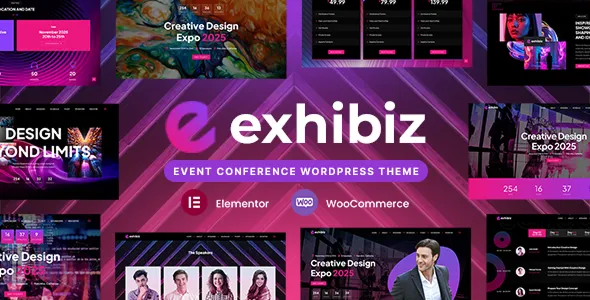
Exhibiz – Event, Conference and Meetup WordPress Theme
Exhibiz – Event, Conference and Meetup WordPress Theme is a website design solution for event organizers, conference planners, business communities, meetup groups, seminar hosts, and professional organizations looking to establish an effective online presence with WordPress. An event-focused WordPress theme provides a foundation for communicating event details, introducing speakers, publishing schedules, promoting registrations, and keeping attendees informed. Exhibiz can be considered for businesses and organizations that want to create a dedicated website for conferences, networking events, professional gatherings, workshops, exhibitions, and other organized activities.
A successful event website needs to do more than announce a date and location. Visitors should be able to understand the event’s purpose, identify its intended audience, review the program, learn about speakers, and discover how to participate. A well-organized website brings these details together in one accessible place, helping potential attendees make informed decisions. With appropriate customization, Exhibiz can support a structured digital experience that communicates event information, builds interest, and guides visitors toward relevant registration or contact options.
WordPress provides a flexible content management system for publishing event pages, updating schedules, managing images, and sharing announcements. A specialized theme can help establish a consistent visual presentation for these materials. The final appearance and functionality of an Exhibiz website depend on the installed theme version, its available customization settings, and compatible plugins or integrations. By combining clear content, accurate event information, and intuitive navigation, organizers can create a professional website that supports their event communication and promotional goals.
What Is Exhibiz – Event, Conference and Meetup WordPress Theme?
Exhibiz is an event-oriented WordPress theme intended for website projects involving conferences, meetups, seminars, networking sessions, professional events, and related gatherings. Rather than relying on a general-purpose website structure, organizers can evaluate a theme focused on the information and presentation requirements of event promotion.
Event websites often need to display the event name, date, venue, program, speaker details, registration information, and organizer contact details. Larger conferences may also require separate pages for ticket categories, sponsors, exhibitors, accommodation guidance, and frequently asked questions. Meetup groups and smaller gatherings may need a simpler structure that prioritizes the event purpose, location, time, and participation instructions.
A website built with Exhibiz can be planned around these requirements, subject to the layouts and functionality supported by the current release. Organizers can create pages that introduce their events, explain the program, present invited speakers, and provide useful information for participants.
The theme serves as a visual foundation rather than a complete event-management system by default. Features such as ticket sales, payment processing, automated registration, attendee management, and calendar synchronization may require compatible plugins or external services. Before installation, review the current product demo and documentation to confirm the available layouts, editing options, compatibility requirements, and supported integrations.
Designed for Conferences and Professional Events
Conferences bring together professionals, industry specialists, business leaders, researchers, and other participants to exchange information and discuss important topics. Their websites need to communicate the event’s purpose and provide enough information for potential attendees to decide whether to participate.
Exhibiz can be considered for technology conferences, business summits, marketing events, industry exhibitions, academic gatherings, professional forums, and other organized conferences. The website can introduce the event theme, explain its objectives, highlight the intended audience, and direct visitors toward the program and registration information.
A conference homepage might begin with a clear event headline, followed by the event date, location, and a concise description. Additional sections can introduce the speakers, outline the sessions, present sponsors, and answer common questions.
Professional events may also need information about networking opportunities, workshops, panel discussions, keynote presentations, and exhibition areas. Each section should provide accurate details so that visitors can understand what the event offers.
Organizers should publish only confirmed information and clearly identify details that remain subject to change. If speakers, session times, or venues are updated, the website should be revised promptly. Accurate communication helps attendees plan their participation and reduces confusion before the event begins.
Create an Engaging Meetup Website
Meetups provide opportunities for people with shared interests to connect, exchange ideas, learn new skills, and build communities. A meetup website should make it easy for visitors to understand the group’s purpose and discover upcoming gatherings.
Exhibiz can be evaluated for community organizers, professional networking groups, technology communities, creative collectives, educational clubs, and local interest groups. The website can explain the community’s focus and present information about upcoming or recurring meetings.
A meetup page should clearly communicate the date, time, venue, participation requirements, and any registration instructions. If an event is online, include the appropriate joining information through a secure and suitable method. For in-person events, provide accurate venue details and relevant directions.
Organizers may also introduce the community’s background, explain who can participate, and share summaries or photographs from previous gatherings when they have permission to publish them.
A simple structure is often best for community events. Visitors should be able to find the next meetup, understand what to expect, and identify the appropriate way to join. Regularly updating the website helps keep community members informed and encourages repeat participation.
Suitable for Seminars, Workshops, and Training Sessions
Seminars and workshops usually focus on a specific subject, practical skill, or professional development objective. Their websites need to explain what participants will learn, who should attend, and how the session will be organized.
Exhibiz can serve as a starting point for training providers, educational organizations, consultants, professional associations, and businesses hosting workshops or seminars. Depending on the available layouts, organizers can create dedicated pages for each session or organize multiple events under a common website.
A workshop page can describe its learning objectives, intended audience, instructor, schedule, duration, and participation requirements. If participants need to bring materials, complete preparation work, or meet prerequisites, those details should be explained in advance.
Training events may also need information about attendance certificates, learning resources, session recordings, or post-event materials. Include these details only when the organizer actually provides them.
For recurring workshops, a consistent page structure helps visitors compare sessions and find relevant information quickly. If registration or payment is handled through an external platform, provide clear instructions and ensure that the destination is accurate.
A professional workshop website reduces uncertainty and helps participants understand the value and practical requirements of attending.
Present Event Schedules and Programs Clearly
The event schedule is one of the most important elements of a conference or meetup website. Visitors often use it to decide which sessions to attend, plan their day, and understand the overall structure of the event.
With suitable customization, an Exhibiz website can present an event program using structured sections, time-based listings, session descriptions, or other supported layouts. The precise schedule display options should be confirmed in the current theme demo and documentation.
A conference program might include keynote presentations, panel discussions, breakout sessions, networking breaks, and workshops. Each entry should identify the session title, scheduled time, presenter where applicable, and location if multiple rooms or stages are used.
For multi-day events, organize the schedule by day so visitors can quickly find the sessions relevant to them. If a program contains parallel tracks, explain the room or track names clearly.
Organizers should verify all times, especially when attendees are joining from different time zones. Online events should state the relevant time zone explicitly to reduce confusion.
Schedules sometimes change because of speaker availability or operational requirements. Keep the website updated when changes occur and make important adjustments easy to notice. An accurate, readable program helps participants plan their experience more effectively.
Introduce Speakers, Presenters, and Hosts
Speakers and presenters can be an important reason people decide to attend an event. A speaker section gives visitors an opportunity to understand who will participate and what expertise or perspective they may contribute.
Exhibiz can be considered for event websites that need to introduce keynote speakers, panelists, workshop leaders, moderators, and hosts. The available speaker layouts and profile options depend on the current theme version and its supported components.
A speaker profile may include a name, professional role, organization, short biography, photograph, and session topic. Where relevant, organizers can also provide links to professional websites or public profiles.
Biographies should focus on information that helps attendees understand the speaker’s experience and relationship to the event subject. Keep descriptions concise and accurate, and obtain permission before publishing photographs or personal information.
For conferences with several speakers, a consistent presentation makes it easier for visitors to compare profiles and find the sessions they want to attend. Speakers can be grouped by event day, session type, or subject area when that improves navigation.
If a speaker changes or withdraws, update the website promptly. Accurate speaker information helps maintain trust and ensures that attendees are not relying on outdated announcements.
Promote Event Registration and Participation
A central goal of many event websites is to turn interested visitors into registered attendees. The registration process should be easy to understand and should clearly communicate what participants need to do next.
Depending on the website’s requirements, Exhibiz can be customized to include registration calls to action and links to suitable registration tools. However, ticket purchasing, attendee management, and payment processing should not be assumed to be included unless they are documented for the installed theme version or provided through a compatible integration.
A registration page should explain who can attend, whether registration is required, what information participants need to provide, and whether any fees apply. If tickets are limited, state that only when the organizer has confirmed the restriction.
For free events, a straightforward registration form may be sufficient. Paid conferences may need a ticketing platform that supports the required payment methods, confirmation emails, ticket types, and refund policies.
Test the complete registration journey before promoting the website. Confirm that forms submit correctly, payments work where applicable, confirmation messages are accurate, and participants receive the necessary event information.
Clear registration instructions reduce uncertainty and make it easier for interested visitors to complete the process.
Ticket Categories and Event Pricing Information
Some events offer different participation options, such as general admission, student access, early registration, VIP packages, or multi-day passes. Clear ticket information helps visitors understand the available choices and select an option that suits their needs.
An Exhibiz-based website can be planned to present ticket categories and pricing details using the layouts available in the theme or through compatible ticketing tools. The exact features depend on the installed version and chosen integrations.
Each ticket category should state its price, access conditions, validity period, and any important restrictions. If a ticket includes workshops, networking sessions, meals, or additional benefits, explain these inclusions clearly.
Early registration offers should display accurate deadlines. Organizers should also provide information about applicable taxes, payment methods, cancellation policies, and refunds where relevant.
If ticket sales take place on an external platform, make sure the link directs visitors to the correct event and ticket type. Review the registration destination periodically, particularly when prices or availability change.
Do not publish unconfirmed prices or imply that a ticket includes benefits that are not actually available. Transparent pricing helps attendees make informed decisions and supports a more professional event experience.
Create a Strong Event Website Homepage
The homepage provides the first major introduction to an event. It should communicate the event’s identity, purpose, and essential details while helping visitors find the information they need.
An Exhibiz homepage can be organized around a prominent event introduction, key details, featured speakers, program highlights, registration options, and organizer information, depending on the available layouts.
The opening section should identify the event and communicate its main theme. Supporting text can explain who the event is for and why the subject may be relevant to potential participants.
Important information such as the date, venue, and registration link should be easy to locate. A schedule preview can introduce major sessions, while speaker profiles can help visitors explore the program in more detail.
Sponsors and partners may also be presented when their involvement is confirmed. Their logos should be used with appropriate permission and in accordance with any relevant brand guidelines.
Avoid overwhelming visitors with too many competing calls to action. The homepage should guide them naturally from understanding the event to exploring the program and deciding whether to register.
For recurring events, the homepage can also communicate the event series’ broader purpose while clearly distinguishing the details of the next edition from information about past gatherings.
Responsive Design for Mobile and Desktop Visitors
Event attendees frequently access information from mobile phones while traveling, checking session times, or finding a venue. A responsive website helps ensure that essential details remain accessible across different devices.
Exhibiz should be evaluated for responsive behavior using the current product demo. Review how the navigation menu, event schedule, speaker profiles, ticket information, and registration links appear on mobile phones, tablets, and desktop computers.
On smaller screens, text should remain readable and interactive elements should be easy to select. Long schedules may need careful organization so visitors can scan session titles and times without unnecessary horizontal scrolling.
Event websites often contain speaker photographs, venue images, sponsor logos, and promotional graphics. These assets should be sized appropriately for their display areas to preserve visual clarity without slowing down the website.
Custom CSS, page builders, external registration forms, and embedded maps may affect responsive behavior. Test the complete visitor journey after significant changes rather than checking only the homepage.
Responsive design supports usability, but it does not automatically guarantee accessibility or fast loading. These areas should be reviewed separately before the event website is published.
Customize Exhibiz to Match Your Event Brand
A consistent visual identity helps an event become recognizable across its website, promotional materials, registration pages, and communications. The design should reflect the event’s subject, audience, and overall positioning.
Depending on the available customization options, Exhibiz may be adapted to use suitable colors, typography, imagery, page layouts, and other visual elements. Confirm the precise controls in the current theme documentation before planning extensive changes.
A corporate conference may benefit from a restrained and professional visual style, while a creative meetup may use more expressive imagery and typography. An educational workshop may prioritize readability and straightforward access to schedules and learning information.
Use consistent heading styles, button treatments, colors, and image choices across the website. The design should make the event recognizable without distracting visitors from essential details.
Promotional graphics and photographs should accurately represent the event. Avoid using images that imply confirmed speakers, venues, sponsors, or activities when those details have not been finalized.
Before making substantial changes to a live website, create a backup and test the design where possible. This helps reduce the risk of disrupting important event pages or registration links.
SEO-Friendly Structure for Event Websites
Search engine optimization can help potential attendees discover an event when searching for relevant conferences, workshops, seminars, or meetups. A theme can provide a useful content structure, but search visibility also depends on page quality, competition, technical setup, and the event’s relevance to users.
An organized Exhibiz website can separate the main event page, schedule, speakers, registration details, venue information, and related articles. Each page should have a clear purpose and provide information that helps visitors understand the event.
Use descriptive page titles, logical headings, readable URLs, and relevant internal links. For example, a speaker profile can link to the session they will present, while a schedule entry can direct visitors to the appropriate registration page.
Event content should include accurate dates, locations, and descriptions. If the event is recurring, distinguish current details from information about earlier editions. Remove or update outdated registration links after an event has ended.
Compatible SEO tools may help manage metadata, XML sitemaps, redirects, and other technical settings. Where appropriate, organizers may investigate supported event structured data, ensuring that the information follows current search engine requirements and matches the visible content.
Avoid creating multiple near-identical pages simply to target slightly different keywords. Focus on clear information that answers likely attendee questions.
No theme can guarantee a specific ranking or number of registrations. Useful content, technical maintenance, and accurate event details remain important to search performance.
Content Marketing and Event Promotion
Content marketing can help organizers explain an event’s subject, introduce its participants, and maintain interest before and after the event. WordPress makes it possible to publish announcements and articles alongside the main event pages.
Exhibiz can be considered for event websites that need to share speaker announcements, program updates, preparation guides, industry insights, and post-event summaries. The available blog layouts and archive options depend on the installed theme version.
A conference organizer might publish articles introducing the event’s main topics, explaining the relevance of a keynote session, or highlighting questions that the program will explore. A meetup group could share recaps from earlier gatherings and announce future activities.
Useful content should provide accurate information rather than repeat promotional claims. Articles should be written for the intended audience and should make it easy to find the related event details.
Internal links can connect articles with the schedule, speaker profiles, registration page, or venue information. This helps visitors move naturally from learning about the event to exploring participation options.
After an event, organizers may publish a recap, selected photographs, key takeaways, or information about future editions, subject to permissions and any applicable confidentiality requirements.
A manageable publishing plan helps keep the website current without creating unnecessary work for the organizing team.
Sponsor and Exhibitor Presentation
Sponsors and exhibitors can play an important role in conferences, trade shows, and professional gatherings. A dedicated section can communicate their involvement and help attendees understand which organizations are supporting or participating in the event.
Depending on the supported layouts, an Exhibiz website can be customized to present sponsor logos, exhibitor information, partner descriptions, and relevant links. Confirm the available layout options in the current theme documentation.
Organizers should distinguish sponsor categories accurately if the event offers different partnership levels. Any descriptions of sponsor benefits should reflect the actual agreement, and logos should be used with appropriate permission.
Exhibitor information may include company names, booth locations, product categories, or contact links when these details are relevant and confirmed. For larger exhibitions, grouping exhibitors by category or location can make the information easier to navigate.
Keep sponsor and exhibitor details updated when participation changes. Remove outdated logos and links, and avoid presenting an organization as a confirmed partner without authorization.
A clear sponsor section can support transparency and provide useful context for attendees while maintaining a consistent event identity.
Event Venue, Directions, and Attendee Information
Visitors often need practical information before attending an event. The website should explain where the event takes place, how to arrive, what time to check in, and what participants should know before they arrive.
An Exhibiz website can include a venue information section using supported page layouts and compatible map integrations where appropriate. Confirm that any embedded map or external service works correctly on mobile devices.
For in-person events, provide the venue name, full address, date, start time, check-in guidance, and relevant transportation or parking information when confirmed. If accessibility arrangements or venue entry requirements apply, explain them clearly.
For online events, provide the platform information and instructions for accessing the session. Share meeting links through appropriate channels and avoid publishing sensitive access details where public exposure would be unsuitable.
If the event includes multiple rooms or locations, identify them clearly and explain how attendees can move between sessions. For international or remote audiences, specify the relevant time zone.
Venue details should be reviewed before the event and updated if arrangements change. Clear practical information helps attendees plan their visit and reduces the number of avoidable questions organizers need to answer.
WordPress Plugins and Event Integrations
An event website may need additional tools for registration, ticket sales, payment processing, email communication, calendars, analytics, and other operational tasks. The appropriate setup depends on the event’s size and requirements.
Before installing plugins with Exhibiz, check compatibility with the current WordPress version and the theme’s documented requirements. Review each plugin’s support arrangements, update history, licensing, and security practices.
A registration plugin may collect attendee details, while a ticketing platform may manage ticket categories and payments. Email marketing tools can support event announcements, subject to appropriate consent and privacy practices. Calendar integrations may help visitors save important dates when supported by the chosen service.
Do not assume that all these capabilities are built into the theme. Confirm which features are included and which require third-party tools.
Avoid installing multiple plugins that perform the same task unless there is a clear reason. After adding an integration, test registration submissions, payment flows, notification emails, calendar links, and mobile behavior.
For paid events, review the complete purchase process, including confirmation messages and refund information. Reliable integrations help ensure that visitors can move from discovering the event to completing the required action.
Website Performance and Loading Speed
Event websites often contain promotional graphics, speaker photographs, schedules, and embedded content. If these assets are not managed carefully, pages may take longer to load and become less convenient to use.
The performance of an Exhibiz website depends on the theme configuration, hosting environment, image sizes, scripts, plugins, and external services. Test the actual website rather than assuming that a theme alone determines speed.
Optimize photographs and promotional images before uploading them. Use appropriate dimensions and compression while preserving enough detail for clear presentation. Avoid adding large background videos or unnecessary animations if they do not contribute meaningfully to the visitor experience.
Choose suitable hosting and consider caching or other performance tools when appropriate for the website’s configuration. Review third-party scripts and remove integrations that are no longer needed.
Test the homepage, schedule, speaker pages, registration forms, and venue information separately. Pages containing embedded ticketing tools or large image galleries may behave differently from simpler content pages.
Performance should be checked before promotional campaigns begin, when increased visitor activity may place additional demands on the website. Regular monitoring helps identify problems and supports a smoother attendee experience.
Accessibility and User-Friendly Navigation
An effective event website should make essential information easy to locate and understand. Accessible content and clear navigation help visitors with different devices, abilities, and browsing preferences.
When configuring Exhibiz, use descriptive menu labels, a logical heading hierarchy, readable text, and sufficient color contrast. Buttons and links should be recognizable, and forms should provide clear labels and instructions.
Speaker photographs and other informative images should have appropriate alternative text. Decorative images should not create unnecessary distractions for assistive technologies.
Schedules should be organized in a way that makes session times and titles easy to understand. Avoid relying on color alone to distinguish sessions or communicate important information.
Registration forms should provide understandable error messages and make required fields clear. Test the website with keyboard navigation where supported and check that interactive components remain usable on mobile devices.
Accessibility depends on the theme, content, and configuration. Regular reviews can help identify problems before attendees begin relying on the website for event information.
Security and Ongoing Website Maintenance
Event websites may collect registration information, publish schedules, and direct visitors to ticketing or payment services. Regular maintenance helps keep these processes dependable and reduces avoidable technical problems.
Use reputable hosting, enable HTTPS, protect administrator accounts with strong passwords, and assign user roles according to each person’s responsibilities. Keep WordPress, the theme, and installed plugins updated carefully.
Create backups before major updates and verify that recovery procedures work. Obtain themes and plugins from trustworthy sources, and remove unused components when appropriate.
Review event dates, speaker profiles, venue information, registration links, ticket prices, and contact details regularly. Broken registration links or outdated schedules can create unnecessary difficulties for potential attendees.
If the website collects personal information, provide an appropriate privacy notice and use suitable safeguards for the data collected. Limit access to registration records to authorized people and follow applicable privacy and data-protection requirements.
After the event, update the website to distinguish past information from upcoming activities. Remove expired ticket links and publish recap content only when it is appropriate and authorized.
A planned maintenance routine helps keep the website accurate and ready for future events.
Who Should Use Exhibiz – Event, Conference and Meetup WordPress Theme?
Exhibiz can be evaluated by a range of organizations that need a dedicated website for promoting and communicating event information.
Conference organizers: Present event details, speakers, programs, venues, and registration information in a structured format.
Meetup communities: Introduce the community’s purpose, announce upcoming gatherings, and provide participation instructions.
Corporate event planners: Create websites for business conferences, networking events, product presentations, and professional gatherings.
Seminar providers: Communicate session topics, presenters, schedules, and attendance requirements.
Workshop organizers: Explain learning objectives, instructor information, practical requirements, and registration options.
Educational institutions: Promote academic conferences, lectures, training sessions, and educational events.
Trade show organizers: Present exhibitor information, event schedules, venue details, and participation guidance.
Professional associations: Communicate industry gatherings, member events, annual meetings, and knowledge-sharing sessions.
Community organizations: Publish information about public gatherings, interest-based meetings, and organized activities.
Event agencies: Establish an online presence for event services and create dedicated pages for individual projects, subject to the theme’s capabilities.
The best choice depends on the event’s requirements and the theme’s current features. Review the available demo, documentation, responsive behavior, and required integrations before selecting Exhibiz for a specific project.
Tips for Building a Successful Website With Exhibiz
A successful event website begins with a clear plan. Identify the event’s audience, purpose, location, schedule, and main participation goal before deciding how to organize the pages.
Prepare essential content in advance. This may include the event introduction, confirmed date and venue, speaker biographies, schedule, ticket information, organizer details, and registration instructions. Using real content during development makes it easier to determine which sections are necessary.
Keep navigation simple and prioritize the information attendees need most. Make the date, location, program, and registration details easy to find. Use clear calls to action that reflect the event’s actual registration process.
Maintain a consistent visual identity across the website and promotional materials. Replace placeholder images and text with accurate information, and ensure that all logos and photographs are used with appropriate permission.
Test the complete website before launch. Check mobile layouts, loading speed, forms, ticket links, payment integrations where applicable, venue directions, and confirmation messages. Ask another person to navigate the site and identify any unclear instructions.
Finally, keep the website updated as the event approaches. Publish confirmed changes promptly, monitor registration links, and provide practical information that helps attendees prepare.
Final Thoughts on Exhibiz – Event, Conference and Meetup WordPress Theme
Exhibiz – Event, Conference and Meetup WordPress Theme is a potential option for event organizers, conference planners, professional communities, seminar providers, and meetup groups looking to build a WordPress website focused on event promotion. Its event-oriented positioning makes it relevant to projects that need to present schedules, introduce speakers, communicate venue details, and guide visitors toward participation.
A well-planned event website can combine an engaging introduction, useful program information, speaker profiles, sponsor details, registration links, and practical attendee guidance. Conference organizers can focus on schedules and speakers, while meetup communities may prioritize upcoming gatherings and participation instructions. Workshop providers can emphasize learning objectives and session requirements.
The final capabilities of an Exhibiz website depend on the current theme version, its documented features, customization options, and compatible plugins. Reviewing the official product demo and documentation before installation helps determine whether the available setup meets the event’s needs.
Long-term effectiveness also depends on accurate information, responsive design, accessibility, search optimization, performance, security, and regular updates. A theme cannot guarantee attendance or search rankings, but it can provide a useful foundation for presenting event information in a structured and professional way.
For organizations seeking a dedicated WordPress website for conferences, meetups, and other gatherings, Exhibiz can be evaluated as part of a broader event communication strategy. With clear content, a reliable registration journey, consistent branding, and timely updates, the website can help potential attendees understand the event and make informed participation decisions.