My Account
Best WordPress Theme Picks for Businesses, Blogs, and Stores
Table of Contents
Your website is often the very first impression you make on a potential customer, reader, or client. And the foundation of every great WordPress website is one thing: the right theme. Whether you’re launching a business site, growing a personal blog, or building a fully functional online store, finding the best WordPress theme for your specific needs is the most important design decision you’ll make.
But with thousands of options spread across dozens of marketplaces, how do you cut through the noise? How do you know which theme will look stunning on mobile, load fast enough to rank on Google, and actually grow with your business over time?
That’s exactly what this guide is here to help you with. We’ve researched, tested, and compiled the best WordPress theme picks across three major categories — businesses, blogs, and online stores — along with everything you need to know before making your purchase. Whether you’re a first-time WordPress user or a seasoned developer, this guide has you covered.
| Quick Tip: According to Stanford Web Credibility Research, 75% of people judge a website’s credibility based on its design. The best WordPress theme for your site isn’t just about looks — it’s about trust, speed, and performance. |
1. What Makes a WordPress Theme the “Best”?
Before diving into specific recommendations, it’s worth defining what separates the best WordPress theme from the rest of the crowd. Thousands of themes exist, but only a handful consistently deliver on all the qualities that matter most to real users and search engines alike.
Speed & Performance
A beautiful theme that loads slowly is a theme that hurts you. Google uses Core Web Vitals as a ranking signal, which means your theme’s code directly impacts your SEO. The best WordPress themes are built with clean, lightweight code that prioritises fast Time to First Byte (TTFB) and Largest Contentful Paint (LCP) scores.
Mobile Responsiveness
Over 60% of global web traffic now comes from smartphones and tablets. Every best WordPress theme worth considering in 2025 must be fully responsive — meaning it automatically adapts to look perfect on screens of any size, without any extra configuration.
SEO-Ready Code
Great design alone doesn’t drive traffic. The best WordPress theme is structured with semantic HTML, proper heading hierarchies, and schema markup support, all of which help search engines understand and rank your content higher.
Page Builder Compatibility
Whether you love Elementor, Gutenberg, WPBakery, or Beaver Builder, the best WordPress theme you choose should work seamlessly with your preferred page builder. This gives you flexibility to design without touching a single line of code.
Regular Updates & Developer Support
WordPress evolves constantly. Themes that aren’t updated regularly can break with new WordPress or PHP versions. Always choose a theme backed by an active development team that provides updates, bug fixes, and responsive customer support.
Demo Import & Customisation Options
The best WordPress themes ship with one-click demo import functionality, a comprehensive options panel or Customizer integration, and enough flexibility to match your brand without requiring a developer for every small change.
2. Best WordPress Theme Picks for Businesses
For businesses, the best WordPress theme needs to do more than look professional — it needs to build trust, generate leads, and communicate your brand’s value instantly. Here are the top categories and what to look for:
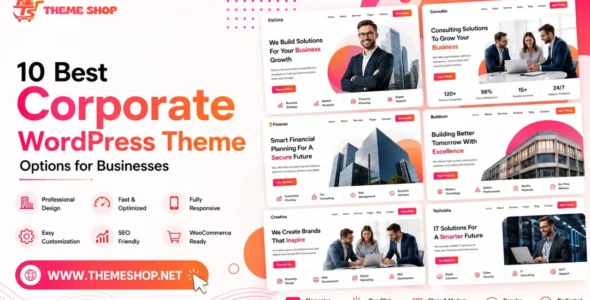
Corporate & Agency Themes
Corporate themes are engineered for credibility. They feature clean layouts, dedicated sections for services, team members, client testimonials, and clear calls-to-action. When searching for the best WordPress theme for your agency or company, look for:
- Portfolio sections to showcase past work and case studies
- Services pages with icons, pricing tables, and feature comparisons
- Team pages with bios, photos, and social links
- Contact forms with Google Maps integration
- Trust signals like award badges, logos of past clients, and testimonials
Startup & SaaS Themes
Startups and SaaS companies need themes that communicate value quickly. The best WordPress theme for a SaaS or tech product typically includes animated hero sections, feature grids, pricing tables, and a clean, modern aesthetic that appeals to a tech-savvy audience.
Consulting & Professional Services Themes
Consultants, lawyers, accountants, and other service professionals need themes that exude authority and professionalism. Look for clean typography, muted colour palettes, appointment booking compatibility (such as Calendly or Amelia plugin support), and minimal distractions.
| Top Business Theme Traits to Look For: Clean layouts | Fast load time | Lead generation ready | Plugin compatible | Elementor/Gutenberg support | Mobile optimised | Clear CTAs |
At Themeshop.net, you’ll find the best WordPress theme options for businesses across every industry — from real estate and construction to tech startups and financial services, all at affordable prices.
3. Best WordPress Theme Picks for Blogs
Blogging is one of the most powerful content marketing strategies in the world — but only if your blog is easy to read, easy to navigate, and compelling enough to keep readers coming back. Finding the best WordPress theme for your blog means prioritising readability, content organisation, and audience engagement.
Minimalist Blog Themes
Less is more for blogs. Minimalist themes strip away visual clutter, letting your writing take centre stage. They typically feature wide content columns, generous line spacing, beautiful typography, and distraction-free reading experiences. Google loves them too — minimal themes tend to be among the fastest-loading options available.
Magazine & Editorial Themes
If your blog publishes multiple articles per day across different topics, a magazine-style theme is your best friend. These themes include category-based layouts, trending post widgets, featured image sliders, and multiple homepage layout options that let you highlight your most important content.
Personal & Lifestyle Blog Themes
Personal blogs thrive on personality and visual storytelling. The best WordPress theme for lifestyle bloggers often features full-width hero images, Instagram integration, strong typography, and sidebar widgets for categories, recent posts, and social media links.
Niche Blog Themes
Food bloggers, travel writers, tech reviewers, and fitness enthusiasts all benefit from niche-specific blog themes that come pre-designed for their industry. These themes often include recipe card plugins, trip journal layouts, review star systems, or workout tracker integrations.
Key features to look for in the best WordPress theme for blogging:
- Readable typography — choose themes with clear font stacks and proper line heights
- SEO-friendly structure — proper heading hierarchy from H1 to H6
- Social sharing buttons — built-in or compatible with popular sharing plugins
- Related posts — to increase pages-per-session and reduce bounce rate
- Email newsletter integration — compatible with Mailchimp, ConvertKit, or MailerLite
- Comments support — native WordPress comments or Disqus compatibility
4. Best WordPress Theme Picks for Online Stores
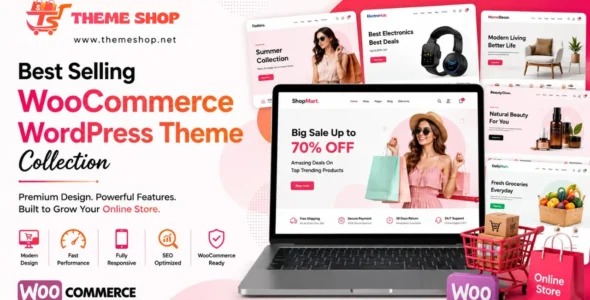
If you’re building an eCommerce business on WordPress, WooCommerce is the gold standard — and the best WordPress theme for your store needs to be purpose-built for selling. From product pages to checkout flows, your theme plays a massive role in determining your conversion rate.
WooCommerce-Optimised Themes
Not every WordPress theme is built to work well with WooCommerce. The best WooCommerce themes include:
- Dedicated product page templates with large image galleries and zoom features
- Quick view popups for browsing without leaving the shop page
- Sticky add-to-cart buttons on mobile for higher conversions
- Wishlist support to let customers save products for later
- Ajax-powered filters to make product browsing effortless
- Cart and checkout optimisation including one-page checkout options
Fashion & Apparel Themes
Fashion stores need visual impact above all else. The best WordPress theme for fashion eCommerce features fullscreen product imagery, lookbook layouts, size guides, colour swatches, and Instagram shop integration.
Electronics & Tech Store Themes
Electronics retailers need themes with robust product comparison tables, detailed specification sections, trust badges, and fast filtering by category and price. Clean white-space designs with strong CTAs tend to convert best in this niche.
Food & Grocery Store Themes
Online food and grocery stores benefit from themes with category-based product grids, dietary filter options, delivery zone calculators, and integration with food delivery plugins.
Multi-Vendor Marketplace Themes
If you’re building a marketplace where multiple sellers can list products, look for the best WordPress theme with Dokan or WC Vendors compatibility, along with vendor profile pages, product review systems, and commission tracking dashboards.
| Performance Reminder: For online stores, a 1-second delay in page load time can reduce conversions by up to 7%. Always choose a lightweight, optimised WooCommerce theme and test it with Google PageSpeed Insights before going live. |
5. Quick Comparison: Best WordPress Theme by Use Case
Here’s a side-by-side comparison to help you decide which type of theme fits your needs:
| Use Case | Theme Focus | Must-Have Feature | Avoid |
| Business / Corporate | Professionalism & trust | Portfolio + CTA sections | Flashy animations |
| Blog / Magazine | Readability & content flow | Typography + related posts | Cluttered sidebars |
| eCommerce / Store | Conversion & UX | WooCommerce optimisation | Slow product pages |
| Portfolio | Visual storytelling | Fullscreen galleries | Heavy text layouts |
| Startup / SaaS | Modern appeal & signups | Pricing tables + hero | Outdated design |
| Niche / Industry | Targeted design | Industry-specific sections | Generic templates |
6. Free vs. Premium: Which Is the Best WordPress Theme Choice?
When you start your search for the best WordPress theme, you’ll quickly encounter two broad categories: free themes and premium themes. Here’s how they stack up:
| Factor | Free Themes | Premium Themes |
| Cost | ₹0 — always free | ₹500 – ₹8,000+ one-time |
| Design Quality | Basic, generic | Professional, polished |
| Customisation | Limited options | Advanced options panel |
| Support | Community forums only | Dedicated developer support |
| Update Frequency | Irregular, often slow | Regular, timely releases |
| Plugin Compatibility | Basic plugins only | Wide plugin ecosystem |
| SEO Optimisation | Minimal | Built-in best practices |
| Unique Design | Shared with thousands | Distinctive, brandable |
The verdict is clear: if you’re serious about your website — whether it’s a business, blog, or store — the best WordPress theme investment is always a premium one. The small upfront cost pays for itself in time saved, professional results, and better SEO performance.
7. 10 Features Every Best WordPress Theme Must Have in 2025
As you evaluate your options, use this checklist to ensure any best WordPress theme candidate ticks all the right boxes:
- Full Mobile Responsiveness — Looks and functions perfectly on all devices without additional plugins.
- Fast Loading Speed — Passes Google PageSpeed Insights with a score of 80+ on mobile.
- SEO-Friendly Code — Clean HTML, schema support, and proper heading structure.
- Elementor & Gutenberg Compatible — Works seamlessly with popular page builders.
- WooCommerce Ready — Even non-store sites may add a shop later; compatibility matters.
- One-Click Demo Import — Lets you launch a professional-looking site in minutes.
- Retina/HiDPI Support — Crystal-clear on modern high-resolution screens.
- RTL Language Support — For businesses serving Arabic, Hebrew, or other RTL languages.
- GDPR Compliance Friendly — Compatible with cookie consent and privacy plugins.
- Accessibility Ready — Follows WCAG 2.1 guidelines for keyboard navigation and screen readers.
8. How to Choose the Best WordPress Theme: Step-by-Step
Ready to find the best WordPress theme for your project? Follow this proven process:
- Define your website’s goal — Blog, business, store, portfolio, or hybrid? Your goal determines your theme category.
- Identify your niche — A food blog needs different design elements than a law firm website.
- Set your budget — Premium themes on Themeshop.net start from just a few hundred rupees.
- Browse by category — Filter by niche, page builder, and feature set to narrow your options quickly.
- Preview the live demo — Always click through the live demo on desktop AND mobile before deciding.
- Read user reviews — Real-world reviews reveal bugs, support quality, and ease of use that demos don’t show.
- Check the last update date — Avoid themes last updated more than 12 months ago.
- Verify plugin compatibility — Confirm it works with Yoast SEO, WooCommerce, and your preferred plugins.
- Purchase from a trusted marketplace — Always buy from reputable sources with secure downloads.
- Install, import demo, and customise — Use the theme’s documentation to configure and personalise your site.
9. Common Mistakes to Avoid When Choosing a WordPress Theme
Even experienced WordPress users make these mistakes when searching for the best WordPress theme. Avoid them to save time, money, and frustration:
- Choosing based on aesthetics alone — A gorgeous theme that loads in 8 seconds will destroy your bounce rate and SEO rankings.
- Ignoring mobile preview — Most of your visitors are on mobile. Test the theme on your phone before buying.
- Buying nulled or pirated themes — Free pirated themes from unofficial sites frequently contain malware, backdoors, and hidden spam links.
- Switching themes too often — Every theme change can alter your site structure and hurt your SEO. Choose carefully once and stick with it.
- Skipping the documentation — Great themes come with detailed setup guides. Reading them saves hours of troubleshooting.
- Not using a child theme — Always create a child theme before customising, so your changes aren’t wiped out when the parent theme updates.
- Ignoring support quality — Before purchasing, check the developer’s response time and reputation in their support forums.
| Important Warning: Never download nulled (pirated) WordPress themes. They often contain malicious code that can compromise your entire website, expose your visitors’ data, and get your site blacklisted by Google. |
10. Why Themeshop.net Is Your Best Source for WordPress Themes
Finding the best WordPress theme is easier when you shop from the right place. Themeshop.net is a curated digital marketplace designed to give developers, designers, and business owners access to premium-quality WordPress themes at prices that make sense for every budget.
What Sets Themeshop.net Apart
- Curated Quality — Every theme listed on Themeshop.net is reviewed for code quality, performance, and compatibility before it’s published.
- Unbeatable Value — Get the best WordPress theme for your project at a fraction of what custom development would cost.
- Diverse Collection — Business themes, blog themes, WooCommerce themes, multipurpose templates, HTML themes, UI kits — all in one place.
- Safe, Secure Downloads — Every file is scanned and verified to be free of malicious code.
- Regular New Arrivals — The catalogue is constantly refreshed with new and trending designs.
- GPL-Licensed Products — Most themes on Themeshop.net are GPL-licensed, giving you full usage flexibility.
- Fast & Easy Browsing — Find the best WordPress theme for your niche in minutes with intuitive category filters and search.
Whether you need the best WordPress theme for a corporate website, a personal blog, or a WooCommerce-powered store, Themeshop.net has exactly what you’re looking for — at a price that respects your budget.
11. Frequently Asked Questions
Q: What is the best WordPress theme for a small business?
For small businesses, the best WordPress theme balances professionalism with ease of use. Look for themes with built-in service sections, testimonials, portfolio galleries, and contact forms. Multipurpose business themes with one-click demo import are ideal for small teams without dedicated developers.
Q: Which is the best WordPress theme for blogging?
For bloggers, the best WordPress theme prioritises readability, fast loading, and content discovery. Look for clean typography, category filters, related posts sections, and email opt-in integration. Minimalist and magazine-style themes tend to work best for regular bloggers.
Q: What is the best WordPress theme for WooCommerce?
The best WordPress theme for WooCommerce is one built specifically for eCommerce — with optimised product pages, fast load times, mobile-first checkout, wishlist support, and Ajax cart functionality. Always check that the theme lists WooCommerce as a supported plugin.
Q: Is a free WordPress theme good enough for a professional site?
For very basic personal blogs or hobby projects, a free theme can be adequate. However, for any professional business, store, or brand, a premium theme from a trusted source like Themeshop.net is strongly recommended. The investment pays for itself quickly in quality, support, and performance.
Q: How often should I change my WordPress theme?
Avoid changing themes frequently, as each switch can alter your site structure and affect SEO rankings. Choose the best WordPress theme for your needs carefully, invest in proper customisation, and use a child theme. Only switch if your business rebrands or your current theme is no longer maintained.
Q: Can I use the best WordPress theme on multiple websites?
This depends on the license. GPL-licensed themes can typically be used on multiple sites. Standard licenses usually restrict usage to one website. Always check the license terms before purchasing, or look for extended/developer licenses.
Q: What page builder works with most premium WordPress themes?
Elementor is the most widely supported page builder across premium WordPress themes, followed by Gutenberg (the built-in WordPress editor), Divi Builder, and WPBakery Page Builder. When looking for the best WordPress theme, always verify compatibility with your preferred builder.
12. Pro Tips to Get Maximum Value from Your WordPress Theme
Once you’ve found the best WordPress theme for your project and installed it, here are expert tips to get the most out of it:
- Use a child theme for all customisations so your changes survive parent theme updates.
- Optimise your images before uploading — compressed images dramatically improve load speed.
- Install a caching plugin like WP Super Cache or LiteSpeed Cache to boost performance.
- Connect an SEO plugin like Yoast SEO or Rank Math to complement your theme’s built-in SEO features.
- Use a CDN like Cloudflare to serve assets faster to global visitors.
- Test regularly with Google PageSpeed Insights, GTmetrix, and Pingdom after every major update.
- Back up your site before installing updates using a plugin like UpdraftPlus.
- Leverage the demo content — import it first, then replace with your own content rather than starting from a blank canvas.
Conclusion: Find Your Best WordPress Theme at Themeshop.net
The right theme is the foundation of every successful WordPress website. Whether you’re building a trustworthy business site, a compelling blog that readers love, or a high-converting online store, the best WordPress theme makes all the difference.
In this guide, we’ve covered what makes a theme truly the best, broken down top picks by category, shared a step-by-step selection process, and highlighted the most common mistakes to avoid. Now it’s time to take action.
Head to Themeshop.net and browse our growing collection of premium WordPress themes for businesses, blogs, and online stores. With affordable pricing, curated quality, and secure downloads, finding the best WordPress theme for your next project has never been easier.
Don’t settle for average. Choose the best WordPress theme, build the website your brand deserves, and start growing your online presence today.