My Account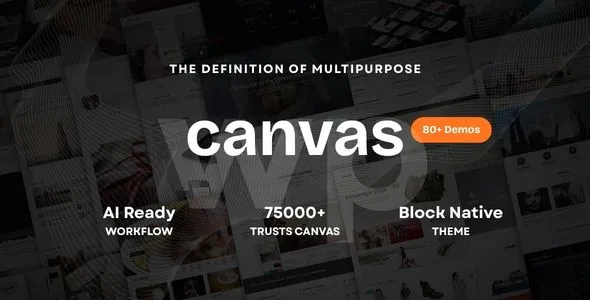
Canvas | The Multi-Purpose AI Theme & Website Builder
Canvas | The Multi-Purpose AI Theme & Website Builder is a versatile website creation solution designed for businesses, entrepreneurs, agencies, freelancers, and creative professionals who want to build a modern online presence. With a focus on flexible website design and AI-assisted workflows, Canvas provides a foundation for creating websites that can be adapted to different industries, business models, and creative goals. Whether you are planning a corporate website, a digital agency portfolio, a startup landing page, a service-based business website, or a creative project, this multi-purpose theme concept offers an approach to website building that prioritizes flexibility, visual presentation, and efficient content organization.
Building a professional website involves more than selecting colors and arranging sections. Website owners need to communicate their value, organize information, create a consistent brand identity, and provide visitors with a convenient way to take action. Canvas | The Multi-Purpose AI Theme & Website Builder can serve as a starting point for bringing these elements together in a structured digital experience. With appropriate customization, businesses can develop pages that introduce their services, showcase their work, explain their products, publish useful content, and generate customer inquiries.
As AI-assisted digital tools become increasingly relevant to website creation, businesses are exploring ways to simplify repetitive tasks and develop content more efficiently. An AI-oriented website-building workflow may help with brainstorming page structures, preparing initial copy, generating design ideas, and organizing content. The precise AI features available depend on the theme’s actual implementation, supported integrations, and associated tools. By combining a suitable website design with thoughtful planning and original content, Canvas can help users work toward a professional and adaptable online presence.
A Modern Approach to Website Building
Modern websites need to balance visual appeal, usability, performance, and clear communication. Visitors should be able to understand a business, explore its offerings, and find relevant information without unnecessary effort. Canvas is positioned as a multi-purpose website solution that can be adapted to different presentation styles and business requirements.
Rather than restricting users to one specific industry, a multi-purpose theme can provide a foundation for a wide range of website concepts. Businesses can organize their pages around their objectives, whether those objectives involve promoting services, introducing a new product, displaying a portfolio, publishing articles, or encouraging visitors to make contact.
A carefully planned website can include a clear homepage introduction, supporting content sections, service or product highlights, customer information, and strong calls to action. These elements help visitors move naturally through the website and understand what the business offers.
Canvas can be customized to reflect different brand identities through typography, color choices, images, page content, and layout adjustments, depending on the available theme options. This flexibility makes it a potential starting point for businesses that want a website tailored to their audience rather than a generic online presence.
AI-Assisted Website Creation
Artificial intelligence is becoming an important part of digital content production and website planning. Depending on the available tools and integrations, AI-assisted workflows can help users brainstorm website concepts, prepare draft text, summarize product information, and explore different approaches to page organization.
Canvas | The Multi-Purpose AI Theme & Website Builder is intended for users interested in combining website creation with an AI-oriented workflow. For example, a business owner planning a service website might use AI tools to outline the homepage, identify common customer questions, or prepare initial descriptions for individual services. A creative agency might use AI assistance to explore headline variations or organize portfolio categories.
These capabilities should be understood as workflow possibilities rather than guaranteed built-in functions. Users should confirm which AI features are included, whether external services are required, and whether additional subscriptions or API connections are necessary.
AI-generated content should always be reviewed before publication. Business details, technical information, product claims, and customer-facing promises need to be accurate and appropriate for the intended audience. Combining AI assistance with human editing can help produce clearer, more relevant content while preserving the brand’s individual voice.
Build Websites for Multiple Industries
A multi-purpose website solution is valuable when users need flexibility across different industries. Canvas can serve as a starting point for websites in business services, technology, consulting, marketing, education, creative work, retail, and other sectors, subject to the theme’s layouts and customization options.
A corporate business website may emphasize company information, service descriptions, team profiles, and customer inquiries. A technology startup may focus on its product, features, pricing information, and sign-up opportunities. A creative professional may prioritize a portfolio, project descriptions, testimonials, and contact details.
E-commerce businesses may need product catalogs, category pages, shopping functionality, and customer support information. Educational websites may require course descriptions, instructor information, learning resources, and registration workflows. Some of these more advanced functions require suitable WordPress plugins or external services rather than the theme alone.
The most effective implementation starts with a clear understanding of the website’s purpose. By selecting relevant sections and removing unnecessary content, users can shape Canvas around the specific needs of their business or project.
Professional Homepage Design
The homepage is often the first major interaction visitors have with a brand. It should explain the site’s purpose quickly and guide visitors toward the most important information.
A customized Canvas homepage can feature a prominent headline, supporting introduction, relevant imagery, and a primary call to action. Additional sections may introduce the company’s services, highlight important products, display selected projects, explain key benefits, or provide links to more detailed pages.
AI-assisted planning tools, when available, may help generate initial headline ideas, organize page sections, or explore different content approaches. However, the final homepage should communicate the business’s actual value rather than relying on generic AI-generated statements.
A strong homepage uses a clear visual hierarchy. Important information should appear where visitors can find it easily, while secondary details can be placed further down the page or linked to dedicated sections.
Businesses should also consider their visitors’ likely questions. A service provider may need to explain its process, while a product company may need to clarify its features and pricing. The homepage should guide users toward the next logical step.
Flexible Landing Pages for Marketing Campaigns
Landing pages are useful for promoting a specific offer, service, product, event, or marketing campaign. Unlike a general homepage, a landing page can focus on one primary objective and reduce distractions that might prevent visitors from taking action.
Canvas can be customized to create landing pages for product launches, consulting services, software offerings, webinars, downloadable resources, or campaign-specific promotions. A landing page may include a focused headline, an explanation of the offer, supporting benefits, relevant imagery, trust information, and a clear call to action.
Businesses can create different pages for separate audience segments or marketing campaigns. For example, an agency may use one landing page for search advertising services and another for website design. This makes it possible to tailor messaging to the needs of different potential customers.
Conversion forms, analytics, and marketing integrations may require additional plugins or third-party tools. Before launching a campaign, users should test the complete visitor journey, including form submission, confirmation messages, and any follow-up process.
AI-Oriented Design and Content Workflows
Website creation often involves repeated tasks such as drafting headlines, organizing page content, preparing product descriptions, and adapting messaging for different audiences. AI-assisted tools may help accelerate the early stages of these workflows when the appropriate capabilities are available.
With a suitable Canvas setup, users can plan a structured workflow that combines content preparation, page design, review, and publishing. AI may help create an initial outline, suggest alternative headings, summarize information, or identify topics that should be covered on a page.
For example, a small business developing its first website could begin by identifying its main services and customer groups. It could then prepare draft content for the homepage, About Us page, service pages, and contact section before refining the design and wording.
The quality of the final result depends on the accuracy of the source information and the review process. AI tools can produce generic or incorrect statements, so users should verify important details and ensure that published content accurately represents their organization.
Customization for Your Brand Identity
A recognizable brand identity helps a business communicate consistently across its website and other digital channels. Canvas can be customized to align with a company’s visual style, messaging, and customer expectations, subject to the theme’s supported customization options.
Brand customization may involve selecting appropriate colors, typography, logos, imagery, page layouts, and calls to action. A professional services company may prefer a restrained visual style, while a creative studio may choose more expressive colors and portfolio-focused layouts.
Consistent design across the homepage, service pages, product pages, and contact section helps create a unified visitor experience. The language used throughout the site should also reflect the brand’s personality and remain appropriate for its intended audience.
Users should establish a small set of visual and content guidelines before creating many pages. These guidelines can include heading styles, button labels, image treatments, spacing preferences, and tone of voice. Consistency makes future updates easier and helps the website maintain a coherent appearance as it grows.
Website Creation for Businesses and Startups
Startups and small businesses often need a website that communicates their offering clearly without requiring an unnecessarily complicated structure. Canvas can provide a foundation for building an online presence that can expand as the organization develops.
A startup website might include a homepage, company overview, product or service pages, pricing information, frequently asked questions, and contact details. Depending on the business model, it may also need a newsletter form, booking workflow, customer registration, or e-commerce functionality.
AI-assisted planning may help entrepreneurs organize their initial ideas and identify the information prospective customers need. A draft content outline can make it easier to prioritize pages and identify missing details before development begins.
The website should focus on the business’s real value proposition. Clear explanations of the problem being solved, the intended customers, and the available solution are more useful than broad claims about innovation or quality.
As the business grows, additional pages can introduce new services, customer stories, educational resources, or product updates. This allows the website to evolve alongside the company’s goals.
Create Portfolio Websites for Creative Professionals
Freelancers, designers, developers, photographers, consultants, and creative agencies need websites that present their work effectively. A portfolio can help visitors evaluate a professional’s style, experience, and suitability for a project.
Canvas can be adapted into a portfolio website with an introduction, selected projects, service descriptions, professional background, testimonials, and contact information. Individual project pages can explain the objective, the work performed, the tools used, and the final deliverables where appropriate.
Visual presentation is particularly important for creative professionals. Images should be selected carefully, optimized for web use, and accompanied by relevant descriptions when additional context helps visitors understand the work.
AI-assisted writing tools may help with initial project summaries or portfolio organization, but the final descriptions should accurately represent the professional’s contribution. Client names, confidential project information, and third-party assets should only be published with appropriate permission.
A well-organized portfolio makes it easier for potential clients to review relevant experience and understand the services available.
Product and Service Showcase Pages
Businesses often need dedicated pages that explain individual products or services in enough detail for customers to evaluate them. Canvas can be used as a starting point for creating these pages, with layouts and content tailored to the intended audience.
A service page may describe the customer’s challenge, the service offered, the delivery process, and the expected next step. A product page may present key features, specifications, use cases, images, and answers to common questions.
Organizing content into logical sections helps visitors scan information and locate the details that matter to them. Related services or products can be linked together so that customers can explore additional options.
Businesses should avoid making unsupported performance claims or presenting unverified specifications. Accurate product information and realistic descriptions help establish trust and reduce confusion during the purchasing process.
If the website needs shopping carts, checkout pages, payment processing, inventory management, or order notifications, a compatible e-commerce solution may be required. These functions should be confirmed as part of the complete website setup.
Responsive Website Experience
Visitors may browse a website using desktop computers, laptops, tablets, and smartphones. A responsive design approach helps website content adapt to different screen sizes and supports a more consistent user experience.
Canvas can be configured as part of a responsive website, with attention to readable text, clear navigation, appropriately sized interactive elements, and well-organized page sections. Images and other visual assets should be selected and formatted so they remain useful across devices.
Mobile usability is important for service businesses whose visitors may need to find a phone number, submit an inquiry, book a consultation, or review product information while away from their desks.
Before publishing, users should test the website on multiple screen sizes. Navigation menus, forms, buttons, images, and long content sections should be reviewed to identify problems that may not appear on a desktop display.
The final responsive behavior depends on the theme implementation, the editing tools used, and any custom styling added during development.
WordPress Content Management
WordPress provides a content management environment for creating and maintaining website pages, publishing articles, managing media, and updating business information. This makes it a practical option for organizations that want to maintain their website over time.
With an appropriate Canvas configuration, website administrators can organize their content around the site’s objectives and update information as the business changes. New services can be introduced, project examples can be published, and existing pages can be revised without rebuilding the entire site.
Different team members can contribute according to their responsibilities and assigned permissions. Marketing staff may prepare page content, designers may maintain visual consistency, and administrators may oversee technical settings and publishing.
The editing experience depends on the theme’s supported editor, documentation, and installed plugins. Users should confirm which page-building tools are included and whether any additional software is required before choosing a specific workflow.
Regular content reviews can help ensure that pricing, service details, team information, contact details, and other important website elements remain accurate.
Search Engine Optimization for Better Discoverability
Search engine optimization helps businesses make their website content easier for search engines to understand and potentially discover. A theme can provide a visual and structural foundation, but SEO performance also depends on content quality, technical configuration, website usability, and ongoing improvements.
A Canvas website can be organized around relevant topics that reflect the business’s services and customer needs. Dedicated pages may target specific service categories, product types, professional specialties, or geographic markets where appropriate.
Important pages should have descriptive titles, clear headings, useful meta descriptions, readable URLs, and relevant internal links. Images should use appropriate alternative text when they communicate meaningful information, and unnecessary duplication should be avoided.
A compatible WordPress SEO plugin may assist with metadata, XML sitemaps, canonical settings, and other optimization tasks. Users should also consider page performance, mobile usability, accessible navigation, and useful supporting content.
SEO is an ongoing process rather than a single theme setting. Search engines evaluate many signals, and no website builder can guarantee specific rankings or immediate traffic results.
Content Marketing and Blog Publishing
A blog or resource section can help businesses share expertise, answer customer questions, and provide useful information to their audience. It can also support a broader content marketing strategy by connecting educational material with relevant services or products.
Canvas can be adapted to publish articles, announcements, guides, tutorials, industry insights, and company updates. Businesses can develop an editorial plan around the topics their audience is most likely to find useful.
AI-assisted tools may help brainstorm article topics, create preliminary outlines, or suggest ways to organize complex information, depending on the tools available. Editors should review every article for accuracy, originality, readability, and relevance before publishing.
A strong article should provide genuine value rather than repeat keywords or make unsupported claims. Headings, short paragraphs, relevant images, and internal links can help readers navigate longer content.
Consistent publishing can build a useful library of resources over time. Periodic updates also help ensure that articles remain relevant as products, services, and industry information change.
E-Commerce and Online Business Opportunities
For businesses selling products or digital services, a website may need to support product discovery, purchase decisions, and customer communication. Canvas can serve as a starting point for an online business website, depending on its supported layouts and the additional tools selected.
An e-commerce setup may include product categories, product descriptions, images, pricing, cart functionality, checkout, payment gateways, and order management. These capabilities generally require a compatible e-commerce plugin or platform integration rather than relying on a theme alone.
Businesses offering digital products may need secure file delivery, license information, and customer account management. Physical product sellers may require shipping rules, stock management, tax settings, and order notifications.
The best setup depends on the business model and its operational requirements. Before launch, users should test the complete purchasing process and review payment security, shipping arrangements, customer support, and applicable legal requirements.
Lead Generation and Contact Forms
For service providers, consultants, agencies, and B2B businesses, generating qualified inquiries may be one of the website’s most important objectives. A clear contact experience can help visitors move from browsing information to starting a conversation.
Canvas can be customized with contact sections, inquiry forms, consultation requests, and calls to action, subject to the theme setup and available form tools. Businesses may use different forms for general questions, project requests, partnership inquiries, or customer support.
Forms should request only the information needed to respond effectively. A consulting firm might ask about the service required and project timeline, while a creative agency may ask for a brief description of the project and the visitor’s contact details.
After submission, a helpful confirmation message can explain what happens next. Website owners should test form delivery, spam prevention, mobile usability, and any connected email or customer management tools.
Clear contact information and a straightforward inquiry process help make the website more useful to both visitors and the business team.
Integrations and Website Expansion
A website may need additional capabilities as its requirements become more advanced. Depending on the project, these could include analytics, email marketing, appointment booking, customer relationship management, online payments, multilingual content, or social media integrations.
Canvas can serve as a starting point for an extensible website, provided the selected tools are compatible with the theme and the site’s WordPress environment. Each integration should have a defined purpose and contribute to the overall visitor experience or business workflow.
For example, a consultant may benefit from appointment booking, while an online store may require payment and shipping integrations. A marketing team might connect analytics and email tools to understand visitor behavior and manage communications.
Before installing additional plugins, users should review compatibility, maintenance requirements, data handling, performance impact, and any associated costs. Too many overlapping tools can create unnecessary complexity, so integrations should be selected carefully.
Advanced AI functions may also depend on external services, API access, or separate subscriptions. The specific requirements should be confirmed before planning a production workflow around them.
Website Performance and Technical Maintenance
A well-designed website should also be practical to use. Visitors expect important pages to load efficiently, navigation to work consistently, and forms to function correctly.
When building a Canvas website, users should optimize images, choose reliable hosting, limit unnecessary scripts, and use compatible performance tools where appropriate. Caching and image optimization may help reduce page loading overhead, depending on the website configuration.
Regular maintenance should include WordPress updates, theme and plugin updates, backups, security checks, and periodic testing of essential website functions. Testing changes in a staging environment can help identify compatibility issues before they affect the live website.
Users should also review broken links, outdated content, missing images, and changes to contact details. Performance monitoring and regular maintenance help keep the website useful as the content and functionality expand.
Website speed depends on hosting, image sizes, scripts, plugins, configuration, and other technical factors. Choosing a theme alone does not guarantee a specific performance score.
Security and Responsible AI Use
Website security is an important consideration for businesses that collect inquiries, publish company information, manage customer accounts, or process online orders. A responsible WordPress setup should include strong passwords, appropriate user permissions, secure hosting, HTTPS, regular backups, and timely updates.
Plugins should be selected from reputable sources and maintained carefully. Contact forms should include appropriate spam protection, and websites that collect personal information should provide relevant privacy information and follow applicable data protection requirements.
When using AI-assisted content or design tools, businesses should also review how information is handled by the connected service. Confidential customer details, private business information, and sensitive project materials should not be entered into AI tools without appropriate authorization and an understanding of the service’s data practices.
AI-generated content should be checked for factual accuracy, originality, brand consistency, and suitability for publication. Human review remains important when the website communicates technical details, legal information, pricing, or business commitments.
Why Choose Canvas | The Multi-Purpose AI Theme & Website Builder?
Canvas is intended for users seeking a flexible website-building foundation that can be adapted to multiple industries and digital projects. Its multi-purpose positioning makes it relevant to businesses, entrepreneurs, agencies, freelancers, and creative professionals who need to establish or improve their online presence.
The website can be planned around different goals, including presenting services, displaying a portfolio, promoting products, publishing content, creating landing pages, or generating customer inquiries. Appropriate customization can help align the design and content with the organization’s brand identity and audience.
Its AI-oriented positioning may also appeal to users interested in incorporating AI-assisted planning and content workflows into their website creation process. However, the exact AI functionality, supported integrations, and any additional service requirements should be verified in the product documentation before purchase or implementation.
WordPress provides a content management foundation for ongoing updates, while compatible plugins can add capabilities as required. Reviewing the theme’s layouts, editor support, compatibility, documentation, and technical requirements helps users determine whether it fits their project.
Conclusion
Canvas | The Multi-Purpose AI Theme & Website Builder provides a foundation for creating a flexible website tailored to a wide range of business and creative goals. From corporate websites and startup landing pages to professional portfolios, service pages, online stores, and content-driven websites, its multi-purpose concept supports a variety of potential applications.
A successful website combines clear messaging, consistent branding, intuitive navigation, responsive presentation, useful content, and reliable technical maintenance. AI-assisted workflows may help streamline selected planning and content tasks when the appropriate tools are available, but careful review and accurate business information remain essential.
By defining the website’s objectives, selecting the most relevant page structures, and customizing the design to suit its audience, users can build a digital presence that supports their brand and business strategy. Whether launching a new project or refreshing an existing website, Canvas can be considered as a starting point for developing an organized, adaptable, and professional online experience.