My Account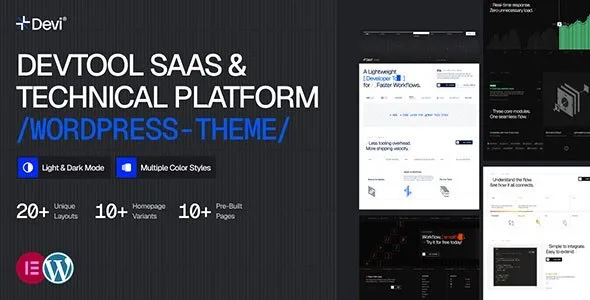
Devi – Developer Tools, SaaS & Technical Platform WordPress Theme
Devi – Developer Tools, SaaS & Technical Platform WordPress Theme
Devi – Developer Tools, SaaS & Technical Platform WordPress Theme is a modern, professional, responsive, flexible, and technology-focused WordPress theme designed for developer tools, SaaS products, software platforms, technology startups, API services, developer communities, programming tools, cloud platforms, technical products, software companies, IT businesses, digital products, web applications, and technology-focused businesses. Devi – Developer Tools, SaaS & Technical Platform WordPress Theme provides a professional foundation for presenting software products, technical services, developer resources, product features, documentation, pricing plans, integrations, use cases, customer information, company details, and technical content through a well-structured website.
Developer Tools WordPress Theme
Devi – Developer Tools & SaaS WordPress Theme is suitable for companies and teams building software tools for developers, engineers, programmers, technical teams, and businesses. A developer-focused website needs to communicate technical capabilities clearly while making important information such as features, documentation, pricing, integrations, and support easy to find.
A developer tools website can include:
- Developer Tools
- APIs
- SDKs
- Software Products
- Cloud Services
- Automation Tools
- Development Platforms
- Integrations
- Documentation
- Tutorials
- Pricing
- Resources
- Support
- Contact
The exact features and services should always reflect the actual software product.
SaaS WordPress Theme
Devi – Developer Tools & SaaS WordPress Theme can be used for Software as a Service businesses that provide online applications, cloud-based platforms, developer products, productivity tools, business software, and technical solutions.
A SaaS website can showcase:
- Product Overview
- Product Features
- Benefits
- Use Cases
- Integrations
- Pricing
- Customer Stories
- Documentation
- FAQs
- Support
- Contact
A clear website structure helps potential users understand what the software does and whether it fits their requirements.
SaaS Website
A professional SaaS website can guide visitors from product discovery to evaluation and signup.
A useful structure can be:
Product → Features → Use Cases → Pricing → Documentation → FAQs → Get Started
This structure makes it easier for visitors to find information before making a product decision.
Developer Platform WordPress Theme
Developer platforms can use Devi – Developer Tools & SaaS WordPress Theme to present technical products and development environments.
Potential platform categories include:
- API Platforms
- Cloud Platforms
- Developer Portals
- Automation Platforms
- Testing Tools
- Deployment Tools
- Collaboration Tools
- Data Platforms
- Development Services
Technical Platform Website
A technical platform website can provide product information for developers and technical decision-makers.
Useful sections include:
- Platform Overview
- Core Features
- Technical Capabilities
- Integrations
- Documentation
- API Information
- Pricing
- Support
Developer Website WordPress Theme
Developer-focused companies can use Devi – Developer Tools & SaaS WordPress Theme to create websites that speak directly to technical audiences.
A developer website can highlight:
- Tools
- Libraries
- APIs
- SDKs
- Plugins
- Extensions
- Integrations
- Documentation
- Tutorials
- Examples
Technical information should be kept accurate and updated as the product changes.
Developer Tools Website
A developer tools website should make it easy for developers to understand:
- What the tool does
- How it works
- Supported technologies
- Available integrations
- Pricing
- Documentation
- Getting Started process
- Support options
API WordPress Theme
API companies can use Devi – Developer Tools & SaaS WordPress Theme to present API products and developer resources.
An API website can include:
- API Overview
- Endpoints
- Authentication Information
- SDKs
- Code Examples
- Documentation
- Pricing
- Usage Information
- Support
Technical documentation should be maintained separately or integrated into the website depending on the product architecture.
API Services Website
API service providers can create dedicated pages for individual APIs and explain their functionality, supported use cases, integration process, and technical requirements.
Developer Portal WordPress Theme
A developer portal can provide developers with access to:
- Documentation
- API References
- Tutorials
- Quick Start Guides
- SDK Information
- Integration Guides
- FAQs
- Support
A clear developer portal can reduce confusion during implementation.
Developer Documentation Website
Documentation is one of the most important sections for a technical product.
A documentation website can include:
- Getting Started
- Installation
- Configuration
- Authentication
- API Reference
- Tutorials
- Examples
- Troubleshooting
- Frequently Asked Questions
Documentation should be updated whenever product functionality changes.
Software Company WordPress Theme
Software companies can use Devi – Developer Tools & SaaS WordPress Theme for corporate websites that showcase their products, services, technology, and company information.
Potential sections include:
- Software Products
- Solutions
- Industries
- Technology
- Company
- Team
- Careers
- Blog
- Resources
- Contact
Software Product Website
A software product page can communicate:
- Product Name
- Product Description
- Features
- Use Cases
- Integrations
- Pricing
- Requirements
- Documentation
- Support
Clear product information helps users understand the value and functionality of the software.
Technology Startup WordPress Theme
Technology startups can use Devi – Developer Tools & SaaS WordPress Theme to build a professional website around their product or technical idea.
A startup website can include:
- Company Story
- Product
- Problem
- Solution
- Features
- Technology
- Team
- Roadmap
- Blog
- Contact
SaaS Startup Website
A SaaS startup website can focus on explaining the product’s core value and showing how customers can use it.
A simple content structure is:
Problem → Solution → Features → Use Cases → Pricing → Action
Cloud Software WordPress Theme
Cloud software companies can use the theme to present cloud-based products and services.
Potential categories include:
- Cloud Applications
- Cloud Platforms
- Cloud Storage
- Cloud Automation
- Cloud Development
- Cloud Management
- Cloud Monitoring
Only advertise capabilities actually supported by the product.
Cloud Platform Website
Cloud platform websites can provide information about architecture, services, integrations, supported technologies, documentation, and pricing.
DevOps WordPress Theme
DevOps companies and tools can use Devi – Developer Tools & SaaS WordPress Theme for websites focused on development and operational workflows.
Potential services and products include:
- CI/CD Tools
- Deployment
- Monitoring
- Automation
- Infrastructure Management
- Testing
- Version Control Integrations
DevOps Tools Website
A DevOps tool website can showcase:
- Core Features
- Workflow
- Integrations
- Supported Platforms
- Documentation
- Pricing
- Resources
Programming Tools WordPress Theme
Programming tools can use a dedicated website to explain supported languages, frameworks, integrations, workflows, and technical capabilities.
Potential categories include:
- Code Tools
- Testing Tools
- Debugging Tools
- Code Analysis
- Automation
- Development Utilities
Developer Productivity WordPress Theme
Developer productivity platforms can use Devi – Developer Tools & SaaS WordPress Theme to present tools that help development teams improve workflows.
Potential products include:
- Collaboration Tools
- Project Tools
- Automation
- Code Management
- Testing
- Documentation
- Monitoring
Developer Productivity Website
A developer productivity website can highlight the problems its tool solves and explain how developers can integrate it into their existing workflows.
Software Documentation WordPress Theme
Technical companies can use structured documentation sections to explain product functionality.
Documentation can include:
- Introduction
- Installation
- Configuration
- Quick Start
- Guides
- API Reference
- Examples
- Troubleshooting
Technical Documentation Website
Good documentation should be:
- Clear
- Accurate
- Searchable
- Organized
- Updated
- Easy to Follow
Code examples should be tested before publication.
Developer Resources Website
A developer resources section can include:
- Tutorials
- Guides
- Documentation
- Code Examples
- API References
- Technical Articles
- FAQs
- Changelogs
Developer Blog WordPress Theme
A developer-focused blog can publish technical and educational content.
Potential topics include:
- Programming
- APIs
- SaaS
- Cloud Technology
- Software Development
- DevOps
- Developer Productivity
- Integrations
- Technical Tutorials
Technical Blog
A technical blog can help software companies educate their users while creating useful search-engine content.
Technical articles can cover:
- How-to Guides
- Tutorials
- Product Updates
- Integration Guides
- Development Tips
- Troubleshooting
- Industry Trends
SaaS Content Marketing
SaaS companies can use content marketing to attract potential customers through helpful resources.
Useful content formats include:
- Product Guides
- Comparison Articles
- Tutorials
- Case Studies
- Documentation
- FAQs
- Technical Articles
- Industry Resources
Content should solve real problems rather than simply repeating keywords.
Developer SEO WordPress Theme
Devi – Developer Tools & SaaS WordPress Theme can provide a strong foundation for an SEO-focused technology website. However, a theme by itself cannot guarantee search engine rankings.
A complete SEO strategy should include:
- Keyword Research
- Original Content
- Search-Friendly Page Titles
- Meta Descriptions
- Logical Headings
- Internal Linking
- Optimized Images
- Mobile Optimization
- Technical SEO
- Fast Loading Pages
- Helpful Resources
Developer Tools SEO Keywords
Potential keywords include:
- Developer Tools WordPress Theme
- SaaS WordPress Theme
- Developer Platform WordPress Theme
- API WordPress Theme
- Software Company WordPress Theme
- Technology WordPress Theme
- Developer Portal WordPress Theme
- Programming Tools WordPress Theme
- Technical Platform WordPress Theme
- SaaS Website WordPress Theme
SaaS SEO Keywords
Additional keywords can include:
- SaaS website theme
- SaaS startup WordPress theme
- software product WordPress theme
- cloud software WordPress theme
- technology startup website
- software platform WordPress theme
- developer tools website
- API platform website
- technical SaaS website
- developer portal website
Long-Tail Developer Tools Keywords
Potential long-tail keywords include:
- modern developer tools WordPress theme
- professional SaaS Elementor WordPress website
- developer platform WordPress website theme
- API service WordPress website theme
- technical software company WordPress theme
- responsive developer tools website theme
- professional software product WordPress theme
- SaaS startup website WordPress theme
- developer portal WordPress website
- modern technical platform WordPress theme
Long-Tail SaaS Keywords
Potential long-tail keywords include:
- professional SaaS business WordPress theme
- modern software platform WordPress website
- responsive SaaS startup WordPress theme
- developer SaaS product website theme
- cloud software company WordPress website
- technical SaaS business WordPress theme
- software product landing page WordPress theme
- professional API platform website WordPress theme
- developer tools SaaS WordPress website
- modern technology startup WordPress theme
SaaS Product Landing Page
A SaaS product landing page can focus on a single product or feature.
A strong landing page may include:
- Product Introduction
- Main Value Proposition
- Core Features
- Product Benefits
- Screenshots
- Use Cases
- Integrations
- Pricing
- FAQs
- Call to Action
The page should focus on one clear objective.
Developer Product Landing Page
Developer products can use landing pages to highlight:
- Technical Features
- Supported Languages
- Integrations
- API Capabilities
- Performance Information
- Documentation
- Pricing
Claims about performance should be supported by reliable data.
SaaS Pricing Page
Pricing is an important part of many SaaS websites.
A pricing page can include:
- Free Plan
- Starter Plan
- Professional Plan
- Business Plan
- Enterprise Plan
The actual plan structure depends on the product.
Each plan can explain:
- Features
- Usage Limits
- Support
- Billing
- Availability
SaaS Free Trial Website
If a product offers a free trial, the website can clearly explain:
- Trial Duration
- Included Features
- Signup Process
- Billing After Trial
- Cancellation Information
Transparency helps users make informed decisions.
Developer Signup Page
Developer products can provide a simple signup process with relevant account information.
Avoid unnecessary fields and clearly explain how user information will be handled.
Developer Integrations WordPress Theme
Integration pages can showcase compatibility with:
- Cloud Platforms
- Databases
- Frameworks
- Programming Languages
- Collaboration Tools
- Development Platforms
- Third-Party Services
Only list verified integrations.
SaaS Integration Website
Integration pages can explain:
- What the Integration Does
- Setup Process
- Requirements
- Supported Features
- Documentation
- Support
Developer Community Website
Developer-focused businesses can create community sections for:
- Discussions
- Tutorials
- Events
- Resources
- Announcements
- Developer News
Community functionality may require additional WordPress plugins or external platforms depending on the requirements.
Software Customer Stories
Customer stories can demonstrate how a product is used in real situations.
A useful structure is:
Customer → Challenge → Product → Implementation → Outcome
Use real customer information with permission.
SaaS Case Studies
Case studies can provide detailed examples of product usage and business outcomes.
Avoid unsupported numerical claims or exaggerated results.
Software Product Features
A feature section can organize information into categories.
For example:
- Automation
- Collaboration
- Analytics
- Integrations
- Security
- Administration
- Reporting
Each feature should explain its practical value.
Technical Feature Pages
Complex software products can create individual pages for major features.
This can improve:
- User Education
- Product Discovery
- Search Visibility
- Internal Linking
- Documentation
Developer FAQ
A developer FAQ can answer questions about:
- Installation
- Supported Technologies
- Pricing
- APIs
- Integrations
- Documentation
- Support
- Account Management
SaaS FAQ
A SaaS FAQ can cover:
- Product Features
- Pricing
- Billing
- Trials
- Security
- Integrations
- Support
- Account Management
Answers should be updated as policies and product functionality change.
Software Company About Page
A technology company can use its About page to explain:
- Company History
- Mission
- Vision
- Product Philosophy
- Team
- Technology
- Company Values
Technology Team Website
A team section can introduce:
- Founders
- Engineers
- Product Managers
- Designers
- Developer Advocates
- Support Specialists
Professional information should be accurate and current.
SaaS Careers Website
Software companies can publish legitimate job opportunities through a dedicated careers page.
Job pages can include:
- Role
- Responsibilities
- Skills
- Experience
- Location
- Working Model
- Application Process
Developer Support Website
Support pages can include:
- Documentation
- Help Center
- FAQs
- Contact Support
- Troubleshooting
- Product Updates
Software Changelog
A changelog can communicate product updates such as:
- New Features
- Improvements
- Bug Fixes
- API Updates
- Performance Changes
Keeping a changelog current can improve transparency with technical users.
Developer Product Updates
Regular product update content can help developers understand changes and adapt their integrations.
Technical Resource Center
A resource center can organize:
- Documentation
- Tutorials
- Blog Posts
- API Guides
- Case Studies
- FAQs
- Product Updates
Developer Knowledge Base
A searchable knowledge base can help users solve common problems without needing to contact support for every question.
SaaS Website Navigation
A clear navigation structure may include:
Home → Product → Features → Solutions → Integrations → Pricing → Resources → Documentation → Company → Contact
The structure can be adapted according to the product.
Developer Website Internal Linking
Internal links can connect related technical content.
For example:
Feature → Documentation → Tutorial → Integration → FAQ
This creates a useful content ecosystem.
SaaS Website Performance
SaaS websites can contain product screenshots, animations, videos, documentation, analytics scripts, and other resources. Performance optimization can improve usability.
Useful practices include:
- Image Compression
- Responsive Images
- Lazy Loading
- Efficient Scripts
- Browser Caching
- Optimized Fonts
- Quality Hosting
- Plugin Management
Developer Website Security
Technology websites should take security seriously.
Common practices include:
- HTTPS
- Secure Hosting
- Strong Passwords
- Regular Backups
- WordPress Updates
- Plugin Updates
- Theme Updates
- Security Monitoring
If the website connects to a SaaS application, additional application-level security controls may be required.
SaaS Website Privacy
Software websites may collect account, contact, analytics, or subscription information.
The website should clearly communicate:
- What Information Is Collected
- Why It Is Collected
- How It Is Used
- How Users Can Contact the Company
- Applicable Privacy Policies
Specific requirements depend on the company’s location, users, and business model.
Responsive Developer Website
A professional developer website should work across:
- Desktop
- Laptop
- Tablet
- Smartphone
Technical information should remain readable and navigation should remain accessible on smaller screens.
Mobile SaaS Website
Mobile visitors should be able to quickly access:
- Product Information
- Features
- Pricing
- Documentation
- Contact
- Signup Options
Developer-Friendly Website Design
A developer-focused website benefits from clear information architecture.
Useful design elements include:
- Clear Navigation
- Code-Friendly Typography
- Structured Content
- Feature Cards
- Documentation Links
- Search
- Clear Calls to Action
SaaS Website Branding
A SaaS brand can establish a consistent identity through:
- Logo
- Typography
- Brand Colors
- Icons
- Product Screenshots
- Illustrations
- Consistent Components
A consistent visual language helps users recognize the product across different pages.
Developer Tools Homepage
A developer tools homepage can be structured around the user’s primary questions:
What is the product? → Who is it for? → What does it do? → How does it work? → How can I start?
This approach keeps the homepage focused and useful.
SaaS Homepage Design
A SaaS homepage can include:
- Hero Section
- Product Introduction
- Key Features
- Product Benefits
- Use Cases
- Integrations
- Customer Stories
- Pricing
- FAQs
- Final Call to Action
Developer Call To Action
Useful calls to action can include:
- Start Building
- Get Started
- Read Documentation
- View API Docs
- Explore Features
- Start Free Trial
- Contact Sales
- View Pricing
The CTA should accurately represent what the user can do.
SaaS Conversion Website
A conversion-focused SaaS website should remove unnecessary friction and provide visitors with the information they need before taking action.
Useful conversion elements include:
- Clear Product Messaging
- Feature Information
- Pricing
- Testimonials
- Case Studies
- FAQs
- Documentation
- Simple Signup
Developer Product SEO Strategy
For a developer product, SEO can focus on high-intent and informational searches.
Content categories can include:
- Product Pages
- Feature Pages
- Integration Pages
- Documentation
- Tutorials
- Comparison Guides
- Technical Articles
- FAQs
Each page should have a distinct purpose.
Technical SEO for SaaS Websites
Technical SEO can include:
- Crawlable Pages
- XML Sitemap
- Canonical URLs
- Descriptive Metadata
- Logical Heading Structure
- Internal Links
- Mobile Optimization
- Performance Optimization
- Structured Data Where Appropriate
Technical implementation should be reviewed using appropriate SEO tools.
Developer Tools Content Strategy
A strong content strategy can target users at different stages:
Discovery → Evaluation → Integration → Usage → Support
For example:
- Discovery: What is an API platform?
- Evaluation: API platform features
- Integration: API integration guide
- Usage: Developer tutorial
- Support: Troubleshooting guide
SaaS Content Funnel
A SaaS content funnel can include:
Awareness → Education → Product Evaluation → Signup → Customer Support
Different pages can serve each stage.
Developer Documentation SEO
Documentation can also attract organic search traffic when it answers real technical questions.
Useful documentation content includes:
- Installation Guides
- API References
- Configuration Guides
- Tutorials
- Troubleshooting
- Examples
Documentation should prioritize developer usefulness rather than keyword repetition.
Developer Resources
Devi – Developer Tools & SaaS WordPress Theme can be suitable for websites that need a central place for developer resources.
A resource hub can contain:
- Documentation
- Tutorials
- Guides
- Blog Posts
- API Information
- Product Updates
- FAQs
- Support
Why Choose Devi – Developer Tools & SaaS WordPress Theme
Devi – Developer Tools & SaaS WordPress Theme is designed for modern technology businesses that need a professional website for developer tools, SaaS products, APIs, software platforms, cloud products, technical services, and technology startups.
It can be adapted for:
- Developer Tools
- SaaS Products
- API Platforms
- Software Companies
- Technology Startups
- Developer Portals
- Cloud Platforms
- DevOps Tools
- Programming Tools
- Technical Services
- Digital Products
- Software Platforms
The theme provides a suitable foundation for organizing product information, technical features, integrations, documentation, pricing, use cases, customer stories, company information, resources, FAQs, and contact options.
Final Thoughts
Devi – Developer Tools & SaaS WordPress Theme is a modern, flexible, professional, responsive, and technology-focused WordPress theme for businesses building software products, developer tools, SaaS platforms, APIs, technical services, cloud applications, and digital products.
Whether you are launching a developer tool, building a SaaS product website, promoting an API platform, presenting a software product, creating a developer portal, or establishing an online presence for a technology startup, Devi – Developer Tools & SaaS WordPress Theme can provide a strong foundation for organizing your website content around the needs of technical users and business customers.
A successful developer or SaaS website should make complex information easy to understand. Visitors should be able to quickly discover what the product does, who it is designed for, what features it provides, how it can be integrated, what it costs, and where they can find documentation and support.
The website can include dedicated product pages, feature pages, integration pages, documentation resources, technical tutorials, pricing information, FAQs, customer stories, company information, blog content, careers, and contact options. This structure creates a comprehensive online resource for both prospective and existing users.
For SEO, Devi – Developer Tools & SaaS WordPress Theme should be combined with a complete search optimization strategy. Create original content around real customer questions, optimize page titles and meta descriptions, use logical heading structures, build useful internal links, optimize images, improve website performance, maintain mobile usability, and regularly update technical documentation.
Developer-focused businesses should pay particular attention to documentation. Technical audiences value accurate, searchable, current information. Installation guides, API references, integration tutorials, examples, FAQs, and troubleshooting resources can make the website more useful while also creating opportunities for relevant organic search visibility.
SaaS companies can also create dedicated pages for product features, use cases, industries, integrations, pricing plans, customer stories, and educational resources. These pages can help visitors move from initial product discovery to detailed evaluation and eventually to signup or contact.
Trust is also important for software businesses. Websites should provide accurate information about products, pricing, features, integrations, security practices, privacy policies, company information, and support options. Customer testimonials and case studies should be genuine and used with appropriate permission.
As the software product grows, the website can expand with new product features, integrations, documentation pages, tutorials, changelog entries, case studies, resources, and support articles. This makes Devi – Developer Tools & SaaS WordPress Theme suitable as a foundation for a growing technology website.
Ultimately, the theme is only one part of a successful online presence. Website performance, content quality, product positioning, technical accuracy, SEO, security, accessibility, branding, and ongoing maintenance all contribute to the overall user experience.
With its focus on developer tools, SaaS products, technical platforms, software businesses, APIs, and technology services, Devi – Developer Tools & SaaS WordPress Theme can help create a professional digital presence that communicates technical products clearly while giving businesses room to grow their online content and resources.