My Account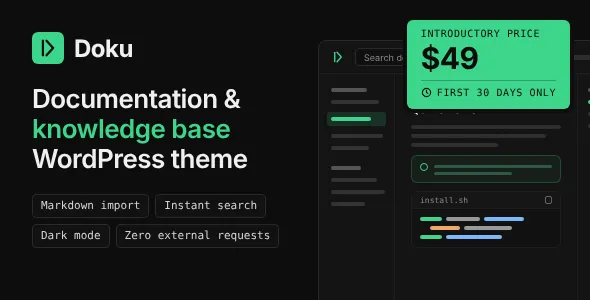
Doku – Software Documentation & Knowledge Base WordPress Theme
Doku – Software Documentation & Knowledge Base WordPress Theme is a website design solution created for businesses, software developers, SaaS companies, technology startups, and organizations that need a structured online documentation platform. Designed around the needs of technical content and knowledge sharing, Doku can serve as a starting point for building software documentation websites, product knowledge bases, help centers, user guides, and support resource portals using WordPress.
Clear documentation plays an important role in helping customers understand software products, configure applications, troubleshoot common problems, and discover available features. A well-organized knowledge base allows visitors to find answers independently instead of relying entirely on customer support. With a dedicated documentation-focused website, businesses can present technical instructions, product explanations, frequently asked questions, and educational resources in an accessible format.
Doku is intended for projects where information organization, readable content, and straightforward navigation are essential. WordPress provides a content management foundation for publishing and maintaining documentation, while the theme determines how that information is presented to visitors. The final capabilities depend on the installed theme version, available layouts, compatible plugins, and configuration. Reviewing the current demo and documentation before implementation helps ensure that the theme meets the requirements of your project.
What Is Doku Software Documentation & Knowledge Base WordPress Theme?
Doku is a WordPress theme designed for websites that organize information into documentation pages, knowledge articles, and support resources. It can be considered for projects that need a central destination where users can explore product information, follow instructions, and locate answers to common questions.
Software documentation often includes installation instructions, configuration guides, feature explanations, troubleshooting procedures, API references, and release information. Presenting these resources through a consistent interface makes it easier for developers, administrators, and end users to understand a product.
A knowledge base can serve a broader audience by answering general questions about services, account management, product usage, and customer support. Businesses can organize content according to topics, product areas, user roles, or common workflows.
Doku provides a potential visual foundation for creating this type of resource website with WordPress. The exact documentation layouts, navigation options, search features, and customization tools should be confirmed in the current product release rather than assumed from the theme name alone.
Create a Professional Software Documentation Website
A professional documentation website should make technical information easy to access and understand. Users may arrive with a specific question, follow a step-by-step procedure, or browse an unfamiliar feature. The website structure should support all these activities without creating unnecessary confusion.
Doku can be evaluated for software documentation projects that require organized articles, clear headings, and a consistent presentation across multiple pages. Developers can plan documentation around the product’s main features, installation process, configuration options, integrations, and troubleshooting resources.
For a SaaS product, documentation might explain account setup, dashboard navigation, billing settings, and workflow configuration. A developer tool could require technical references, code examples, integration instructions, and environment requirements. An enterprise application may need separate guides for administrators, employees, and technical teams.
Each documentation page should have a clear purpose and provide enough context for readers to complete the task. Short paragraphs, descriptive headings, numbered instructions, screenshots where appropriate, and relevant internal links can improve the reading experience.
The theme supports the presentation layer, while the quality of the documentation depends on accurate information, thoughtful organization, and regular maintenance.
Knowledge Base Organization and Content Structure
An effective knowledge base helps visitors move from a broad topic to the exact information they need. A clear content hierarchy is especially important when a website contains hundreds of articles or covers several products.
Doku can serve as a foundation for arranging documentation into logical categories and related pages, depending on the available layouts and WordPress configuration. Categories may represent product features, account management, integrations, troubleshooting, technical setup, or frequently asked questions.
For example, a software company might organize its resources into Getting Started, User Guides, Account Settings, Integrations, Troubleshooting, and Developer Resources. Each category can then contain focused articles that answer specific questions.
Consistent naming conventions help readers predict where information will appear. Avoid creating too many overlapping categories, since excessive fragmentation can make the knowledge base difficult to navigate.
Content planning should also account for the different needs of beginners and experienced users. Introductory guides can explain fundamental concepts, while advanced articles can cover detailed configuration, customization, and technical requirements.
A well-organized structure makes the website more useful for visitors and easier for content teams to maintain over time.
Search and Information Discovery
Search is an important part of a knowledge base because visitors often arrive looking for a particular answer rather than browsing every category. A useful search experience reduces the effort required to locate relevant instructions.
Depending on the theme’s included components and compatible plugins, Doku may be suitable for a documentation interface that incorporates search fields or other content-discovery elements. The availability and behavior of working search functionality should be verified in the current demo.
A search interface needs to connect to a suitable search implementation before it can return meaningful results. Developers should confirm that it searches the intended content types and displays relevant article titles, excerpts, and links.
For larger knowledge bases, useful improvements may include keyword matching, topic filtering, related articles, or dedicated search results pages, depending on the tools available. Search results should be clearly labeled so that users can quickly distinguish between setup instructions, troubleshooting articles, and general product information.
Content authors can also improve discoverability by using descriptive titles, including the terminology customers actually use, and linking related topics together.
Regularly reviewing search queries and unsuccessful searches can reveal gaps in the documentation and identify questions that need better answers.
Documentation Pages for Software Products
Software documentation often needs to explain both what a product does and how to use it. A structured documentation website gives teams a place to publish instructions, feature descriptions, technical requirements, and other resources in a consistent format.
Doku can be considered for documentation projects covering desktop software, web applications, mobile services, business tools, developer products, and SaaS platforms. The appropriate structure depends on the complexity of the product and the needs of its users.
A typical documentation library may include an introduction, system requirements, installation steps, account configuration, feature guides, troubleshooting information, and frequently asked questions. More advanced products may also require API references, deployment procedures, integration guides, and migration instructions.
Each article should focus on a specific task or question. For procedural content, explain prerequisites before presenting the steps, and describe the expected result when it helps readers verify that they completed the process correctly.
Technical terminology should remain accurate, but unfamiliar terms should be explained when necessary. Clear documentation can help reduce confusion, shorten onboarding time, and make product information more accessible to users with different levels of experience.
SaaS Help Centers and Customer Support Resources
Software-as-a-Service businesses often need a reliable place to explain product features, account settings, subscription options, and common support questions. A knowledge base can help customers resolve straightforward issues independently while giving support teams a consistent resource to reference.
Doku can be evaluated for SaaS help centers that organize support content around product usage and customer workflows. A company might publish articles about creating an account, configuring a workspace, inviting team members, managing preferences, or connecting third-party services.
Support content should answer practical questions directly. Instead of providing only a general description, an article can explain where to find a setting, which options are available, and what users should expect after making a change.
Troubleshooting articles should describe the symptoms of a problem, possible causes, recommended steps, and when users should contact support. Where appropriate, include links to related guides that provide additional context.
A knowledge base can complement a support team, but it does not automatically replace ticket management, live chat, or customer service workflows. Those capabilities require separate tools or integrations if they are part of the intended project.
User Guides and Step-by-Step Tutorials
Step-by-step guides help readers complete tasks without needing to interpret lengthy technical explanations. They are useful for onboarding, software configuration, feature adoption, and routine troubleshooting.
A documentation website built with Doku can be planned around tutorials that guide readers through specific workflows, subject to the theme’s available content layouts. Each guide should identify its intended audience and explain any prerequisites before presenting the procedure.
Use numbered steps for sequential tasks and descriptive headings to divide longer instructions into manageable sections. Screenshots can help readers recognize interface elements, while code examples may be necessary for developer-oriented documentation.
Instructions should be tested against the actual software version before publication. Outdated screenshots, renamed settings, and missing steps can make an otherwise well-written article difficult to follow.
When a process has several possible outcomes, explain the relevant differences instead of assuming that every reader will see the same result. Include troubleshooting guidance for common errors when practical.
A consistent tutorial format helps readers understand what information to expect and makes it easier for authors to create new guides.
Developer Documentation and Technical References
Developer-focused products often require documentation that goes beyond general user instructions. Technical audiences may need information about installation, configuration, code samples, API endpoints, authentication methods, environment variables, and integration requirements.
Doku can be considered as a starting point for publishing developer resources, provided the selected version supports the content presentation and technical formatting required by the project.
Code examples should use clear formatting and include enough context to be useful. Explain required dependencies, expected inputs, possible outputs, and any important limitations. Where examples depend on a specific software version, identify that version explicitly.
API documentation should describe request methods, parameters, authentication requirements, response formats, and relevant error conditions. If the product includes several versions of an API, the documentation structure should help readers distinguish between them.
The theme’s suitability for specialized technical content depends on the available code blocks, typography, navigation, and other presentation options. Confirm these requirements before adopting it for a large developer portal.
Technical accuracy is essential. Code samples and configuration instructions should be reviewed periodically so that developers do not rely on outdated or insecure implementation patterns.
WordPress Content Management and Publishing
WordPress provides a content management system that allows website owners to create pages, publish articles, manage media, and organize website content through an administrative interface. This can make it practical for documentation teams to maintain a knowledge base without rebuilding the entire website for every content update.
Doku can provide a presentation layer for WordPress content, with the final editing experience depending on the theme’s compatibility and supported tools. Website administrators should verify how the theme handles its page layouts, article templates, menus, and any documentation-specific content structures.
A consistent publishing workflow helps maintain quality as the documentation library grows. Content teams can establish guidelines for article titles, headings, screenshots, technical terminology, and internal links.
Before publishing a new article, verify its accuracy, check related links, and confirm that it appears in the correct category. Updates to the software should trigger a review of the affected documentation.
If several authors contribute to the knowledge base, define responsibilities for drafting, technical review, approval, and publication. WordPress user roles and compatible workflow tools may help manage these responsibilities, depending on the project’s configuration.
Responsive Design for Desktop, Tablet, and Mobile
Visitors may access documentation from desktop computers, tablets, and smartphones. Responsive design helps ensure that technical content remains readable and navigation remains usable across different screen sizes.
Doku should be evaluated for its responsive behavior using the current product demo and supported layouts. Depending on the implementation, developers may be able to adjust content widths, typography, navigation, images, and other interface elements for smaller devices.
On a desktop screen, a documentation page might use a broader content area with supporting navigation. On a mobile device, the layout may need to prioritize the article and provide convenient access to navigation and search.
Code examples, wide tables, diagrams, and screenshots require particular attention. These elements should remain readable without forcing visitors to navigate an unnecessarily wide page.
Test the entire documentation website rather than only the homepage. Category pages, search results, long tutorials, API references, and support articles may each present different responsive challenges.
A consistent mobile experience helps users consult documentation while working in another application or troubleshooting a product on the go.
Customization and Brand Identity
A documentation website should reflect the product or organization it represents while keeping the content easy to read. Consistent colors, typography, navigation styles, and spacing create a recognizable visual identity.
Depending on the available settings and compatible customization tools, Doku may be adaptable to different brand requirements. Developers should verify the actual options included in the current version before planning extensive visual changes.
A technology company may prefer a clean, restrained interface, while a developer platform might emphasize technical content and code examples. A customer help center may prioritize search and frequently accessed articles, whereas an internal knowledge base could require a more compact layout.
Branding should support the purpose of the website rather than distract from the information. Use consistent heading styles, readable body text, and recognizable links. Images and illustrations should clarify concepts or provide relevant context.
Before making extensive changes, review the theme’s documentation and determine which elements are controlled by theme settings, WordPress, custom styles, or additional plugins. Keeping customizations organized makes future maintenance easier.
SEO-Friendly Documentation Structure
Search engine optimization can help users discover public documentation through relevant search queries. Articles that answer specific questions may attract visitors who are researching a product, learning a workflow, or trying to resolve an issue.
Doku can serve as a visual foundation for a documentation website, but search performance depends on more than the theme. Useful content, descriptive page titles, technical implementation, internal linking, site performance, and competition all influence search visibility.
Each documentation article should focus on a clear topic and use a title that accurately reflects its contents. Logical headings help readers scan the page, while descriptive URLs make the subject easier to understand.
Internal links can connect related articles, introductory guides, and troubleshooting resources. For example, an installation guide might link to system requirements and configuration instructions.
Image alternative text should describe meaningful visual content, and large media files should be optimized appropriately. Compatible SEO tools may assist with metadata, XML sitemaps, canonical settings, and other technical tasks.
Avoid creating multiple pages that repeat the same information without adding value. Keep articles accurate, specific, and useful to readers rather than writing solely to repeat target keywords.
Performance and Website Speed
Documentation visitors often want a quick answer to a specific question. Slow-loading pages, oversized images, and unnecessary interface elements can make it harder to find information efficiently.
The performance of a Doku website depends on the theme implementation, hosting environment, WordPress configuration, plugins, fonts, scripts, and media assets. A documentation-focused design does not automatically guarantee fast page loading.
Start by optimizing screenshots and illustrations. Use appropriate dimensions and efficient file formats while preserving enough detail for readers to understand the instructions. Review unnecessary animations, external resources, and plugins that add complexity without providing meaningful value.
Quality hosting, caching, and other optimization tools may improve performance when configured appropriately. Measure the actual results rather than adding multiple tools that perform overlapping functions.
Test important pages, including the homepage, documentation categories, search results, and long technical articles. Review performance on both desktop and mobile devices.
Regular monitoring can help identify new issues as the documentation library expands. A fast, stable website makes it easier for users to consult information and continue working with the product they are trying to understand.
Accessibility and Readable Technical Content
Documentation should be accessible to a wide range of users, including people who rely on keyboards, screen readers, or other assistive technologies. Clear writing and predictable navigation also benefit readers who are unfamiliar with the product.
When configuring Doku, use logical heading levels, descriptive links, readable font sizes, and sufficient color contrast. Avoid using color alone to communicate errors, warnings, or important distinctions.
Images that convey information should have appropriate alternative text. Form fields, search controls, and other interactive elements should have clear labels, and navigation should remain usable with a keyboard.
Technical content requires additional care. Code blocks should be distinguishable from surrounding text, while wide tables should be organized so that their relationships remain understandable. Instructions should not rely exclusively on visual cues such as pointing to a button by its color or position.
Accessibility depends on the final implementation, content, and any additional components. Review the site using practical keyboard testing, accessibility tools, and manual usability checks before publication.
Integrations and Supporting WordPress Plugins
A documentation website may need additional functionality for search, feedback collection, analytics, SEO, forms, security, or content management. The appropriate combination depends on the project’s requirements and the functionality already provided by the theme.
Doku should be paired with plugins that are compatible with the installed WordPress version and the theme’s documented requirements. Before adding an extension, review its documentation, maintenance history, compatibility information, and licensing terms.
A search plugin may improve content discovery, while an SEO tool can help manage metadata and sitemaps. Analytics tools may help content teams understand which articles visitors use most often, subject to applicable privacy and consent requirements.
Some projects may need article feedback controls, contact forms, or support ticket integrations. These features should be verified or implemented through appropriate extensions rather than assumed to be included automatically.
Avoid installing multiple plugins that perform the same function unless there is a clear reason. After adding an integration, test search, navigation, article layouts, and other relevant workflows to identify compatibility issues.
Security and Ongoing Maintenance
A documentation website requires regular maintenance to remain secure, reliable, and accurate. WordPress, the theme, and compatible plugins should be reviewed and updated carefully as new releases become available.
Use reputable hosting, enable HTTPS, assign user roles according to responsibilities, and protect administrator accounts with strong authentication practices. Obtain themes and plugins from trustworthy sources and remove unused components when appropriate.
Create regular backups and confirm that the restoration process works. Before significant updates or design changes, consider using a staging environment to test compatibility without disrupting the live website.
Documentation maintenance is equally important. Software updates can change menu labels, configuration options, screenshots, supported versions, and installation procedures. Review affected articles whenever the product changes.
Broken links, outdated instructions, duplicate articles, and incorrect technical examples reduce the usefulness of a knowledge base. Establish a routine for reviewing high-traffic pages and other important resources.
A consistent maintenance process helps preserve both the technical reliability of the website and the trust readers place in its documentation.
Who Should Use Doku Software Documentation & Knowledge Base WordPress Theme?
Doku may be suitable for organizations that need a dedicated place to publish structured information and support resources.
SaaS companies: Create a central destination for onboarding guides, feature explanations, account instructions, and common support questions.
Software developers: Organize technical documentation, installation procedures, configuration guides, and developer resources.
Technology startups: Build a knowledge base that grows alongside a product and helps new users understand its capabilities.
IT service providers: Publish setup instructions, troubleshooting resources, and technical guidance for customers.
Digital product businesses: Explain product usage, supported configurations, common issues, and frequently asked questions.
Customer support teams: Maintain a searchable library of answers that can complement existing support channels.
Educational platforms: Organize tutorials, learning resources, user instructions, and reference materials.
Internal teams: Develop a company knowledge base for processes, software tools, policies, and operational instructions, subject to the required access controls and integrations.
The best choice depends on the theme’s current features, available layouts, compatibility, and the content-management workflow required by the organization.
Tips for Building a Successful Knowledge Base with Doku
Begin by identifying the questions your users ask most frequently. These questions can help determine which categories, articles, and tutorials should be published first.
Organize documentation around user tasks and product areas rather than internal company departments alone. Visitors should be able to recognize where a topic belongs without needing to understand the organization’s internal structure.
Write focused articles with descriptive headings and clear instructions. Include prerequisites, expected results, and relevant troubleshooting information where appropriate. Use screenshots and code examples only when they improve understanding.
Create consistent editorial guidelines for titles, terminology, formatting, and version information. Assign responsibility for reviewing technical accuracy, particularly when the software or service changes frequently.
Test the knowledge base on different devices and review its navigation, search behavior, accessibility, and loading performance. Check internal links and confirm that important articles are easy to locate.
Finally, use reader feedback and available search analytics to identify gaps. Update outdated pages, improve unclear explanations, and remove duplicate content when necessary. A useful knowledge base is an ongoing resource rather than a one-time publishing project.
Final Thoughts on Doku Software Documentation & Knowledge Base WordPress Theme
Doku – Software Documentation & Knowledge Base WordPress Theme can be considered for businesses, software teams, SaaS providers, and organizations that want to build a structured documentation or support website with WordPress. Its documentation-focused purpose makes it relevant to projects that need to present technical instructions, user guides, product information, and knowledge resources through a consistent interface.
A well-organized knowledge base can help users find answers independently, understand product features, and follow instructions with greater confidence. Clear navigation, readable articles, useful internal links, responsive layouts, and effective search can all contribute to a better documentation experience.
The final capabilities of a Doku website depend on the installed theme version, available templates, compatible plugins, and implementation choices. Features such as advanced search, feedback collection, support ticket management, and specialized technical references should be confirmed in the current demo and documentation before they become part of the project plan.
With accurate content, thoughtful organization, suitable customization, and regular maintenance, Doku can provide a starting point for creating a professional online knowledge resource. The most successful documentation websites combine an appropriate design with reliable information that helps readers solve problems and use products effectively.