My Account
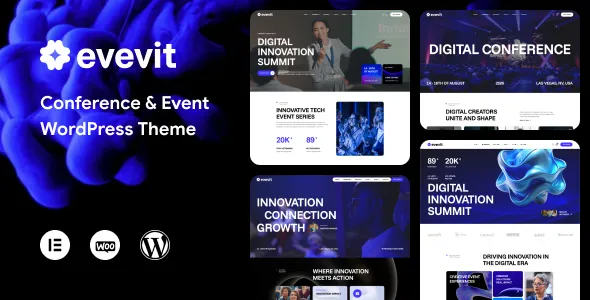
Evevit – Conference & Event WordPress Theme
Evevit – Conference & Event WordPress Theme is a website design solution for event organizers, conference planners, seminar coordinators, corporate event agencies, exhibition managers, and businesses looking to establish a professional online presence for their events. A dedicated event website helps communicate important event information, introduce speakers, present schedules, showcase venues, and guide visitors toward registration or inquiries. Evevit can be considered as a foundation for creating an organized WordPress website that reflects an event’s identity while helping attendees discover the information they need.
In the modern event industry, a well-designed website plays an important role in communicating credibility and keeping participants informed. Whether an organization is preparing a business conference, professional seminar, technology summit, networking event, industry exhibition, or corporate gathering, visitors need a convenient place to explore event details. Information such as dates, venue locations, session schedules, speaker profiles, ticket options, and registration instructions should be easy to find.
Evevit is positioned for event-focused website projects that require a structured presentation of programs, organizers, and attendee information. With suitable customization, businesses can create dedicated pages for upcoming events, conference agendas, speakers, sponsors, ticket information, and contact details. The final capabilities depend on the theme version, its documented features, and any compatible WordPress plugins used alongside it.
What Is Evevit – Conference & Event WordPress Theme?
Evevit is a WordPress theme intended for websites related to conferences, events, seminars, and professional gatherings. Its specialized positioning makes it a potential option for organizations that want to promote events through a dedicated website rather than depend entirely on social media, email invitations, or third-party event directories.
A conference website serves several purposes. It introduces the event, explains its objectives, presents the program, highlights speakers, provides practical attendance information, and directs visitors toward registration or inquiries. For recurring events, the website can also become a central resource for previous editions, announcements, media coverage, and future event updates.
WordPress provides a content management system that allows website owners to publish pages, update event information, manage articles, and upload images. This can be useful for event teams that need to keep their websites current as speakers, schedules, venues, and registration details change.
Evevit can be evaluated as a starting point for organizing these elements into a consistent online experience. Before installation or purchase, review the current theme demo and documentation to confirm its available layouts, customization settings, supported page-building tools, and compatibility with the required plugins.
Designed for Conferences and Professional Events
Conferences bring together professionals, businesses, speakers, sponsors, and attendees around a shared subject or objective. A professional event website should communicate the purpose of the gathering and make participation details easy to understand.
Evevit can be considered for business conferences, leadership summits, industry conventions, academic gatherings, technology events, and professional networking programs. Depending on the event’s requirements, the website can introduce the organizing team, explain the conference theme, present the agenda, and provide information about registration.
A corporate conference may focus on business strategy, market developments, and professional networking. A technology summit might feature product demonstrations, expert discussions, and technical workshops. An academic conference may prioritize research sessions, paper presentations, and information for speakers or participants.
Each event requires a slightly different content structure. Organizers should identify the information attendees need most and make it accessible without requiring visitors to navigate through unrelated sections.
A clear event introduction, concise program summary, relevant imagery, and practical contact details can help visitors determine whether the conference is appropriate for their interests and professional goals.
Event Promotion and Online Visibility
Promoting an event requires consistent communication before, during, and sometimes after the event itself. A dedicated website can act as a central source of information that organizers can share through email campaigns, social media posts, advertising, and partner communications.
Evevit can serve as a foundation for presenting upcoming events, announcing important dates, explaining event benefits, and directing visitors toward registration information. The exact promotional layouts and tools depend on the theme’s current features and the plugins selected for the website.
An effective event page should explain what the event is about, who should attend, what participants can expect, and how they can register or request more information. Clear headlines and well-organized sections help visitors understand the event without reading unnecessary material.
Organizers can also publish announcements about registration deadlines, program updates, additional speakers, and venue arrangements. Information should be reviewed regularly so that visitors do not encounter outdated dates or conflicting details.
A consistent online presentation helps reinforce the event’s identity and provides attendees, sponsors, and partners with a reliable destination for official information.
Speaker Profiles and Guest Information
Speakers are often an important part of a conference’s appeal. Attendees may want to understand who will be presenting, what topics will be covered, and how the speakers’ experience relates to the event’s theme.
Evevit can be evaluated for websites that feature speaker profiles, biographies, photographs, and session descriptions, depending on the available page layouts and customization options.
A useful speaker profile may include the person’s name, professional role, organization, areas of expertise, and a concise biography. Where appropriate, organizers can also provide links to professional websites or verified social profiles.
For a conference with multiple presenters, grouping speakers by track, subject, or session can help visitors identify the discussions most relevant to them. Featured speakers may receive additional attention on the homepage, while a dedicated speaker directory can provide more comprehensive information.
Keep all biographies accurate and obtain permission to use photographs and professional information where required. If a speaker’s participation changes, update the website promptly to prevent confusion.
A well-organized speaker section helps communicate the program’s value and gives attendees a clearer understanding of the people contributing to the event.
Conference Schedules and Event Agendas
A clear schedule helps attendees plan their participation and understand how the conference is organized. This is particularly important for multi-day events, programs with parallel sessions, and conferences that combine presentations, workshops, networking, and breaks.
Evevit can be considered for event websites that present agendas and session information through dedicated content sections, subject to the theme’s available layouts and supporting tools.
A conference agenda may include session titles, start and end times, speaker names, locations, and short descriptions. For larger events, organizers may group sessions by day, topic, room, or program track.
Schedule information should be easy to scan. Consistent formatting helps attendees distinguish keynote presentations from workshops, panel discussions, networking sessions, and breaks.
If the agenda is subject to change, explain that updates may occur and provide a reliable way for participants to check the latest version. For events with complex schedules, a compatible event-management plugin may be useful if it supports the required functionality.
Before publishing the program, verify time zones, room assignments, speaker names, and session timings. Accurate information reduces uncertainty and helps attendees plan their day more effectively.
Event Registration and Ticketing Opportunities
A convenient registration process can help turn interested visitors into confirmed attendees. The appropriate approach depends on whether the event is free, paid, invitation-only, or organized through a separate ticketing service.
Evevit can be configured to direct visitors toward a registration form or a compatible ticketing solution where supported by the selected WordPress setup. However, real-time ticket inventory, payment processing, attendee management, and automated ticket delivery should not be assumed without checking the theme documentation and required integrations.
A registration form may request a participant’s name, email address, organization, job title, selected ticket category, and other information relevant to the event. Collect only the details needed to manage attendance effectively.
For paid conferences, the selected ticketing or payment system should clearly communicate ticket prices, applicable taxes or fees, cancellation policies, and payment terms. Organizers should also explain whether a registration request is confirmed immediately or requires manual approval.
Before launching the website, test the complete registration journey, including form validation, confirmation messages, email delivery, payment processing where applicable, and the handling of participant information.
A straightforward and reliable registration experience helps attendees understand the process and supports better event administration.
Venue Details and Event Location Information
Venue information is essential for attendees who need to plan transportation, accommodation, and arrival times. A conference website should provide accurate details about where the event will take place and how participants can find the venue.
Evevit can be used as a starting point for presenting venue details, depending on the available layouts and compatible integrations.
A venue page can include the venue name, street address, accessibility information, arrival instructions, parking details, and relevant transportation options. For events held at hotels or convention centers, organizers may also provide accommodation guidance and information about nearby facilities.
Where useful, a compatible map integration can help attendees understand the location. Check that the map works on mobile devices and that the displayed address matches the official venue information.
For multi-location events, explain which sessions take place in each building or room. If entry procedures, security checks, or identification requirements apply, communicate them before the event.
Venue details should be verified before publication and updated promptly if arrangements change. Accurate information can reduce last-minute questions and help attendees arrive prepared.
Corporate Events and Business Networking
Corporate events help organizations communicate strategy, strengthen professional relationships, introduce new initiatives, and bring teams or customers together. Their websites should reflect the event’s objectives while providing practical information for participants.
Evevit can be considered for corporate gatherings such as company conferences, annual meetings, leadership retreats, product launches, business networking sessions, and industry forums.
A corporate event page may explain the event’s purpose, intended audience, main topics, featured presenters, and expected format. For invitation-only events, the website can provide access instructions or direct participants to the appropriate registration process.
Networking opportunities can also be highlighted where they are part of the program. Organizers may explain scheduled networking sessions, discussion groups, or professional meetups without promising interactions that cannot be guaranteed.
For internal corporate events, the content may prioritize the agenda, logistics, and participant instructions. For public events, the website may need more extensive promotional information and registration guidance.
A clear structure helps businesses communicate their event professionally while giving attendees the information required to participate.
Seminars, Workshops, and Training Programs
Seminars and workshops often focus on a specific topic or skill. Visitors need to understand what will be covered, who will lead the session, and whether the program matches their experience level or learning objectives.
Evevit may be suitable for presenting professional seminars, training sessions, educational workshops, and short-format learning events.
Each session page can include the topic, learning objectives, instructor information, duration, intended audience, required preparation, and participation details. If attendees need to bring equipment or complete prerequisites, these requirements should be communicated in advance.
For multi-session programs, organizers can separate sessions by date, subject, or skill level. A concise overview helps visitors understand the overall program, while individual descriptions provide additional detail.
If the event provides certificates, learning materials, or continuing education credits, explain the applicable conditions accurately. Do not imply accreditation or certification unless the organizer has the appropriate authorization.
A well-organized workshop website makes it easier for prospective participants to assess the program and determine whether it meets their needs.
Exhibitions, Trade Shows, and Product Launches
Exhibitions and trade shows bring businesses, industry professionals, exhibitors, and visitors together to discover products, exchange information, and build commercial relationships. A dedicated website can help communicate the event’s scope and participation requirements.
Evevit can be evaluated for trade shows, industry exhibitions, product launches, technology showcases, and business expos, depending on its available layouts and supported integrations.
An exhibition website may feature event highlights, exhibitor information, visitor instructions, opening hours, venue details, and registration options. Exhibitors may also need information about booth arrangements, setup schedules, participation fees, and organizer contacts.
For product launches, the website can introduce the product category, explain the event’s purpose, and provide information about presentations or demonstrations. Sensitive or unreleased details should only be published when the organization is authorized to share them.
Clear information for both exhibitors and visitors helps reduce confusion. Separate sections can address each audience’s requirements while keeping the main event details easy to locate.
The website should be updated whenever important arrangements change, particularly for schedules, registration deadlines, venue access, and exhibitor participation.
Sponsor and Partner Presentation
Sponsors and partners can play an important role in supporting conferences and professional events. A dedicated website section helps acknowledge their contributions and communicate relevant partnership information.
Evevit can be considered for event websites that need to display sponsor logos, partner descriptions, and supporter information, depending on the theme’s available design components.
Organizers may group sponsors by agreed partnership level or role. Any distinctions between categories should reflect the actual sponsorship arrangements rather than imply benefits that have not been agreed upon.
Logos should be displayed clearly and according to the applicable brand guidelines. Where required, obtain permission to use sponsor names, trademarks, and promotional materials.
For future events, a sponsor information page can explain the event audience, planned activities, available partnership opportunities, and the process for requesting a sponsorship proposal. Only publish audience statistics or attendance figures that can be substantiated.
A clear sponsor presentation can help recognize partners while keeping the event website organized and professional.
Customization and Event Brand Identity
Every conference or event has its own identity, audience, and communication goals. A consistent design helps visitors recognize the event and distinguish it from other professional gatherings.
Depending on the current theme version and supported tools, Evevit may allow customization of visual elements such as colors, typography, page layouts, imagery, and branding components. The exact controls should be confirmed in the product documentation.
A technology conference may use a contemporary visual style, while an academic gathering may prioritize readability and a structured presentation of research sessions. A corporate event may require restrained branding, whereas a creative industry conference might use more expressive graphics.
Consistency is important across the homepage, agenda, speaker profiles, registration pages, and promotional content. Use a recognizable logo, clear heading hierarchy, and consistent button styles.
Original event graphics and approved speaker photographs can help establish a distinctive identity. Avoid excessive animation or decorative elements that distract from essential details such as dates, venue information, and registration instructions.
Before making substantial design changes, determine which elements are managed by the theme, WordPress settings, page-building tools, or plugins. Backups and staging tests can help reduce the risk of disrupting the live website.
Build an Effective Event Homepage
The homepage is often the first place visitors learn about a conference or event. It should quickly communicate what the event is, when it takes place, who should attend, and where visitors can find further information.
An Evevit-based homepage can be organized around an event introduction, date and venue details, featured speakers, agenda highlights, registration information, sponsor recognition, and contact details, depending on the available layouts.
The opening section should state the event’s name and purpose clearly. Visitors should not need to search through several pages to find the main date or understand the subject of the gathering.
A schedule preview can introduce important sessions, while speaker highlights can help visitors discover the program’s contributors. Registration information should be easy to find, particularly when tickets are limited or deadlines apply.
For recurring conferences, the homepage may also introduce the organizing organization and link to previous editions or future announcements.
Not every event needs every section. A one-day seminar may require a simple page with the schedule, speaker information, and registration details, while a multi-day conference may benefit from a more extensive structure.
The best homepage prioritizes the information visitors need most and guides them toward a relevant next step.
SEO-Friendly Structure for Event Websites
Search engine optimization can help interested participants discover an event through relevant searches. A well-organized website provides a useful foundation, although search visibility depends on the quality of the content, competition, technical setup, and other factors.
Evevit can be evaluated for organizing event information into clear pages for the main event, speakers, agenda, venue, registration, and related announcements.
Each page should have a defined purpose. The main event page can provide the overall description, while dedicated speaker pages or session pages can offer more detailed information when needed.
Use descriptive page titles, logical headings, readable URLs, and relevant internal links. For example, an agenda page can link to speaker profiles, while a venue page can direct visitors to arrival instructions.
If the event targets a particular city or region, include accurate location information where relevant. Do not add unrelated place names or repeat keywords unnaturally simply to influence search rankings.
Compatible SEO plugins may help manage meta descriptions, XML sitemaps, canonical settings, and other technical elements. Confirm which functions are available through the selected plugin and configuration.
Event information is often time-sensitive. Update dates, registration deadlines, and schedules promptly, and clearly label archived pages for past events.
No WordPress theme can guarantee search rankings or attendance. Useful information, technical quality, and effective event promotion remain important.
Content Marketing and Event Announcements
Content marketing can help organizers build awareness before an event and maintain communication afterward. A WordPress website can support this through announcements, articles, interviews, speaker introductions, and event recaps.
Evevit can be considered for websites that combine event information with an ongoing content strategy, depending on its supported blog layouts.
Before the event, organizers might publish articles introducing the main topic, explaining the agenda, presenting speakers, or answering common attendee questions. These resources can help visitors understand the event’s purpose and decide whether to participate.
During the preparation period, updates can cover registration deadlines, venue arrangements, program additions, and practical attendance guidance. Information should be verified before publication to avoid confusion.
After the event, a recap can summarize the program, acknowledge speakers and sponsors, and share approved photographs or presentation materials. Obtain permission before publishing identifiable attendee images or restricted event content.
Content should remain useful and accurate. A smaller number of well-written updates is generally more valuable than a large volume of repetitive announcements.
Website Performance and Image Optimization
Event websites often use speaker portraits, sponsor logos, promotional graphics, and large background images. These assets can contribute to the visual identity but need to be managed carefully to maintain a responsive experience.
The performance of an Evevit website depends on the theme implementation, hosting environment, image sizes, plugins, fonts, scripts, and third-party integrations. A responsive layout alone does not guarantee fast loading.
Resize images according to their intended display dimensions and compress them while preserving sufficient visual quality. Use suitable modern image formats when supported and avoid loading unnecessarily large graphics into small page areas.
Review animations, embedded media, external widgets, and third-party scripts to determine whether they provide meaningful value. Unnecessary elements can increase loading time and make maintenance more difficult.
Depending on the hosting environment, caching, image optimization tools, and content delivery services may improve performance. Test these tools carefully to ensure that they do not interfere with registration forms or other essential functions.
Check important pages individually, including the homepage, agenda, speaker directory, and registration page. Regular performance reviews help identify issues as the website grows.
Accessibility and Attendee-Friendly Navigation
A professional event website should make information accessible to visitors using different devices and browsing methods. Clear navigation and readable content help attendees find the details they need without unnecessary effort.
Use descriptive menu labels and group information into logical categories. Pages such as Event Overview, Agenda, Speakers, Venue, Registration, FAQs, and Contact should be easy to locate where relevant.
Text should have sufficient contrast and remain readable across screen sizes. Headings should follow a logical hierarchy, and links should describe their destination.
Forms should include clear labels and understandable error messages. Visitors should be able to identify required fields and correct mistakes without confusion.
Speaker portraits and event graphics that communicate information should have appropriate alternative text. Interactive elements should also be reviewed for keyboard usability.
Accessibility depends on the theme, content, and configuration of individual components. Automated testing can identify some issues, but manual keyboard testing and practical usability reviews are also important.
Integrations and Supporting WordPress Plugins
An event website may need additional tools for registration, ticketing, contact forms, email marketing, SEO, analytics, and security. The right combination depends on the event’s requirements and the functions already supported by the installed version of Evevit.
A contact form plugin can collect attendee questions, while a compatible event-management or ticketing plugin may help organize registrations if the required features are supported. Email tools can help distribute announcements, and analytics services can provide information about visitor activity.
For paid events, review payment gateway compatibility, transaction fees, refund handling, and the security requirements of the chosen service. Registration and payment functionality should be tested before accepting real attendee information or payments.
Avoid installing several plugins that perform the same task unless there is a clear reason. Overlapping functions can introduce conflicts, increase maintenance work, and affect performance.
Before installing a plugin, review its documentation, compatibility, update history, and support arrangements. After installation or an update, test all affected pages and workflows.
Do not assume that real-time ticket inventory, attendee dashboards, QR-code check-in, automated ticket generation, or payment processing is included with the theme unless the current documentation confirms it.
Security and Ongoing Website Maintenance
A conference website needs regular maintenance to remain reliable throughout the event lifecycle. Outdated dates, broken registration links, incorrect venue information, or failed contact forms can create unnecessary problems for attendees and organizers.
Use reputable hosting, enable HTTPS, choose strong administrator passwords, and assign user permissions according to each person’s responsibilities. Keep WordPress, the theme, and compatible plugins updated after reviewing relevant release notes.
Create regular backups and confirm that they can be restored. Backups are especially important before significant updates, customization, or plugin installations.
Remove unused components when appropriate and obtain themes and plugins from trustworthy sources. Protect participant information and follow applicable privacy requirements when collecting registration details.
Review event information regularly. Confirm that speaker names, session times, venue details, ticket prices, registration deadlines, and contact information remain accurate.
For completed events, update the website with relevant archival information or clearly mark outdated pages as historical. This helps returning visitors understand whether an event is upcoming or has already taken place.
A planned maintenance routine supports a more dependable experience for organizers, attendees, speakers, and partners.
Who Should Use Evevit – Conference & Event WordPress Theme?
Evevit may be worth evaluating for several types of event-related organizations.
Conference organizers: Businesses and organizations that coordinate professional conferences can present agendas, speaker profiles, venue details, and registration information.
Corporate event agencies: Event planners can create websites for business gatherings, leadership meetings, networking events, and company conferences.
Seminar coordinators: Organizations running educational or professional seminars can publish session details, presenter information, and participation instructions.
Technology event organizers: Teams arranging technology summits, product showcases, or innovation conferences can introduce program topics and featured speakers.
Academic institutions: Universities and professional associations can provide information about research conferences, symposiums, workshops, and academic gatherings.
Exhibition managers: Businesses organizing trade shows and industry exhibitions can present event information for visitors, exhibitors, and sponsors.
Training providers: Organizations hosting workshops or professional development programs can explain learning objectives, schedules, and registration procedures.
Event marketing agencies: Agencies can establish a dedicated online presence for the events they organize and promote.
The most suitable choice depends on the project requirements. Review the current demo, documentation, supported plugins, licensing terms, and compatibility information before purchasing or installing the theme.
Tips for Building a Successful Event Website with Evevit
A theme provides the visual foundation, but an effective event website also requires accurate information, clear communication, and a reliable attendee journey.
Begin by defining the website’s main objective. Determine whether the priority is to promote a conference, collect registrations, communicate a schedule, attract sponsors, or provide information for invited participants.
Prepare the essential event content before customizing every page. This includes the event description, date, venue, agenda, speaker biographies, ticket information, contact details, and relevant policies.
Use consistent branding across the homepage, promotional materials, speaker profiles, and registration pages. Ensure that images and logos are used with appropriate permission and that published information reflects the actual event.
Make key information easy to find. Visitors should be able to identify the date, location, intended audience, and registration process without navigating through unnecessary sections.
Test the website on different devices before launch. Check page loading, navigation, registration forms, email notifications, payment processes where applicable, and all important links.
Establish a process for updating the website as the event approaches. Changes to speakers, schedules, venues, or ticket availability should be communicated promptly and consistently.
After the event, review which information should remain available, such as recap articles, approved photographs, and resources for attendees. Regular maintenance helps keep the website useful beyond the event itself.
Final Thoughts on Evevit – Conference & Event WordPress Theme
Evevit – Conference & Event WordPress Theme is a potential option for conference organizers, corporate event planners, seminar coordinators, exhibition managers, and businesses that need a dedicated WordPress website for professional gatherings. Its event-focused positioning makes it relevant to projects that require a structured presentation of programs, speakers, venues, and attendee information.
A well-planned event website can combine an informative homepage, detailed agenda, speaker profiles, registration opportunities, sponsor recognition, and practical venue information. These elements help visitors understand the event and provide organizers with a central place to communicate important updates.
The final capabilities of an Evevit website depend on the current theme version, documented features, customization tools, and compatible plugins. Reviewing the live demo and documentation before installation helps determine whether the available layouts and integrations meet the project’s requirements.
Long-term success also depends on accurate content, accessible design, responsive performance, security, effective promotion, and regular maintenance. A theme alone cannot guarantee registrations, search rankings, or attendance, but it can provide a useful foundation for a clear and professional online presence.
For organizations seeking to promote conferences and events through WordPress, Evevit can be evaluated as part of a broader event communication strategy focused on useful information, consistent branding, and a convenient experience for attendees.