My Account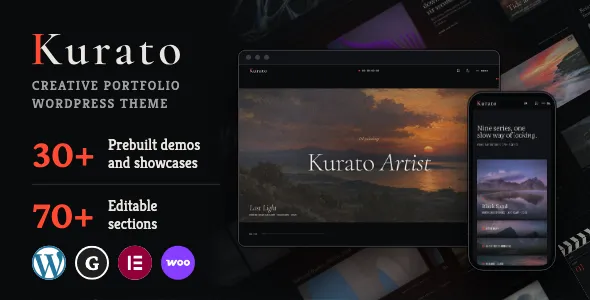
Kurato | Creative Portfolio WordPress Theme
Kurato | Creative Portfolio WordPress Theme is a flexible and visually focused solution for designers, creative professionals, freelancers, photographers, artists, and agencies that want to present their work through a polished website. Kurato helps establish a clear digital identity by bringing portfolio presentation, personal branding, and business information together in one organized online experience. With a creative portfolio website, the way projects are presented can influence how potential clients understand your skills, working style, and professional value. Kurato is designed for website owners who want their online presence to feel purposeful, modern, and closely connected to the quality of their work. Built around the versatility of WordPress, this theme provides a starting point for creating a website that can communicate your creative vision while supporting your professional goals.
Introduce Your Work with Kurato
A creative portfolio is more than a collection of images, project links, or case studies. It is a carefully arranged presentation of your ideas, experience, and approach to solving problems. Kurato gives creative professionals a foundation for organizing that presentation into a website that visitors can explore comfortably. Whether you work independently or as part of a creative studio, a dedicated portfolio website helps you explain what you do, show examples of your work, and make it easier for prospective clients to learn about your services.
Kurato is suitable for people who want their portfolio to represent their professional identity rather than look like a generic business website. A creative professional may need a place for selected projects, a short biography, a service overview, client information, and contact details. A design agency may require additional space for its capabilities, team, process, and completed campaigns. By planning these elements around your goals, you can use Kurato as a foundation for an online presentation that communicates the right information without overwhelming visitors.
WordPress adds flexibility to the overall website-building process. Instead of treating your portfolio as a static presentation, you can develop it into a broader professional platform as your work evolves. You may begin with a few featured projects and later introduce more detailed case studies, service pages, articles, testimonials, or other relevant content. The precise layout options and functionality available will depend on the theme’s implementation, your WordPress configuration, and any compatible plugins you choose to use.
For professionals who want their website to grow alongside their career, Kurato offers a useful starting point for planning an organized and recognizable online presence.
A Portfolio That Reflects Your Creative Identity
Your portfolio should communicate something distinctive about the person or business behind it. A graphic designer may want to emphasize visual composition and brand systems, while a photographer may prefer to focus on image collections and carefully selected project stories. A digital agency might prioritize campaign results, service categories, and client industries. These different requirements make it important to approach portfolio design with a clear understanding of the audience and the message you want to communicate.
Kurato can serve as the foundation for a portfolio shaped around your individual identity. Your choice of typography, colors, imagery, written content, and project order can help create a consistent experience throughout the website. A recognizable visual direction also makes it easier for visitors to connect your website with your broader professional brand.
Rather than adding every available element to every page, consider what a potential client needs to understand first. Introduce your specialty, present a few strong examples, and provide a straightforward path to additional information. A portfolio built around relevant content can be more effective than a crowded layout that tries to communicate everything at once.
Create a Professional First Impression
Visitors often make an initial judgment about a creative business after viewing only a small portion of its website. The opening section, project presentation, navigation, and overall visual consistency can influence whether someone continues exploring. A professional portfolio should quickly explain the purpose of the website and provide enough visual and written context for visitors to decide whether the creator’s work matches their needs.
With Kurato, you can plan the opening section around your most important message. A designer might introduce a specialization in visual identity, while a photographer could emphasize a particular genre or approach. An agency may choose to explain the problems it solves for businesses. The objective is to make the purpose of the website immediately understandable.
A strong first impression also depends on the quality of the work being presented. Select images that demonstrate your abilities, write clear project descriptions, and ensure that the website’s visual choices support rather than compete with the portfolio itself. Consistency between the website and the quality of your work helps reinforce confidence in your professional capabilities.
Kurato for Designers and Creative Professionals
Designers need a website that allows them to communicate both visual ability and strategic thinking. A finished design may look impressive on its own, but prospective clients often want to understand the reasoning behind it, the challenges involved, and the contribution the designer made to the final result. Kurato can provide a starting point for organizing projects into a portfolio that communicates more than appearance alone.
Graphic designers can use their website to present brand identities, marketing materials, editorial layouts, packaging concepts, and digital assets. Web designers can feature interface designs, website launches, landing pages, and user experience projects. Art directors can organize selected campaigns and creative concepts into a presentation that reflects their broader perspective. Independent designers can also use their portfolio to introduce services, describe their process, and explain how clients can begin a project.
The strongest presentation depends on selecting relevant work and providing context. Instead of showing every project in chronological order, consider grouping examples by specialty or type of client. A short description can explain the original brief, the creative challenge, the approach taken, and the outcome. This helps visitors understand the value behind the visual work.
A Portfolio for Graphic Designers
Graphic designers frequently work across multiple formats, from logos and visual identities to brochures, packaging, social media graphics, and promotional materials. A well-organized portfolio makes it easier for visitors to understand the range of those capabilities without losing sight of the designer’s primary specialty.
Kurato can be used as the starting point for a website that brings these projects together in a consistent presentation. Each project should have a clear title, relevant visuals, and a description that explains its purpose. If a branding project includes a logo, typography, color palette, stationery, packaging, and digital assets, showing how these pieces work together can provide a more complete picture than displaying an isolated logo.
It is also helpful to identify the designer’s role in collaborative projects. Explaining whether you led the creative direction, developed the visual identity, prepared production artwork, or contributed to a specific part of the process helps prospective clients understand your experience accurately.
A Website for Web and UI Designers
Web and interface designers benefit from portfolios that demonstrate both visual quality and practical thinking. Clients may want to see how a landing page supports a marketing campaign, how a website organizes information, or how an interface helps users complete a task. A portfolio can communicate these decisions through screenshots, annotated visuals, concise descriptions, and links to published projects where appropriate.
Kurato can form the foundation for presenting these examples in a professional format. Consider including a short explanation of the project’s audience, purpose, design priorities, and important decisions. When showing interface work, use screenshots that remain legible and provide enough context to make the design understandable. If a project is still under development or cannot be shared publicly, explain its scope without disclosing confidential information.
A carefully prepared case study can also show how you approach responsive layouts, accessibility, navigation, visual hierarchy, and content structure. These details help potential clients see how design choices relate to real user needs.
An Online Home for Illustrators and Artists
Artists and illustrators often need a portfolio that allows their work to communicate visually. The presentation should support the character of the artwork instead of competing with it through unnecessary decoration. A carefully selected collection can establish a clear creative direction and help visitors understand the themes, techniques, and formats that define the artist’s practice.
Kurato can be adapted as a starting point for presenting original illustrations, digital artwork, commissioned pieces, sketches, editorial projects, or selected personal work. You can organize collections by medium, theme, client, or series, depending on how visitors are most likely to explore your portfolio.
Project descriptions can add valuable context without taking attention away from the artwork. Explain the purpose of a commission, the inspiration behind a series, or the techniques used to complete a project. If you sell original artwork or accept commissions, consider providing a clear route to relevant information about availability, licensing, purchasing, and inquiries. Any purchasing functionality may require a suitable plugin or additional configuration.
Kurato for Creative Agencies and Studios
Creative agencies often need to communicate several services through one cohesive website. Their portfolio may include branding, web development, digital campaigns, content creation, advertising, art direction, and other creative work. The challenge is to present this range clearly while maintaining a consistent identity.
Kurato can provide a foundation for an agency website that connects project examples with business information. A well-planned homepage can introduce the studio, explain its central capabilities, and guide visitors toward selected case studies. Dedicated service pages can provide further details for people who want to understand how the agency works and whether its expertise suits their requirements.
An agency portfolio should show the relationship between creative output and client objectives. A campaign project, for example, may benefit from a short description of the original challenge, the audience, the creative strategy, and the deliverables. Where reliable data is available and permission allows publication, the case study may also explain the results. Avoid presenting unverified performance figures or implying that a single outcome is guaranteed for every future client.
Present Multiple Services Clearly
An agency that offers several services should organize them in a way that helps visitors find relevant information quickly. Rather than placing every capability into one lengthy paragraph, create a clear structure with concise service descriptions and links to deeper information where necessary.
Brand strategy, visual identity, web design, content production, and digital marketing may appeal to different audiences even when they are delivered by the same team. A clear presentation allows prospective clients to understand which services are available and how those services may work together.
Kurato can serve as a starting point for this type of service-focused website. Before building the pages, determine which services are central to the business and which supporting services need less emphasis. Use consistent language throughout the website so visitors can connect the agency’s capabilities with the examples in its portfolio.
Build Trust Through Project Stories
A portfolio becomes more informative when it explains how the work was developed. Project stories can describe the initial situation, the main challenge, the chosen approach, and the final deliverables. This structure gives visitors insight into how your team thinks and works.
For each case study, begin with a concise introduction. Explain the client or industry where disclosure is permitted, outline the project’s objectives, and identify the services delivered. Follow this with selected visuals and a short discussion of important creative decisions. Close with the final outcome, supported by accurate evidence when available.
Kurato can be used to organize these stories as individual project pages or sections within a larger portfolio, depending on the layout and features provided by the theme. Keep each case study focused. The aim is not to describe every meeting or production step, but to give prospective clients enough information to understand the quality and relevance of the work.
Support Your Agency’s Brand Identity
The agency website should feel connected to the identity presented in proposals, social media profiles, presentations, and other client-facing materials. Consistent typography, colors, imagery, tone of voice, and naming help make that identity recognizable.
When setting up Kurato, decide which visual elements should remain consistent across the website. Establish a restrained color palette, choose readable typography, and use image treatments that suit the agency’s work. If the studio has an established brand guide, use it as the reference for website design decisions.
Written content should reflect the same personality. A specialist studio may use direct, technical language, while a more expressive creative agency may prefer a warmer and more conversational tone. In both cases, clarity matters. Visitors should understand what the agency does, whom it serves, and how to make contact.
Kurato for Freelancers and Independent Creators
Freelancers often manage their portfolios, marketing, client communication, and business development themselves. A professional website can support these activities by bringing essential information into one place. Instead of relying entirely on social media profiles or third-party portfolio services, freelancers can use their own website to present work in a way that reflects their individual goals.
Kurato can be a practical starting point for an independent designer, photographer, copywriter, illustrator, developer, or consultant who wants a central destination for professional information. The website can introduce your background, highlight selected projects, describe available services, and provide contact details. You can also add useful resources or articles if publishing content is part of your broader strategy.
An independent portfolio does not need dozens of pages to be effective. A focused homepage, a strong selection of projects, a concise biography, and a clear contact route may be sufficient for an initial launch. As your business grows, you can expand the website with additional case studies, service information, testimonials, or other content that supports your goals.
Make Your Specialization Easy to Understand
Freelancers can sometimes make their websites less effective by trying to appeal to every possible client. While having a broad skill set can be valuable, visitors still need to understand the work you are best equipped to deliver.
Use the opening section of your portfolio to communicate your main specialty. For example, a designer might focus on visual identity for early-stage businesses, while a photographer might specialize in commercial product imagery. Supporting services can appear elsewhere on the website without diluting the central message.
Kurato can help provide the structure for a portfolio built around a clear professional position. Select projects that reinforce that position and use concise descriptions to explain the services you provide. A coherent presentation helps prospective clients decide whether to contact you for a particular project.
Turn Portfolio Visits into Inquiries
A portfolio should not only display work; it should also make the next step clear. If someone likes your projects but cannot easily discover how to contact you, an opportunity may be lost. Contact details should therefore be easy to find, and the wording around them should explain what a visitor can do next.
Depending on your business, this could mean requesting a project estimate, scheduling an introductory call, asking about availability, or sending a general inquiry. Keep the process straightforward. If a contact form is used, ask for the information you actually need to respond, such as a name, email address, project category, and a short description.
Kurato can be the starting point for connecting your portfolio with an inquiry process. The exact form options and integrations depend on the theme setup and any plugins used. Before publishing, test the complete process, including form submissions, notification emails, and the way confirmation messages appear to visitors.
Create a Portfolio for Photographers
Photography portfolios depend heavily on image selection and presentation. Visitors often want to see the photographer’s style before reading a detailed biography or service description. Images should therefore be chosen carefully, with attention to quality, consistency, and relevance.
Kurato can serve as a foundation for a photography website featuring commercial assignments, portraits, weddings, travel photography, editorial work, architecture, fashion, or other photographic specialties. A photographer can organize work into collections that make sense for the intended audience and use supporting text to explain the services available.
The website should balance image quality with practical performance. Large photographs can create a visually rich experience, but unoptimized files may slow down page loading. Resize images appropriately, use modern formats when supported, and test pages on different screen sizes. The objective is to retain enough visual detail to represent the work while making the website comfortable to use.
Organize Galleries Around Clear Categories
A large, unstructured image collection can make it difficult for visitors to identify relevant work. Categories help people move through the portfolio according to their interests. A commercial photographer might separate product photography from corporate portraits, while a wedding photographer may organize selected galleries by event or photographic style.
When building your Kurato portfolio, use category names that are immediately understandable. Avoid creating numerous categories that contain only one image or a small amount of content unless those distinctions serve a clear purpose. A smaller number of well-maintained collections can offer a better browsing experience.
Each gallery should contain images that support the same general theme. Consider the order in which photographs appear, the balance between wide and close-up compositions, and the relationship between individual images. Thoughtful sequencing can help visitors experience the collection as a coherent body of work rather than a random selection of files.
Protect Image Quality and Usage Rights
Photographers should consider image protection and licensing when publishing a portfolio. Before uploading a photograph, confirm that you have the right to display it and that any required client or model permissions are in place. Commercial assignments may include confidentiality restrictions or agreements governing public use.
Image optimization also deserves attention. Descriptive file names and suitable alternative text can make images more understandable to search engines and people using assistive technology. Alternative text should describe the meaningful content of an image rather than repeat keywords unnecessarily. Decorative images may require different handling depending on how they are implemented.
Kurato’s role is to provide a website foundation, but image rights, file preparation, and content accessibility remain important parts of managing the finished portfolio.
A Flexible Foundation for Different Creative Niches
One of the advantages of building a portfolio with WordPress is the ability to shape the content around a specific professional audience. Different creative industries have different expectations, and a useful website should reflect those differences rather than forcing every project into the same presentation.
Kurato can be considered for a variety of creative niches, provided the theme’s actual layout and functionality suit the intended project. Before committing to a final design, review the available demonstrations, layout controls, documentation, and compatibility information to confirm that the theme supports your needs.
Portfolio Websites for Branding Specialists
Branding specialists need to show how a visual identity works as a system. A logo may be an important starting point, but clients also need to understand how typography, colors, imagery, packaging, and digital applications combine to create a consistent brand.
A Kurato-based portfolio can be organized around complete identity projects. Each project can introduce the brand’s goals, explain the design direction, and display a selection of applications. When a project includes multiple deliverables, choose the examples that communicate the system most clearly.
The written explanation should remain accessible to people who do not have a design background. Instead of relying exclusively on technical terminology, explain how the identity helps communicate the brand’s personality or serves the intended audience. This approach makes the portfolio more useful to business owners and decision-makers.
Portfolio Websites for Digital Creators
Digital creators may produce social media campaigns, motion graphics, digital illustrations, interactive experiences, web content, or other online assets. Their portfolios should help visitors understand both the type of work they create and the environments in which that work is used.
Kurato can provide a starting point for organizing this material into project-based sections. For each project, identify the format, purpose, and your contribution. If you worked with a larger team, clarify your responsibilities. If a project includes video or interactive elements, test the presentation on desktop and mobile devices to ensure visitors can access it comfortably.
Creators should also consider how often their work changes. A portfolio that is updated regularly can reflect new skills, projects, and creative directions. Establishing a manageable process for adding new work makes it easier to keep the website current without rebuilding its structure each time.
Portfolio Websites for Web Developers
Developers can use a portfolio to demonstrate technical experience, problem-solving, and the practical results of completed projects. The website may include live project links, screenshots, short case studies, and descriptions of the technologies or methods used.
A developer using Kurato should prioritize clarity and credibility. Describe the problem that the project addressed, the responsibilities you handled, and the main decisions you made. If the project is publicly available, link to it where appropriate. For open-source work, a repository link may provide additional context, provided it does not expose sensitive information.
Avoid listing every technology you have ever used without explaining how it relates to your work. A concise presentation of relevant skills supported by real examples is often more useful to prospective clients than an oversized list of technical terms.
Design a Website That Is Easy to Navigate
Navigation helps visitors understand where they are and how to find relevant information. A portfolio can contain strong projects and polished visuals yet still feel frustrating if its structure is confusing. Clear navigation reduces that friction and allows users to move between project collections, service pages, background information, and contact details.
When planning a Kurato website, begin by identifying the pages that are genuinely necessary. A compact portfolio might require a homepage, projects page, about page, services page, and contact page. An agency may need additional service details, team information, or case studies. Choose the structure according to the amount of information visitors need rather than adding pages simply because they are common on other websites.
Keep the Main Menu Focused
The main navigation should use familiar, descriptive labels. Words such as Portfolio, Services, About, and Contact communicate their purpose clearly. More distinctive labels can work when they fit the brand, but visitors should not have to guess what a navigation item means.
Limit the number of top-level items to those that matter most. If a website has several project categories, consider placing them within a portfolio section rather than displaying every category in the main menu. This can help keep the header organized and reduce unnecessary decision-making.
After arranging the navigation, test it with someone who has not worked on the website. Ask them to locate a project, find a service, or contact the business. Their experience can reveal unclear labels or missing links that may not be obvious to the person who built the site.
Create a Consistent Page Structure
Consistency helps visitors understand how the website works. If project pages use a similar structure, people can move between them without having to relearn the layout. A repeated pattern might include the project title, a brief introduction, selected images, the scope of work, and a summary of the outcome.
Kurato can serve as the basis for this structure, depending on the templates and customization options available. Use a consistent approach to headings, spacing, image presentation, and descriptive text. At the same time, allow the content of each project to determine which details deserve the most attention.
Consistency should not make every page feel identical. Different projects may require different image formats, explanations, or supporting material. The goal is to provide a familiar framework while preserving the individuality of the work.
Responsive Design and the Mobile Portfolio Experience
People may discover a portfolio through a search result, a social media link, an email signature, or a recommendation from a colleague. Many will open the website on a phone, so the mobile experience should be treated as an essential part of the design process rather than a final adjustment.
A responsive website adapts its layout to different screen sizes. Text should remain readable, navigation should be usable, and project images should fit comfortably within the available space. Interactive elements need enough room for touch input, and visitors should not have to zoom repeatedly to read basic information.
When evaluating Kurato, check the actual theme demonstration and test the available layouts on multiple devices. A design that appears balanced on a large monitor may require adjustments to image crops, spacing, typography, or the order of content on a smaller screen.
Make Project Images Work on Small Screens
Portfolio images often need different presentation choices on mobile devices. A wide desktop image may become difficult to understand when reduced to a narrow column, while a tall image may require excessive scrolling if displayed at full size. Select images and crops that preserve the most important visual information.
For projects that depend on detail, consider including a larger image view or a dedicated project page where the visitor can inspect the work more closely. If an image contains text, ensure that the text remains legible or provide the relevant information in the surrounding page content.
Test image-heavy pages using a real mobile device when possible. Check loading time, scroll behavior, cropping, and the space between adjacent elements. Small adjustments can significantly improve the overall experience.
Improve Mobile Navigation and Contact Access
Mobile visitors should be able to reach important pages without navigating through a complicated menu. Keep primary navigation concise and make contact information easy to discover. If the website includes a contact form, confirm that the fields are comfortable to use on a touchscreen and that the submission process is straightforward.
The most important information should not depend on hover effects, since these interactions do not work consistently across touch devices. Any essential project title, service description, or navigation control should remain accessible without requiring a mouse pointer.
Kurato should be evaluated as part of the complete mobile website, including its plugins and customizations. Responsive behavior may vary depending on the specific templates, settings, and third-party components used.
Build a Stronger Visual Identity
Visual consistency makes a creative portfolio feel intentional. The choice of colors, fonts, imagery, spacing, and graphic details affects how visitors perceive the work and the professional behind it. A strong visual identity does not necessarily require elaborate effects. Often, a limited set of carefully chosen design elements creates a more recognizable presentation.
Start by defining the impression you want the website to communicate. A minimalist design may suit a studio that values precision and simplicity, while an expressive visual direction may better represent an illustrator or art director. The website should complement the portfolio’s character instead of imposing an unrelated aesthetic.
Choose a Cohesive Color Palette
A color palette should support readability and reinforce the brand’s identity. Select a primary color, supporting colors, and neutral tones that work well together. Use stronger colors where they help guide attention, such as for important links or calls to action, rather than applying them to every element.
Check the contrast between text and background colors. Text that looks attractive in a design preview may be difficult to read on a different display or in bright surroundings. Accessibility should remain part of the visual design process, especially for body text, buttons, and navigation.
When customizing Kurato, review colors across the entire website. A palette that works on the homepage should also work on project pages, service sections, and contact forms. Consistency creates a more unified experience.
Use Typography with Purpose
Typography influences both personality and usability. A display font can add character to large headings, while a highly readable body font helps visitors move through longer descriptions. Too many typefaces or inconsistent font sizes can make a portfolio feel fragmented.
Establish a clear hierarchy for page titles, section headings, body text, captions, and buttons. This helps visitors distinguish between important information and supporting details. Use comfortable line spacing and avoid excessively long paragraphs, especially on mobile devices.
The typography should complement the kind of work being presented. A bold, expressive font may suit an experimental studio, while a restrained typographic system may be more appropriate for a corporate design agency. The best choice is the one that communicates the brand effectively while keeping content easy to read.
Balance White Space and Content
White space, or the empty space surrounding content, helps separate ideas and gives important visuals room to breathe. It is particularly valuable in a portfolio, where crowded layouts can distract from the work itself.
Use spacing consistently to distinguish sections and organize project details. Large images may benefit from generous margins, while text-heavy case studies may need a narrower reading width. The objective is to make the relationship between elements clear without leaving the page feeling unfinished.
When adjusting Kurato, assess the entire page rather than individual sections in isolation. A heading, image, and paragraph may each look appropriate on their own but feel disconnected when placed together. Review the flow of the page from top to bottom and adjust spacing to support a natural reading experience.
WordPress Flexibility for Growing Creative Businesses
WordPress is widely used for websites because it supports a range of publishing and customization approaches. A creative professional can start with a portfolio and gradually develop a broader online presence as business needs change. Depending on the chosen theme, plugins, hosting environment, and configuration, the same website may support articles, additional service pages, lead-generation forms, or other content.
Kurato provides a theme-based starting point for that process. Before building the website, review its available features and documentation to understand how layouts are configured, which plugins may be required, and what customization options are included. A clear understanding of the actual implementation helps prevent unnecessary setup work later.
Manage Your Portfolio Content
A portfolio changes as you complete projects, develop skills, and refine your professional direction. The website should be easy to maintain so that updating content does not become an obstacle to sharing new work.
Create a simple editorial process for each project. Prepare the images, write a short description, identify the relevant category, check usage permissions, and review the finished page before publishing. Keeping these steps consistent makes it easier to maintain quality over time.
WordPress provides a content management interface for creating and updating website content, although the precise editing experience depends on the theme and any page-building tools in use. Become familiar with the available controls before making extensive changes. This can help you manage the website confidently and reduce the risk of accidentally changing unrelated elements.
Extend the Website Carefully
As your portfolio grows, you may want to add capabilities such as a blog, newsletter signup, appointment booking, downloadable resources, or online payments. These additions can be useful when they support a clear business goal, but every extra component also introduces configuration and maintenance requirements.
Choose plugins according to their compatibility, reliability, documentation, update history, and relevance to your needs. Avoid installing multiple plugins that perform the same function. Keep the WordPress installation, theme, and plugins updated, and maintain regular backups so you have a recovery option if a change causes problems.
Some advanced functions may require a separate plugin, custom development, or a compatible third-party service. Confirm these requirements before assuming they are included with Kurato. Planning the website around verified functionality leads to a more dependable result.
SEO Foundations for a Creative Portfolio
Search engine optimization helps search engines understand website content and can make relevant pages easier for people to discover. For creative professionals, SEO may support searches related to a specialty, service, project type, location, or professional name. It works best when technical setup and content quality are considered together.
Kurato can be part of an SEO-focused WordPress website, but the theme alone cannot guarantee rankings or organic traffic. Search visibility depends on many factors, including useful content, technical accessibility, website performance, competition, links, and the search intent behind particular queries.
Use Descriptive Page Titles
Each important page should have a clear title that accurately describes its content. A designer’s homepage might communicate the main service and target audience, while a case study can identify the project or the type of work completed. Avoid using the same vague title across every page.
Write headings and descriptions for people first. Keywords can help clarify relevance, but repeating the same phrase unnaturally makes content less useful. The goal is to communicate what the page contains in language that potential clients would actually recognize.
Review page titles, meta descriptions, heading structure, and internal links as part of the publishing process. Depending on the WordPress setup, an SEO plugin may provide additional controls for these elements. Confirm that titles and descriptions are accurate and that important pages can be reached through normal website navigation.
Optimize Images for Search and Accessibility
Images are central to a portfolio, but search engines and assistive technologies may not interpret every visual element in the same way a person does. Descriptive file names and appropriate alternative text can provide useful context.
For example, a file name that describes a completed packaging design is more informative than a generic camera-generated name. Alternative text should briefly describe the image’s meaningful content in context. It should not become a list of unrelated keywords, and decorative images should be handled appropriately.
Image size also matters. Large files can slow down a page, especially for visitors using mobile networks. Compress images while preserving suitable visual quality, use modern image formats when supported, and avoid uploading enormous files when a smaller version is sufficient for the layout.
Create Helpful Supporting Content
A portfolio can attract relevant visitors through more than project pages alone. Designers might publish articles explaining their process, agencies may share useful industry insights, and photographers can create guides related to their services. Supporting content can answer questions that potential clients ask before choosing a professional.
Choose topics based on real expertise and audience needs. An article should provide practical information rather than repeat a target keyword without adding value. Include links to related projects or service pages when they genuinely help readers continue exploring.
Kurato can serve as the foundation for this broader publishing approach if the site’s configuration supports the required content types. Keep the editorial focus consistent with your professional services, and prioritize accuracy and usefulness over publishing large quantities of thin content.
Website Performance and User Experience
A portfolio’s visual quality matters, but visitors also expect pages to load reliably and interactions to work as intended. Slow loading, broken links, difficult navigation, or unexpected layout shifts can interrupt the experience and discourage people from exploring the work.
Performance depends on the entire website, not only its theme. Hosting quality, image size, caching, plugins, scripts, fonts, and external services can all affect loading behavior. Evaluate the finished Kurato website after adding real content rather than relying solely on a demonstration.
Optimize Large Media Files
Creative websites frequently contain high-resolution photographs, mockups, videos, and graphic assets. These files can add significant weight to a page if they are uploaded without preparation. Before publishing, resize images to suit their intended display dimensions and compress them using an appropriate quality setting.
Where supported, use responsive images so devices can load versions suited to their screen size. Consider lazy loading for images that appear farther down a long page, while ensuring that important above-the-fold visuals are not delayed unnecessarily.
Video content may benefit from hosting or embedding through an appropriate service rather than serving very large files directly from a basic hosting environment. The best approach depends on the content, expected traffic, and available infrastructure.
Test the Website After Customization
A website can behave differently after new fonts, plugins, scripts, or page layouts are introduced. Test key pages after significant changes, paying attention to the homepage, project pages, service information, and contact process.
Check that navigation links work, images display correctly, forms submit successfully, and the layout remains usable on mobile devices. If you use a caching or optimization plugin, clear the relevant cache when testing changes so you are viewing the current version.
It is also helpful to monitor performance with suitable testing tools. Use the results to identify specific problems rather than installing multiple optimization plugins without understanding what they do. A measured approach makes troubleshooting easier and reduces the chance of introducing new conflicts.
Accessibility for a More Inclusive Portfolio
An accessible website helps more people understand and interact with its content. Accessibility is particularly important for portfolios because visual work often receives most of the attention, while navigation, text contrast, keyboard access, and image descriptions may be overlooked.
When building a Kurato website, use semantic headings, readable text, meaningful link labels, and sufficient color contrast. Make sure that important interactive elements can be reached and used with a keyboard where applicable. Forms should have clear labels and provide understandable feedback when information is missing or submitted successfully.
Images should have alternative text when they communicate meaningful information. If a project image contains details that are essential to understanding the case study, provide that information in nearby text as well. Do not rely exclusively on color to communicate status or meaning.
Accessibility is an ongoing process rather than a single setting. Review the website as content and functionality change, and test important pages with appropriate accessibility tools. Some issues may require adjustments to the theme, custom styling, plugins, or the content itself.
Content Strategy for a Portfolio That Stays Relevant
A portfolio should evolve as your professional experience changes. New projects may demonstrate skills that were not part of your original offering, while older examples may no longer represent the direction you want to pursue. Maintaining the website helps ensure that visitors see an accurate picture of your current work.
Kurato can support a content plan based on periodic reviews rather than constant redesign. Set a schedule for reviewing project pages, replacing outdated information, checking contact details, and adding new work. This creates a manageable process that keeps the website useful without requiring a major overhaul every few months.
Select Projects with a Clear Purpose
The number of projects in a portfolio matters less than their relevance and quality. A smaller collection of strong examples can communicate your expertise more effectively than a large archive containing unrelated work.
Choose projects that reflect the services you want to provide, the audiences you want to reach, and the kind of work you want to attract. If you are changing specialties, introduce examples that demonstrate the new direction and explain how your experience supports it.
A portfolio should also remain honest about your contribution. Identify collaborative work accurately and avoid implying that you completed tasks handled by other team members. Clear attribution protects your credibility and helps prospective clients understand your actual experience.
Refresh Older Project Pages
Older work can still be valuable when it demonstrates an important skill or milestone. However, a project page may need updated screenshots, improved descriptions, or additional context to make its relevance clear.
Review the website periodically and decide whether each project should remain prominent, move into an archive, or be removed. Check that external links still work and that any client information remains approved for public display.
You can also improve the explanations around existing projects. A clearer introduction, better image selection, or a more useful summary of the process can make a familiar project more informative without changing the work itself.
Practical Ways to Build Your Kurato Website
A successful launch begins with planning. Before installing or customizing a theme, decide what the website needs to accomplish, who it should serve, and what content is ready for publication. This reduces rework and helps ensure that design choices support real objectives.
Define Your Primary Goal
Start by identifying the main purpose of the website. You may want to attract freelance inquiries, promote an agency, present an art portfolio, support a job search, or build recognition within a particular creative field. The primary goal should influence the homepage message, project selection, navigation, and calls to action.
A website designed for hiring managers may prioritize individual contributions, skills, and selected projects. An agency website may need stronger service information and evidence of collaboration. A photography portfolio may focus on galleries and booking inquiries. Defining the goal makes it easier to decide which elements deserve the most attention.
Prepare Your Content Before Customizing Layouts
Collect your strongest project images, write short descriptions, prepare an introduction, and gather any service or contact information you want to publish. Confirm that you have permission to display client work and that the images are suitable for online use.
Having content ready makes customization more efficient because you can evaluate the layout using realistic material. Placeholder text and sample images may look balanced in a demonstration but behave differently when replaced with long titles, varied image proportions, or detailed case studies.
Prepare a simple content inventory that identifies each planned page and the information it should contain. This gives you a practical checklist for the initial launch and helps prevent important details from being overlooked.
Customize with a Consistent Direction
Once the content is ready, establish a visual direction and apply it consistently. Configure typography, colors, navigation, image presentation, and page spacing according to the brand. Make changes gradually and review the result after each major adjustment.
If Kurato includes specific customization options, use the documentation to understand how those controls affect the website. If a desired feature is not available through the theme, determine whether a compatible plugin or custom development is appropriate. Avoid modifying core theme files without a clear maintenance plan, because updates may overwrite those changes.
Review and Launch Carefully
Before publishing the finished website, inspect it as a visitor would. Check every primary navigation link, open project pages, review text for errors, test contact forms, and confirm that important pages display correctly on mobile devices.
Make sure the website uses a valid security certificate, has suitable backup arrangements, and does not expose private information through public pages or project files. Review privacy requirements that may apply to forms, analytics, cookies, or other data collection.
After launch, monitor the website for broken links, outdated content, unexpected errors, and performance issues. A successful launch is the beginning of website maintenance, not the end of it.
Who Can Benefit from Kurato?
Kurato is aimed at website owners who want a creative portfolio as the central part of their online presence. Its suitability for a particular project depends on the actual theme design, included templates, customization options, and the additional functionality required.
Independent designers may use a portfolio website to present selected projects and encourage new inquiries. Creative agencies can organize case studies and service descriptions around their business model. Photographers and illustrators may focus on visual collections, while developers can use project pages to explain their technical work and practical decisions.
Students and emerging professionals can also benefit from a well-organized portfolio. A carefully chosen collection of academic assignments, personal experiments, and independent projects can demonstrate potential even when commercial experience is limited. Be transparent about the nature of each project and explain what you learned or contributed.
Established professionals may use the website to refine their positioning, introduce new services, or consolidate their online presence. In each case, the most effective setup begins with a clear audience and a realistic understanding of what the website should accomplish.
Why a Dedicated Portfolio Website Matters
Third-party platforms can be useful for sharing work and connecting with creative communities, but a dedicated website offers greater control over how your professional identity is presented. You can organize information around your goals, create a consistent visual experience, and connect project examples with the services or opportunities you want to promote.
A personal portfolio also gives you a central destination to share in proposals, emails, business cards, social profiles, and professional conversations. Instead of directing every contact to a different profile, you can guide visitors to a website that presents the most relevant information in one place.
Kurato can serve as the foundation for that central destination. The value comes from combining the theme with thoughtful content, appropriate customization, clear navigation, and reliable maintenance. A theme provides a starting structure, while the quality of the finished website depends on the decisions made during planning and implementation.
Frequently Asked Questions About Kurato
What is Kurato?
Kurato is a creative portfolio WordPress theme intended for professionals and businesses that want to present projects, creative services, and professional information through a dedicated website. Its suitability for a specific use case depends on the available layouts and verified theme functionality.
Who should consider using Kurato?
Designers, freelancers, creative agencies, illustrators, photographers, developers, artists, and other portfolio-focused professionals may consider Kurato. Before choosing it, review the actual theme demonstration and documentation to confirm that its design and functionality match your requirements.
Can Kurato be used for an agency website?
A creative portfolio theme can be a useful starting point for an agency website when its layouts support the required presentation. Agencies should confirm that they can organize their services, projects, team information, and contact details appropriately before building the complete site.
Can I customize the appearance of my portfolio?
The available customization options depend on the theme’s implementation and the tools included with it. Review the theme documentation to learn which colors, typography settings, page layouts, and other visual elements can be changed through supported controls.
Is Kurato suitable for mobile visitors?
Mobile usability should be verified by reviewing the theme’s responsive behavior and testing the completed website on different screen sizes. Check navigation, text readability, image presentation, forms, and loading performance before publishing.
Can I improve the SEO of a Kurato website?
You can work on page titles, descriptive content, internal links, image optimization, technical accessibility, and performance as part of your SEO strategy. The theme itself does not guarantee search rankings, and results depend on the complete website and its competitive environment.
Can I add new features to my website later?
WordPress websites can often be extended through compatible plugins or custom development. Confirm compatibility and requirements before adding functions such as forms, booking tools, newsletters, or commerce features. Not every capability is necessarily included with the theme itself.
What should I prepare before setting up Kurato?
Prepare your logo or brand identity, selected projects, suitable images, project descriptions, service information, and contact details. Confirm image usage rights and decide what you want visitors to do after exploring the website. Having these materials ready makes customization more efficient.
How often should I update my portfolio?
Review your portfolio whenever you complete important work, change your services, or adjust your professional positioning. A scheduled review every few months can help you identify outdated projects, broken links, missing information, and opportunities to improve the presentation.
Build Your Creative Presence with Kurato
A well-planned portfolio helps creative professionals communicate their abilities, establish a recognizable identity, and make their work accessible to potential clients and collaborators. Kurato offers a starting point for building that kind of online presence with WordPress, bringing project presentation and professional information together in a dedicated website.
The strongest results come from thoughtful content rather than visual decoration alone. Choose projects that demonstrate your strengths, explain the thinking behind important decisions, and organize pages around the needs of your audience. Keep the design consistent, make navigation straightforward, optimize images, and test the complete experience on desktop and mobile devices.
For freelancers, a focused portfolio can support business development and make it easier for potential clients to understand available services. For agencies, it can connect case studies with capabilities and provide a clearer view of the team’s approach. For designers, artists, photographers, and developers, it can create a professional space for presenting work in a way that reflects their individual style.
Before launching Kurato, verify its actual features, review the documentation, and plan any additional plugins or customization that your project requires. With a clear purpose and ongoing attention to content quality, performance, accessibility, and maintenance, your portfolio can develop into a useful long-term asset for your creative career or business.