
 My Account
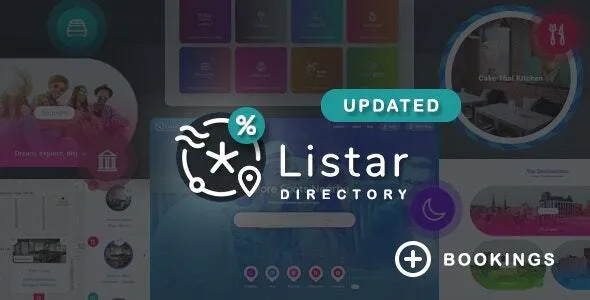
Listar – WordPress Directory and Listing Theme
Listar – WordPress Directory and Listing Theme is a website design solution for entrepreneurs, local business owners, directory website operators, service providers, and online marketplace creators who want to organize useful information in a searchable and accessible online platform. Designed for directory and listing website projects, Listar provides a foundation for presenting business profiles, service details, location-based information, professional listings, and other categorized resources. Whether you want to create a local business directory, a city guide, a professional services portal, or a niche listing website, this WordPress directory theme can help you build a structured online destination for visitors searching for relevant information.
Directory websites connect people with businesses, services, places, and resources through organized listings. Instead of browsing multiple unrelated websites, users can visit a single platform to discover options, compare available information, and find businesses that match their requirements. A well-organized directory can serve customers looking for restaurants, hotels, real estate services, healthcare providers, repair specialists, entertainment venues, or other local and professional services.
Listar is worth considering for website owners who want to develop a directory-focused platform using WordPress. A directory can be built around a specific industry, a geographic area, a particular community, or a broad collection of business categories. Its final capabilities depend on the current theme version, supported templates, configuration, and any compatible plugins or third-party services used to extend the website. Before purchasing, review the official demonstration and documentation to confirm that the available functionality matches your project requirements.
Modern Design for Directory and Listing Websites
A directory website needs a clear structure that helps visitors find information without unnecessary effort. Users may arrive looking for a specific business, exploring a service category, or comparing several providers in the same location. A well-planned interface makes these tasks easier by presenting information in a consistent format.
Listar – WordPress Directory and Listing Theme provides a starting point for creating a website where listings and their associated details are central to the browsing experience. A directory may contain business names, descriptions, categories, contact information, addresses, photographs, and links to external websites. Depending on the available functionality, it may also support additional details such as operating hours, ratings, location information, or other listing attributes.
The design should make the most important information easy to recognize. Clear headings, readable text, logical spacing, and consistent listing presentation can help users scan multiple options efficiently. A directory with hundreds of entries benefits from a repeatable structure because visitors can compare similar information without learning a different layout for every listing.
Website owners should evaluate the theme’s actual page layouts and customization settings before deciding how to organize the platform. A local business directory, for example, may need a different information hierarchy from a specialized professional directory or a service marketplace.
Build a Local Business Directory
Local business directories help people discover services and businesses within a city, town, neighborhood, or region. They can be particularly useful for visitors who want to find nearby restaurants, shops, repair services, professional offices, leisure activities, and other local resources.
Listar can be considered as a starting point for creating a local business directory with categorized business information. A directory owner might organize listings by location and industry, helping visitors explore businesses according to their interests.
Possible business categories include:
- Restaurants, cafés, bakeries, and food services.
- Hotels, guesthouses, resorts, and accommodation providers.
- Beauty salons, barbers, spas, and personal care businesses.
- Home improvement specialists, plumbers, electricians, and repair services.
- Healthcare practices, wellness providers, and fitness centers.
- Retail shops, shopping destinations, and specialty stores.
- Educational institutions, training centers, and tutoring services.
- Travel agencies, tour operators, and local attractions.
- Legal, accounting, consulting, and other professional services.
- Entertainment venues, event spaces, and recreational facilities.
The best category structure depends on the geographic area and audience served by the directory. A focused local platform may perform better when it prioritizes a smaller number of useful categories instead of attempting to list every possible business type.
Accurate information is essential. Directory owners should establish a process for reviewing business names, contact details, addresses, and operating information. Outdated listings can frustrate visitors and reduce confidence in the platform.
Create a Professional Services Directory
Professional services directories connect customers with specialists who offer expertise in particular fields. These platforms may focus on consultants, accountants, legal professionals, designers, marketing agencies, technology providers, contractors, or other service-based businesses.
Listar can provide a foundation for presenting professional profiles in a structured and searchable format, subject to its current listing and customization capabilities. Each profile can introduce a provider, explain their services, identify their target clients, and provide appropriate contact information.
A useful professional listing should explain what the provider does, who may benefit from the service, and how interested visitors can make contact. Where relevant, the profile may include service areas, business hours, qualifications, portfolio examples, or links to verified professional websites.
If the directory includes regulated professions, the website owner should establish suitable rules for listing verification and advertising claims. Do not imply that a provider has credentials or licenses unless those details have been checked using appropriate sources.
Professional directories can serve both consumers and businesses. Customers can use them to discover relevant providers, while listed businesses can gain another channel for presenting their services to an interested audience.
Organize Listings with Categories and Tags
A clear taxonomy is one of the most important parts of a successful directory. Without meaningful categories, visitors may struggle to distinguish between listings or locate the services they need.
Listar can be evaluated for a directory structure built around categories and other supported classification options. For example, a city directory might use broad categories such as food, accommodation, shopping, healthcare, and professional services. A specialized platform could organize its entries by service type, expertise, price range, or another relevant attribute if supported by the website’s configuration.
Categories should reflect how visitors naturally search for information. Use descriptive names that are easy to understand, and avoid creating numerous overlapping categories that make the browsing experience confusing.
Tags or additional attributes can provide more detailed classification when they offer genuine value. However, these should be used consistently rather than added without a clear organizational purpose.
Plan the directory structure before importing or publishing a large number of listings. Establish naming conventions, decide which fields are required, and define how similar businesses should be categorized. A consistent system makes ongoing maintenance easier as the directory grows.
Help Visitors Discover Relevant Listings
Visitors use directory websites for different reasons. Some know the name of the business they want, while others are exploring a category or searching for a solution to a particular problem.
Listar is intended for directory-style publishing, making it relevant to projects that need an organized approach to listing discovery. Review the current theme documentation to determine which search, filtering, and browsing functions are included and which may require additional tools.
If search functionality is available, make sure it helps visitors locate listings using relevant terms. Category browsing can provide an alternative for people who are not sure which business or service they need.
Where supported, filters can help narrow a large set of results according to useful criteria, such as category, location, service type, or other listing attributes. The value of a filter depends on the quality and consistency of the data collected for each listing.
Avoid adding filters that do not meaningfully improve discovery. A smaller number of reliable options is often more useful than a complex interface with incomplete information.
Test the website with realistic search scenarios before launch. For example, consider how a visitor would find a nearby restaurant, compare several contractors, or browse all businesses in a particular category.
Present Detailed Business Listing Pages
Individual listing pages provide space for businesses and service providers to explain their offerings in more detail. While a search results page helps visitors compare options, a dedicated profile can provide the context needed to decide whether a business is relevant.
Listar can be considered for websites that need individual pages for directory entries, subject to its supported layouts and listing configuration. A profile may include a business name, introduction, service description, address, contact details, photographs, and links to the official website.
Keep the most useful information easy to find. Visitors should not have to read a long promotional description just to discover the business’s location or how to contact it.
Use descriptive headings to organize longer profiles. A service provider might separate its introduction, list of services, service area, business information, and contact details into clear sections.
The information presented should be accurate and current. If a business changes its address, closes, or updates its services, the listing should be corrected promptly. A directory becomes more useful when visitors can rely on the information it provides.
Build a City Guide and Local Discovery Platform
A city guide directory helps residents and visitors discover places, activities, services, and attractions within a particular destination. It can combine business information with local recommendations and practical details about the area.
Listar may be suitable for a city-focused platform that organizes places into categories such as dining, shopping, accommodation, culture, entertainment, and outdoor activities. A directory owner could create a resource for one city or gradually expand to cover multiple locations.
Useful listings may include introductory descriptions, photographs, location information, links to official websites, and other verified details. If location-based search or map integration is required, confirm whether the theme supports it directly or whether an additional compatible plugin or service is needed.
A city guide should provide more than a long list of names. Editorial descriptions can explain why a place may be worth visiting, which audience it serves, and what visitors should know before going there.
Local directories also benefit from regular reviews. Businesses open and close, events change, and visitor information can become outdated. Establishing a simple update process helps maintain the quality of the platform over time.
Support a Niche Directory Website
Not every directory needs to cover an entire city or every possible business category. A niche directory can focus on a specific audience or industry, helping visitors find a more targeted selection of relevant providers.
Listar can be explored for specialized directories such as wedding service providers, pet care businesses, fitness professionals, creative agencies, educational resources, tourism operators, or home improvement specialists.
A niche approach can make the website’s purpose clearer. Instead of trying to compete with broad directories across every category, a focused platform can provide more detailed information about a specific industry.
For example, a wedding directory might organize photographers, venues, caterers, decorators, and planners. A pet services directory could cover groomers, boarding facilities, trainers, and pet supply stores. A creative industry directory might present designers, photographers, marketing consultants, and production studios.
The most effective niche depends on audience demand, the availability of accurate listing data, and the website owner’s ability to maintain useful information. Research the needs of the intended audience before choosing the directory’s categories and features.
Responsive Design for Desktop and Mobile Users
Directory websites must be usable across desktop computers, tablets, and smartphones. Visitors often search for businesses while traveling, comparing services, or making decisions away from their desks.
Before choosing Listar – WordPress Directory and Listing Theme, verify the current version’s responsive behavior through its official demo and documentation. Test the homepage, search results, category archives, individual listing pages, navigation menus, and any contact forms.
On smaller screens, business names and important details should remain readable. Listing cards should fit the available width, buttons should be easy to use, and long descriptions should not force visitors to scroll through unnecessarily complicated layouts.
Mobile usability is particularly important when people need to access contact details or location information quickly. Keep essential actions clear and avoid placing important information behind confusing menus.
Responsive behavior also depends on the content and customizations added to the site. Large photographs, long business names, third-party widgets, and additional plugins may affect the final layout. Test the complete website rather than relying only on the theme’s advertised design approach.
Create a Consistent Brand for Your Directory
A directory website should have a recognizable identity that reflects its audience and purpose. Consistent colors, typography, logos, imagery, and writing style help visitors understand the platform and distinguish it from competing resources.
Listar provides a potential starting point for developing a branded directory website. Depending on its available customization options, you may be able to adapt the appearance to suit a local community, professional industry, or specialized marketplace.
A neighborhood directory might use a friendly and approachable visual style, while a professional services platform may favor a more formal presentation. A travel directory could emphasize destination photography, whereas a technology-focused directory might use a more contemporary visual identity.
Keep branding consistent across the homepage, listing pages, search results, category pages, and informational sections. Avoid using so many different colors and fonts that the platform feels disconnected.
The directory’s language is also part of its brand. Use clear descriptions, consistent category names, and straightforward instructions so visitors know how to browse listings and understand the information provided.
SEO-Friendly Structure for Directory Websites
Search engine optimization can help visitors discover directory pages through relevant searches. A directory may contain a homepage, category pages, location pages, and individual listings, each of which can serve a different user need.
Listar can form part of an SEO-focused WordPress directory when paired with useful content, a logical site structure, and appropriate technical configuration. A theme alone cannot guarantee search rankings or organic traffic.
Begin by identifying the types of searches your audience is likely to perform. People may search for a particular service in a city, a specific business category, or a provider that meets a particular requirement. Organize the website around real user needs rather than generating large numbers of repetitive pages.
Use descriptive titles and unique meta descriptions for important pages. Listing descriptions should provide useful information about the actual business, while category pages should explain what visitors can find within that section.
Create meaningful internal links between relevant listings, categories, and location pages. Avoid copying identical descriptions across many entries, as duplicate or thin content can reduce the distinct value of each page.
An SEO plugin may help manage metadata and related tasks if it is compatible with the site. Also review indexing settings carefully, especially if the directory includes automatically generated pages, search-result URLs, or listings that contain little information.
Improve Website Speed and Performance
Performance is important for directories because visitors may browse multiple pages in a single session. Slow-loading listing cards, oversized photographs, or unnecessary scripts can make it harder to compare businesses and locate useful information.
The actual performance of Listar depends on its implementation, hosting environment, WordPress configuration, image sizes, plugins, and any external services used by the directory. Evaluate the live demo or configured website instead of assuming a particular speed result.
Optimize listing photographs before uploading them. Use suitable image dimensions, compress files where possible, and avoid using large original photographs for small thumbnails.
Choose reliable hosting and consider caching or content delivery network services when appropriate for your website. Keep plugins updated, remove tools that are no longer needed, and review third-party scripts that may add unnecessary loading time.
Test several representative pages, including the homepage, a category archive, search results, and an individual listing. Performance tools can help identify oversized images, unnecessary requests, and other issues that may affect usability.
A fast directory is easier to browse and can support a more professional experience, particularly when users need information quickly.
Support Business Owners and Listing Contributors
Some directory websites are maintained entirely by an administrator, while others allow businesses or individual users to submit their own listings. The right model depends on the directory’s goals and the amount of control the owner wants over published information.
Listar’s suitability for user-submitted listings, account management, or paid listing submissions should be verified through its current documentation. These capabilities may depend on specific theme features, compatible plugins, or additional configuration.
If contributors can submit listings, establish clear rules for the information they must provide. You may want to require a business name, category, description, and contact details while allowing optional photographs or other supporting information.
Consider how submissions will be reviewed before publication. Moderation can help prevent spam, misleading claims, duplicate entries, and inappropriate content. If the platform allows businesses to edit their profiles, establish a process for reviewing important changes.
Clear contributor instructions can improve the quality of submissions and reduce administrative work. Explain which details are required, what kinds of listings are accepted, and how contributors can request corrections.
Monetization Opportunities for Directory Websites
A directory can support different business models depending on its audience, content, and market. Some websites provide free listings as a public resource, while others generate revenue through advertising, premium placements, subscriptions, or paid business profiles.
Listar may be considered for a directory project with a commercial objective, but payment processing, subscription management, and paid listing features should not be assumed to be included automatically. Verify the theme’s current capabilities and any required plugin integrations.
Possible monetization models include featured listing placements, sponsored category positions, paid business profiles, advertising partnerships, and subscription plans for additional listing benefits. The most appropriate option depends on the needs of the audience and the value offered to participating businesses.
Keep commercial relationships transparent. Clearly identify sponsored content or paid placements where required, and avoid allowing payment status to undermine the usefulness or accuracy of the directory.
Before introducing paid services, establish a clear pricing structure, refund policy, listing requirements, and process for handling billing questions. Make sure that any payment integration is compatible with the website and complies with relevant legal and security requirements.
A sustainable directory needs to provide genuine value to visitors and participating businesses. Monetization works best when it supports that value rather than making the platform harder to use.
Accessibility and User-Friendly Navigation
An inclusive directory should be straightforward to use for visitors with different abilities, devices, and browsing preferences. Accessibility improvements can make listings easier to explore and important information easier to understand.
When configuring Listar, review color contrast, typography, heading order, link labels, keyboard navigation, and the usability of menus and forms. If a listing includes meaningful images, provide appropriate alternative text where needed.
Navigation labels should communicate their purpose clearly. Search forms need understandable labels, and interactive elements should be identifiable without relying solely on color.
Accessibility should be tested on the complete website because plugins, customizations, and user-submitted content can introduce problems even when the original theme includes accessible design elements.
Review important user journeys, such as finding a category, opening a listing, and locating contact information. Fix confusing labels, inaccessible controls, and layout issues before the site becomes widely used.
Customize Listar for Your Business Model
The best directory design depends on what you want the website to accomplish. Before configuring Listar, identify the intended audience, the type of listings you will publish, and the information visitors need most.
Start by reviewing the installation guide, supported WordPress versions, required plugins, and available customization options. If a demo import is available, inspect the imported content and replace placeholder text, images, and links with accurate information.
Plan the site’s main pages, including the homepage, category archives, individual listings, contact page, and any contributor or business information pages required for your project.
Establish a consistent format for listing information. Decide which fields are essential, how categories will be organized, and how you will verify important business details. If the directory is location-based, determine how locations will be represented and whether additional map or search integrations are necessary.
Test the site with realistic examples before publishing a large number of entries. Include listings with long names, multiple photographs, lengthy descriptions, and different categories to see how the layouts perform.
Back up an existing WordPress website before making substantial changes. Keep the theme and compatible plugins updated according to their documentation and test important functionality after significant updates.
Extend Directory Functionality with WordPress Plugins
WordPress plugins can add features that support a directory website. Depending on your requirements, you may need tools for search optimization, caching, security, backups, contact forms, analytics, maps, or other directory-related functions.
Listar’s compatibility with individual plugins should be confirmed before installation. A feature may be provided by the theme, a bundled component, a third-party extension, or custom development, so review the documentation to understand what is included.
Choose plugins based on a clear purpose. A map integration may be useful for location-based discovery, while an analytics tool can help you understand which categories attract the most interest. A form plugin may support business inquiries or listing submission, depending on your configuration.
Avoid installing overlapping tools that perform the same function. Too many plugins can increase maintenance requirements and create compatibility issues. Review updates, support information, permissions, and compatibility before using a plugin on a live website.
If you plan to add membership accounts, recurring payments, paid listings, or advanced filters, verify that the required integrations are supported and can be maintained reliably.
Build Trust with Accurate and Updated Listings
A directory becomes valuable when visitors can rely on the information it provides. Incorrect phone numbers, outdated addresses, duplicate businesses, and misleading descriptions can damage the platform’s credibility.
Listar can provide the structural foundation for organizing directory entries, but the accuracy of those entries depends on the website’s editorial and maintenance processes.
Establish a consistent approach to listing verification. Depending on the type of directory, you may confirm information through official business websites, direct submissions, appropriate public records, or other reliable sources.
Make it possible for business owners or visitors to report incorrect information when suitable. Review reported issues and update listings promptly. If businesses can manage their own profiles, consider whether important edits should be reviewed before appearing publicly.
Avoid publishing unsupported claims about qualifications, pricing, availability, or service quality. If the directory includes user reviews, establish moderation rules and communicate how reviews are handled.
Accurate information benefits both visitors and participating businesses. It helps people make informed decisions and encourages them to return when they need the directory again.
Who Should Choose Listar – WordPress Directory and Listing Theme?
Listar is worth considering for website owners who want to build a structured directory using WordPress. Potential users include local business associations, city guide publishers, niche industry platforms, professional service directories, tourism websites, and entrepreneurs exploring directory-based business models.
It may also suit organizations that want to create a resource for members, partners, service providers, or community businesses.
The ideal fit depends on the directory’s requirements. A simple local listing website may primarily need clear categories and individual business profiles. A larger commercial directory may require advanced search, location-based discovery, user submissions, membership accounts, paid placements, or moderation workflows.
These specialized functions should be checked against the current theme features and compatible integrations. Review the official demo and documentation before purchasing, and compare the available layouts with the user journeys your website needs to support.
Benefits of a Dedicated Directory and Listing Theme
A directory-oriented WordPress theme provides a starting point for organizing businesses and resources in a consistent format. Rather than building every page layout from the beginning, a website owner can begin with an existing design foundation and adapt it to the needs of the directory.
Listar’s intended use makes it relevant to projects that need structured listing pages, category organization, and a clear browsing experience. It can help website owners plan how listings relate to categories, locations, and other supporting content.
However, a theme does not automatically create a successful directory. Useful listings, accurate information, thoughtful moderation, responsive design, reliable performance, and regular maintenance remain important.
The value of the final website depends on how well the theme’s actual capabilities match the project requirements. Evaluate the available features carefully and test the website with representative listings before launching it publicly.
Why Consider Listar – WordPress Directory and Listing Theme?
Listar – WordPress Directory and Listing Theme is an option to explore if you want to create an online platform for discovering businesses, services, places, or specialized resources. Its directory-focused purpose makes it relevant to local business guides, professional listings, city directories, and niche discovery websites.
A well-planned directory can bring useful information together in one place, helping visitors browse categories, compare listings, and find relevant providers. With a clear structure and consistent presentation, the platform can serve both the people searching for information and the businesses featured on it.
To get the best results, begin with a clear category plan, define the essential information for each listing, and confirm that the theme supports the browsing experience you want to provide. Combine the design with accurate content, appropriate SEO practices, optimized images, and a reliable maintenance process.
Before making a purchase, verify the current demo, documentation, compatibility requirements, and any additional plugins needed for search, maps, user submissions, or monetization.
Final Overview
Listar – WordPress Directory and Listing Theme is designed for directory-focused WordPress projects that organize businesses, services, places, and other resources into a browsable online platform. It is worth evaluating for entrepreneurs, local publishers, professional organizations, and niche directory operators seeking a foundation for their websites.
A successful directory combines clear presentation with accurate, useful information. Organized categories, readable listing pages, sensible navigation, and a reliable update process can help visitors find what they need and encourage them to return.
Listar can provide a starting point for building this experience, while the final result depends on its verified features, the selected configuration, compatible tools, and the quality of the listings you maintain. With thoughtful planning, responsible management, and ongoing optimization, your directory website can become a practical resource for connecting visitors with relevant businesses and services.


