My Account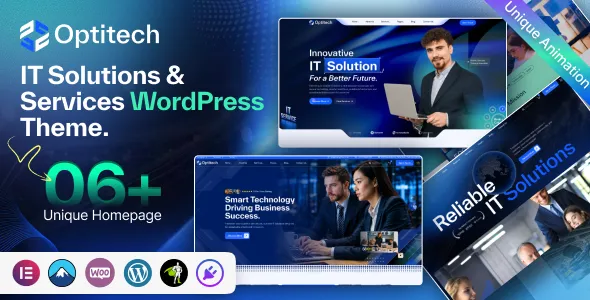
Optitech – IT Solutions and Services WordPress Theme
Optitech – IT Solutions and Services WordPress Theme is a professional website solution designed for IT companies, technology consultants, software development agencies, managed service providers, cybersecurity firms, and businesses delivering modern digital solutions. Optitech provides a technology-focused foundation for organizations that want to explain their services, present their expertise, showcase projects, and build stronger relationships with prospective clients. With WordPress offering flexibility for website management and content development, Optitech can help technology businesses establish a consistent online identity that reflects their capabilities and business objectives. Whether your company specializes in IT consulting, cloud infrastructure, software engineering, network management, technical support, or digital transformation, Optitech can help organize your services into a clear and professional website experience.
Create a Professional Digital Presence with Optitech
Technology companies operate in a competitive environment where potential customers often compare several providers before making contact. Businesses want to understand what a technology partner can deliver, which industries it serves, and whether its experience matches their requirements. A well-structured website can help answer these questions before a sales conversation begins.
Optitech is intended for organizations that need a website centered on IT solutions and professional technology services. It provides a relevant starting point for presenting company information, explaining technical capabilities, introducing team members, and guiding visitors toward an inquiry. Rather than relying on a generic business presentation, an IT-focused website can organize information around the challenges customers want to solve.
For example, a software development agency may want to explain its application development process, while a managed IT services provider may need to describe infrastructure support, monitoring, and maintenance. A cybersecurity company might focus on security assessments and risk management, whereas an IT consultancy may emphasize strategic planning and technology implementation. Optitech can be adapted around these different business models using the customization options and compatible tools available for the theme.
A professional website also provides a central destination for company announcements, project case studies, educational articles, and service updates. This can help keep business information organized and make it easier for customers to learn about the company at their own pace.
The most effective implementation combines a suitable design with accurate descriptions, genuine project examples, accessible navigation, and a reliable contact process. Optitech can provide the starting framework, while the company’s content and configuration determine how effectively the finished website communicates its value.
Why Choose Optitech for an IT Business Website?
Choosing a WordPress theme is not simply a matter of selecting an attractive layout. A business website needs to support practical objectives, such as explaining services, generating qualified inquiries, presenting expertise, and helping visitors understand the next step. Optitech offers a technology-oriented direction for companies that want to bring these elements together.
A specialized IT theme can help create consistency across service pages, company profiles, project portfolios, and contact sections. When these areas share a clear visual identity and information hierarchy, visitors can move between them without feeling that each page belongs to a different website.
Optitech can also be considered by companies that provide several related services. A business offering cloud consulting, infrastructure support, cybersecurity, and custom software development may need separate pages for each area. These pages can explain the service, identify the problems it addresses, and describe how clients can begin a discussion with the team.
WordPress makes it possible to manage content and expand a website over time. A company may begin with a homepage, service overview, about page, and contact section before adding case studies, a knowledge center, industry-specific pages, or more detailed service documentation. The actual customization options depend on the theme’s implementation, supported plugins, and website environment.
Optitech can therefore serve as a starting point for both emerging technology businesses and established organizations refreshing their websites. The objective is to create an online presence that reflects the company’s real capabilities while making important information easier for prospective customers to find.
IT Consulting Services for Modern Businesses
Technology decisions can influence productivity, operating costs, security, and the ability of an organization to grow. Many businesses need professional guidance when selecting software, updating infrastructure, improving workflows, or planning a digital transformation initiative. An IT consulting company must be able to explain its approach in language that decision-makers can understand.
Optitech can support an IT consultancy website that introduces its advisory services and explains how the company helps clients evaluate technology choices. Dedicated pages can cover technology strategy, infrastructure planning, system integration, cloud adoption, operational improvement, or other services the consultancy actually provides.
Each service page should describe the business challenge, the type of support available, and the general process involved. A company offering technology assessments might explain how it reviews existing systems and identifies improvement opportunities. A digital transformation consultancy could describe how it helps organizations evaluate processes, define objectives, and plan implementation.
Clients often need to understand how a consulting engagement begins. The website can outline an initial discussion, discovery process, requirements assessment, proposal, and implementation planning where these stages reflect the company’s real workflow. Clear explanations can help reduce uncertainty for prospective clients who may not have an internal technology team.
Optitech can provide the broader presentation for this information, bringing advisory services and company details together in a consistent format. Case studies and team profiles can add context by demonstrating the organization’s experience without relying on unsupported claims.
A consulting website should avoid promising that every project will produce the same result. Business outcomes depend on the client’s requirements, existing systems, implementation quality, and many other factors. Honest descriptions help establish realistic expectations and support a more productive relationship from the beginning.
Software Development and Application Engineering
Software development companies need to communicate both their technical capabilities and their ability to understand business requirements. Prospective clients may be looking for a custom web application, an internal workflow tool, a customer portal, an integration between existing systems, or a solution for a particular operational challenge.
Optitech can be adapted to present software development services through dedicated pages, project examples, and an explanation of the company’s development process. Depending on the organization’s actual expertise, these services may include web application development, API integration, backend engineering, frontend development, application modernization, or ongoing software maintenance.
A useful development page should explain how the team approaches discovery, planning, design, implementation, testing, deployment, and support. It can also describe how requirements are documented, how progress is communicated, and how changes are handled during a project. These details help potential clients understand what working with the company may involve.
Project portfolios can make software services easier to evaluate. A case study might describe the original problem, the solution developed, the technologies used where disclosure is permitted, and the business objective the project was designed to support. Confidential client information should not be published without authorization.
Optitech can help organize this material so visitors can move from a general service overview to a more detailed project example. Companies should ensure that every portfolio entry reflects actual work and that client names, logos, screenshots, and performance claims are used with appropriate permission.
By combining clear explanations with authentic examples, a software company can use its website to demonstrate the way it approaches problems rather than simply listing programming languages or technical tools.
Managed IT Services and Technical Support
Businesses rely on their technology systems to communicate, store information, serve customers, and perform everyday operations. When systems become unreliable, organizations may experience interruptions, lost productivity, and additional operating costs. Managed IT service providers help clients maintain and support their technology environments according to an agreed scope.
Optitech can provide a foundation for presenting managed IT services and technical support offerings. A service provider may explain its approach to system monitoring, workstation support, network administration, software maintenance, backup coordination, and troubleshooting if these are part of its actual service portfolio.
Clients often want to understand whether support is delivered remotely, on-site, or through a combination of methods. They may also need information about service hours, escalation procedures, response targets, and the systems covered by an agreement. These details should be described accurately and should match the company’s contractual commitments.
A managed services page can explain the distinction between one-time support and ongoing service arrangements. It may describe how the company assesses an organization’s environment, identifies recurring issues, and develops an appropriate support plan. The exact process will vary according to the provider and the client’s needs.
Optitech can help make this information easier to explore through a dedicated service section. Supporting content might include the types of organizations served, common support scenarios, and the steps involved in requesting assistance.
If the business offers a client portal, remote support platform, or ticketing system, the website can direct authorized users to the relevant resource. These operational systems may require separate software or integrations and should not be assumed to be included with the theme itself.
Cybersecurity Services for Business Protection
Cybersecurity has become an important consideration for organizations of all sizes. Businesses may need help identifying vulnerabilities, improving access controls, protecting endpoints, preparing incident response procedures, or developing security policies. A cybersecurity company must communicate these services clearly while avoiding exaggerated claims about eliminating every possible risk.
Optitech can be used to introduce cybersecurity offerings through service descriptions and educational resources. Depending on the company’s qualifications and actual capabilities, these services may include security assessments, vulnerability management, endpoint protection, security awareness training, incident response planning, and security consulting.
A cybersecurity service page should explain the purpose of the offering and the circumstances in which an organization might consider it. For example, a security assessment may help identify weaknesses in a defined environment, while security awareness training can help employees recognize common threats. The website should clarify the scope of each service and avoid suggesting that a single product or assessment guarantees complete protection.
Businesses evaluating cybersecurity providers may want information about relevant qualifications, professional experience, assessment methodologies, and reporting practices. Providers should present these details accurately and disclose only information they are authorized to share.
Optitech can provide a professional setting for this content, while case studies and educational articles can help explain the company’s approach. Any discussion of incidents should protect confidential client information and avoid revealing details that could expose systems or individuals to additional risk.
Security-related marketing should be responsible and specific. Claims about compliance, certifications, response times, or security outcomes should reflect documented capabilities. Clear communication helps potential clients understand what is being offered and supports more informed conversations about their security requirements.
Cloud Computing and Infrastructure Solutions
Cloud computing can help organizations access computing resources, support collaboration, and adapt infrastructure to changing requirements. However, cloud adoption often involves decisions about architecture, costs, security, data management, and integration with existing systems. Technology providers need to explain their services in a way that connects technical work with business objectives.
Optitech can support a website for companies offering cloud consulting, migration planning, infrastructure configuration, cloud application development, or ongoing cloud management. The exact service pages should reflect the platforms and technologies the company genuinely supports.
A cloud services page can explain the general stages of an engagement, such as reviewing existing systems, identifying requirements, evaluating options, planning migration, testing, and providing ongoing support. Organizations may also need information about data protection, access management, monitoring, cost management, and disaster recovery planning.
Cloud solutions are not identical for every business. A small company may need basic collaboration and file-sharing tools, while a larger organization may require complex application environments and integration with legacy systems. Website content should recognize these differences instead of presenting one approach as suitable for every customer.
Optitech can help organize cloud-related services under a consistent visual identity. Case studies can describe relevant implementation experience, while educational articles can explain cloud concepts in accessible language. The company should avoid disclosing confidential infrastructure diagrams, credentials, or sensitive configuration details in public-facing content.
A clear cloud services website helps visitors understand the types of projects the company handles and gives them a practical starting point for discussing their own requirements.
Network Infrastructure and IT Infrastructure Management
Reliable network infrastructure supports communication between computers, servers, applications, and other connected devices. Organizations may need help planning a new network, improving wireless coverage, managing infrastructure, upgrading equipment, or troubleshooting connectivity problems.
Optitech can be adapted to explain network and infrastructure services for the types of customers the business serves. These services may include network design, configuration, equipment installation, infrastructure assessment, performance monitoring, and ongoing maintenance where offered.
A service page should explain the scope of the company’s work without overwhelming readers with unnecessary technical terminology. Business customers may want to know which environments are supported, how projects are assessed, and whether the provider offers installation, maintenance, or consulting.
Infrastructure case studies can help demonstrate practical experience. A company might describe the operational challenge, the general solution implemented, and the objective of the project. Sensitive details about network layouts, access controls, or security configurations should remain confidential unless there is a legitimate and authorized reason to disclose them.
For organizations with multiple offices or distributed teams, the website can explain how the provider approaches connectivity and support across different locations. The description should reflect the company’s actual delivery model and service boundaries.
Optitech can bring network services, infrastructure management, and related technical offerings together in a clear structure. This can help prospective clients understand the company’s capabilities before arranging a consultation.
Digital Transformation and Technology Modernization
Digital transformation involves more than purchasing new software. It may require organizations to reconsider workflows, integrate systems, improve access to information, and develop processes that better support customers and employees. Technology consultants can help businesses plan these changes around specific operational goals.
Optitech can be used to present digital transformation services that the company genuinely provides. These might include process analysis, application modernization, workflow automation, system integration, data management, or technology roadmap development.
A digital transformation page should focus on the challenges organizations face and explain how the provider approaches them. For example, a business may want to reduce manual data entry, improve visibility across departments, or replace an aging application that no longer supports its operations. Describing these scenarios can make the service more understandable than a list of abstract technical terms.
Companies can explain their approach to discovery, stakeholder discussions, requirements analysis, solution design, implementation planning, and evaluation. The exact process depends on the project and should not be represented as a universal formula.
Case studies can show how the organization has approached similar challenges, provided the examples are accurate and authorized for publication. The focus should remain on the work completed and the objectives addressed rather than making unsupported guarantees about savings or productivity improvements.
With Optitech, a technology consultancy can present modernization services alongside related offerings such as software development, cloud solutions, and managed IT support. A clear structure helps visitors understand how the services relate to one another.
Build a Distinctive Brand Identity with Optitech
A consistent brand identity helps technology companies communicate their values and become more recognizable. Customers may associate a company with reliability, technical expertise, responsiveness, innovation, or a particular industry specialization. The website should reinforce the identity the business wants to establish.
Optitech can be customized around the company’s logo, color palette, typography, imagery, and written content using the settings and tools supported by the theme. These choices should remain consistent across the homepage, service pages, company profile, portfolio, and contact section.
A software startup may prefer a modern, innovation-oriented presentation, while a managed IT provider might emphasize stability, responsiveness, and long-term client relationships. A cybersecurity company may need a focused professional identity, whereas a digital transformation consultancy may highlight strategy and collaboration.
Visual design should support the message rather than compete with it. A website filled with unrelated illustrations, excessive effects, or generic technology imagery can make it harder for visitors to understand what the company actually does. Relevant images, clear service descriptions, and a logical hierarchy are usually more useful than decoration without a purpose.
The company’s tone of voice also contributes to its brand. Technical services should be described accurately, but explanations should remain accessible to business decision-makers who may not have a specialist background. Where technical terminology is necessary, concise explanations can help readers understand its relevance.
Optitech provides a starting point for creating a cohesive digital identity, while the quality of the final presentation depends on the business’s branding choices, content, and implementation.
Present Your Team and Technical Expertise
Technology projects often require customers to place significant trust in a provider’s technical judgment. Prospective clients may want to understand who will manage their project, which skills the team possesses, and how the organization approaches communication and delivery.
Optitech can support a company profile that introduces team members, their roles, relevant experience, and professional qualifications. A software development agency may highlight engineering and project management expertise, while a cybersecurity provider may describe relevant security experience and certifications that its staff actually hold.
Team profiles should be accurate and useful. Rather than listing broad claims about expertise, a profile can explain the person’s role and the types of work they handle. Qualifications should be stated precisely, and photographs should be genuine and used with permission.
A company overview can explain the organization’s history, its service philosophy, and the kinds of customers it supports. If the business focuses on particular industries, this information can help prospective clients determine whether its experience aligns with their needs.
Technical expertise can also be demonstrated through project case studies, educational articles, documented processes, and practical explanations of common challenges. These materials allow visitors to assess the company’s thinking without requiring access to confidential client systems or private information.
Optitech can bring team information and technical service content together, helping create a more complete picture of the business behind the website.
Showcase Technology Projects and Case Studies
A project portfolio gives prospective clients a way to explore examples of the company’s work. For technology businesses, these examples may include software applications, cloud implementations, infrastructure improvements, website development, system integrations, or other completed projects.
Optitech can be used to organize project information into a portfolio or case study section, depending on the available theme features. Each entry should explain the context of the work and provide enough detail for visitors to understand what the company contributed.
A useful case study often describes the client’s challenge, the general approach taken, the scope of work, and the result that can be accurately documented. Where measurable outcomes are available and authorized for publication, the company can include them with sufficient context. Results should not be invented or presented as typical when they apply only to one specific project.
Images and diagrams can support these explanations. Screenshots may illustrate a user interface, while architecture diagrams can show a simplified system design when disclosure is permitted. Sensitive data, credentials, internal addresses, and confidential client information should never be exposed in portfolio materials.
For agencies serving different industries, projects can be organized by service type or customer sector. This can help visitors find examples that are relevant to their own needs without browsing an unrelated collection of work.
A carefully prepared portfolio can make the website more informative and provide useful context for sales conversations. Optitech can help present these examples as part of a consistent business identity.
Create Clear Service Pages for Every IT Offering
Technology businesses often provide several services that overlap but serve different purposes. A website that describes everything in a single paragraph can make it difficult for visitors to understand the company’s capabilities. Separate service pages provide a more useful way to explain individual offerings.
Optitech can be organized around dedicated pages for IT consulting, managed services, software development, cybersecurity, cloud solutions, network management, and other services the business actually provides. Each page should focus on a clear topic and explain the service in language appropriate for the intended audience.
An effective page begins with a concise introduction that explains what the service involves. Supporting content can describe common business challenges, the provider’s approach, the type of support available, and how a prospective client can request more information.
Related services can be linked naturally. A cloud migration page might reference infrastructure consulting, while a cybersecurity page could connect to managed security services if the company offers them. These links help visitors explore related options without requiring them to return to the main menu after every page.
Frequently asked questions can address recurring concerns about project scope, availability, supported technologies, onboarding, and maintenance. The answers should reflect actual business policies and avoid promising capabilities that are not available.
Optitech can provide the presentation framework for these pages, but their usefulness depends on the accuracy and relevance of the content. Well-developed service pages can help potential customers understand the company and prepare more focused inquiries.
Generate Qualified Leads Through Contact and Inquiry Forms
For many IT companies, the primary purpose of a website is to encourage suitable prospective clients to begin a conversation. A clear inquiry process can help visitors move from researching services to discussing their requirements.
Optitech can support contact and lead generation sections using the theme’s available functionality or compatible WordPress form tools. A general inquiry form may request a name, business email, organization, area of interest, and a short project description. The business should collect only information needed to respond appropriately.
For more complex services, the company may create separate inquiry paths for software projects, IT support, cloud consulting, or cybersecurity assessments. This can help route requests to the correct team and reduce the time spent clarifying basic requirements.
Forms should use clear labels and explain what information is required. Visitors should understand how their information will be used and how to contact the company if they have questions. Appropriate privacy notices and data-handling practices should be established for the organization’s operating region and obligations.
A successful form also requires reliable delivery. The company should test submissions, verify email configuration, review spam protection, and ensure that messages reach the intended recipients. Confirmation messages should tell visitors that their request has been received without promising a response time the business cannot consistently meet.
Optitech can contribute to a smoother lead generation experience by placing service information and contact options within a coherent website structure. The company’s internal process for reviewing and responding to inquiries remains equally important.
Search Engine Optimization for Technology Companies
Search engine optimization can help technology businesses improve their visibility when potential customers search for relevant services. A clear site structure and useful content give search engines better context about the website, while informative pages help visitors determine whether the company meets their needs.
Optitech can serve as a foundation for an SEO strategy built around the company’s real services. An IT consultancy might create pages for technology planning and infrastructure assessments, while a software agency may focus on application development and integration. A managed service provider could explain its support model and the systems it works with.
Keyword research should reflect how customers describe their problems and the services they want. Relevant phrases may include IT solutions, managed IT services, software development company, cloud consulting, network support, or cybersecurity services. The best targets depend on the company’s location, specialization, competition, and audience.
Keywords should be used naturally in page titles, headings, descriptions, and relevant body content. Repeating the same phrase excessively can reduce readability and does not guarantee higher rankings. Each page should provide meaningful information that matches its intended search purpose.
A website should also have descriptive meta titles, accurate meta descriptions, sensible heading structure, and relevant internal links. Image alternative text should describe meaningful images, while URLs should remain understandable and consistent. An XML sitemap and appropriate indexing settings can help search engines discover important pages.
Technical SEO should include checks for broken links, crawlability, duplicate pages, canonical URLs, mobile usability, and performance. Search engine reporting tools can help identify issues that require investigation.
Optitech alone cannot guarantee rankings or indexing. Search visibility depends on the technical implementation, content quality, website reputation, competition, and ongoing improvements. The theme is one part of a broader strategy for making a technology company’s website useful and discoverable.
Local SEO for IT Solutions and Services
Some technology companies serve clients across multiple regions, while others focus on a specific city or local business community. For providers with a defined service area, local SEO can help nearby organizations discover their offerings.
Optitech can support the presentation of company location details, contact information, service descriptions, and relevant geographic coverage. The business should state where it operates and explain whether it offers on-site assistance, remote support, or both.
An IT provider may serve a particular region with network installation, office technology support, or managed IT services. A local page can explain the services available in that area, the types of organizations served, and how customers can arrange an initial discussion. Such pages should contain genuinely useful local information rather than simply repeating the city name in otherwise identical content.
The business should also keep its local business profiles accurate where relevant. Contact details, operating hours, business categories, and service information should be consistent. Reviews can provide useful feedback, and responses should remain professional and respect customer confidentiality.
For companies serving customers remotely across a wider region, the website should explain the delivery model clearly. Visitors should understand whether the provider offers remote consulting, on-site visits, or project-based support in their location.
Optitech can help organize this information into a professional website, while local visibility depends on accurate business data, relevant content, reputation, and the actual services offered.
Publish Technology Insights and Educational Articles
A technology blog can help a business explain complex topics, answer common customer questions, and demonstrate its understanding of relevant challenges. It can also support a long-term content strategy by giving prospective clients useful information before they contact the company.
Optitech can be used as the foundation for a knowledge center covering topics such as cloud adoption, cybersecurity awareness, software planning, IT maintenance, data protection, infrastructure modernization, and business technology trends. The most useful topics are those that connect with the company’s actual expertise and the needs of its audience.
An article should answer a specific question rather than simply repeat promotional statements. For example, a guide to managed IT services can explain the differences between ongoing support and one-time troubleshooting. A cloud migration article can discuss planning considerations, while a cybersecurity guide can explain common security practices without implying that any single measure eliminates all risk.
Technical content should be accurate, understandable, and appropriately scoped. Readers may have different levels of technical knowledge, so unfamiliar terms should be explained when necessary. If an article includes code, configuration details, or security recommendations, those examples should be reviewed for accuracy and potential risks.
Internal links can guide readers toward relevant service pages and project examples. Articles should use descriptive headings and original information, with updates when the underlying technology or business offering changes.
Consistent publishing can be helpful, but quality matters more than volume. A focused collection of practical resources can demonstrate expertise and support more informed conversations with prospective clients.
Responsive Design for a Modern Technology Website
Visitors may explore an IT company’s website using desktop computers, laptops, tablets, and smartphones. The website should remain easy to navigate across these devices so users can find service information, read case studies, and contact the company without unnecessary effort.
Optitech should be tested at different screen sizes to verify that navigation menus, text, images, forms, and calls to action remain usable. Responsive behavior depends on the theme’s implementation and any customizations added during setup, so the finished site should be checked rather than assumed to work perfectly everywhere.
Service pages should use readable typography and a clear content hierarchy. Large diagrams or screenshots may need responsive sizing so that they do not extend beyond the screen. Forms should be comfortable to complete using touch input, and important contact options should remain easy to locate.
Technology companies sometimes include complex animations, video backgrounds, or large visual effects. These elements should be used only when they support the content and do not interfere with readability or loading performance. A professional website can look modern without making navigation unnecessarily complicated.
Testing should include common browsers and the most important user journeys. Companies should verify that menu links work, forms submit correctly, portfolio items open as intended, and service pages display consistently. Third-party plugins and custom code should also be checked for layout conflicts.
A responsive Optitech website can help make technical services accessible to a wider audience. Its effectiveness depends on careful configuration, content preparation, and regular testing as the website evolves.
Website Accessibility and User Experience
A business website should make its information usable by visitors with different abilities and browsing preferences. Accessibility improvements can also benefit users who are navigating on small screens, using a keyboard, or reading content under less-than-ideal conditions.
When configuring Optitech, companies should review color contrast, font readability, heading order, link descriptions, keyboard navigation, and form labels. Important information should not rely exclusively on color or visual effects to communicate meaning.
Images that convey relevant information should have appropriate alternative text. Decorative graphics should not create unnecessary interruptions for visitors using assistive technology. If the website includes videos with spoken content, captions can help make the information available to people who cannot hear the audio.
Forms should explain which fields are required and provide understandable feedback when a submission is incomplete. Links should describe their destinations, and interactive controls should have clear labels. These details can make the website easier to use while helping visitors complete important tasks.
Technical content should also be written with the audience in mind. IT services may involve complex systems, but the business can still explain its offerings in straightforward language. Clear descriptions make it easier for nontechnical decision-makers to understand the service and ask relevant questions.
A theme does not automatically guarantee full accessibility. The final experience depends on the theme, the content, plugins, customizations, and testing. Businesses should evaluate their actual website and address barriers that prevent visitors from reaching essential information.
Website Performance, Security, and Maintenance
A professional technology website should be reliable, responsive, and maintained over time. Slow loading, broken forms, outdated service information, and insecure configurations can interfere with customer inquiries and create an unfavorable impression of the business.
Optitech should be installed in an environment that meets the documented requirements of the theme and its dependencies. WordPress, the theme, and plugins should be updated according to compatibility guidance. Significant updates should be tested before being applied to a production website, especially when the site depends on custom functionality.
Image optimization can help reduce page weight, while appropriate caching and hosting configuration may improve loading performance. Performance changes should be measured because the results depend on the website’s code, traffic, server resources, and installed extensions.
Security requires attention to administrator permissions, authentication, software updates, backup procedures, and the handling of information submitted through forms. Technology companies should be particularly careful not to expose sensitive project details, credentials, client records, or internal system information through public pages.
Regular backups can help restore the website if an update or technical failure causes a problem. Businesses should confirm that their backups can be restored and that the recovery process is understood. Unused plugins and unnecessary administrator accounts should be reviewed periodically.
Maintenance also includes checking contact forms, service descriptions, team profiles, project links, and legal information. As the business changes, the website should be updated so that prospective clients receive accurate information.
Optitech can be part of a dependable digital presence when paired with sensible technical practices and an ongoing maintenance plan.
Customize Optitech for Your Business Model
IT companies differ in their services, customer industries, team sizes, and operating models. A software agency may prioritize project portfolios and development services, while a managed IT provider may need to explain support arrangements and service coverage. A cybersecurity firm may emphasize security expertise and assessment processes.
Optitech can be customized around the company’s identity and objectives using the settings and tools supported by the theme. Businesses can prepare their logo, brand colors, typography, service descriptions, staff photographs, and project information before beginning the customization process.
The homepage should reflect the company’s primary objective. A software development agency may highlight its application services and case studies, while an IT consultancy may prioritize its advisory offerings. A company providing several related services can direct visitors toward the relevant sections through clear navigation and carefully organized page content.
Visual customization should reinforce the company’s message. A consistent palette and restrained use of graphics can help the site feel professional without overwhelming visitors. Relevant imagery and genuine project examples are generally more useful than generic visuals that do not explain the business’s work.
Before modifying layouts or adding integrations, review the official documentation to understand which options are supported. The availability of specific page builders, widgets, header layouts, and other features should be confirmed rather than assumed.
Optitech can provide a starting framework, while thoughtful customization makes the website more relevant to the company’s audience and service portfolio.
Integrate Useful Business Tools and Technology Platforms
Technology companies may rely on a range of tools to manage customer inquiries, schedule consultations, track sales opportunities, provide support, or publish business updates. Integrating the right tools can help connect the website with the organization’s wider operating processes.
Optitech can be used alongside compatible WordPress plugins and third-party platforms where integration is supported. Depending on the business’s requirements, these may include contact forms, scheduling tools, customer relationship management systems, email marketing services, analytics platforms, or support ticketing software.
A consulting company may use an appointment system to arrange discovery calls, while a managed service provider may direct existing clients to a separate support portal. A software agency might use a lead management system to organize project inquiries and follow-up activities.
Integrations should be chosen according to the actual workflow. Adding multiple tools without a clear purpose can create extra costs, introduce technical conflicts, and increase maintenance requirements. Businesses should also consider data handling, access permissions, vendor reliability, and privacy obligations before connecting third-party services.
Every important integration should be tested after installation and after significant updates. Contact forms should deliver submissions reliably, scheduling tools should display the correct availability, and external links should lead t