My Account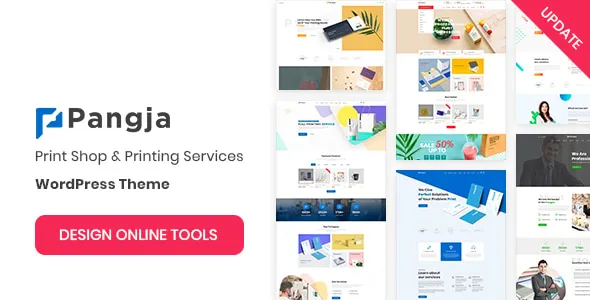
Pangja – Print Shop & Printing Company WordPress theme
Pangja – Print Shop & Printing Company WordPress theme is a professional website design solution for printing businesses, commercial print shops, digital printing services, custom merchandise providers, packaging companies, and businesses offering personalized printing products. Designed around the needs of the printing industry, Pangja provides a starting point for building an online presence where customers can explore printing services, learn about available products, review company information, and contact the business for quotations or project inquiries. Whether you operate a neighborhood print shop, manage a commercial printing facility, provide promotional printing, or specialize in custom-designed products, this WordPress theme can help you create a website that communicates your services and presents your business professionally.
In a competitive printing market, a well-organized website can help customers discover your company and understand the solutions you provide. Individuals and businesses regularly search online for business cards, brochures, flyers, banners, posters, labels, packaging materials, invitations, and personalized merchandise. A professional website gives you an opportunity to present these services in one convenient location while explaining your capabilities, production options, and ordering process. Pangja can be customized to reflect your brand identity, highlight your printing specialties, and guide potential customers toward the information they need before making a purchase or requesting a quote.
Professional Design for Printing Businesses
Printing companies serve a broad range of customers, from individuals ordering personalized invitations to organizations producing marketing materials for large campaigns. A professional website should communicate these different services clearly while maintaining a consistent business identity. Pangja is positioned for print shops and printing companies that want a dedicated online presentation suited to their industry.
You can adapt the website with your business logo, brand colors, typography, product imagery, service descriptions, and contact details. This flexibility allows you to develop a visual identity that reflects your printing business, whether your brand is modern and creative, traditional and corporate, or focused on premium customized products.
A carefully organized website can introduce your company, explain the types of printing you offer, and help visitors understand how to get started. For example, a commercial printing company may emphasize brochures, catalogs, corporate stationery, and large-volume print production. A personalized printing business might focus on custom gifts, photo products, event invitations, and branded merchandise.
By aligning the website’s content with your actual services, you can create a more relevant experience for customers and make it easier for them to identify the right printing solution.
Designed for Print Shops and Printing Companies
Print shops often handle multiple types of orders, production methods, materials, and customer requirements. A website that organizes these services into clear categories can make it easier for customers to understand what is available and how the business can help.
Pangja can serve as a starting point for presenting a variety of printing services, including digital printing, commercial printing, custom stationery, promotional materials, business printing, and personalized products. Depending on the theme version and your WordPress configuration, available layouts may be adaptable for service highlights, product showcases, company introductions, project galleries, and customer inquiry sections.
A local print shop can use the website to communicate opening hours, service areas, available products, and collection or delivery arrangements. A larger printing company can focus on production capabilities, corporate printing solutions, and the ability to handle recurring business orders.
The key is to organize information around customer needs. Visitors should be able to identify the services they require, understand the next steps, and find a straightforward way to contact your business.
Showcase a Wide Range of Printing Services
A printing company may provide numerous services under one business name. Presenting these services individually helps customers understand the available options without having to search through a long, general description.
Pangja can be customized to introduce the printing services your business actually provides. Each service section or page can explain the product, its intended use, available customization options, and the process for requesting pricing.
Common printing services you may choose to feature include:
- Digital printing for short runs, documents, and marketing materials.
- Commercial printing for business and organizational requirements.
- Offset printing for suitable high-volume print projects.
- Large-format printing for posters, banners, signage, and displays.
- Business stationery, including letterheads, envelopes, and business cards.
- Brochure, catalog, and flyer printing for promotional campaigns.
- Label and sticker printing for packaging, branding, and product identification.
- Invitation printing for weddings, parties, and special events.
- Custom merchandise and promotional products.
- Packaging printing for retail, product presentation, and business branding.
- Photo printing and personalized gifts.
- Corporate printing services for recurring organizational needs.
These are examples of services a printing business might offer, not a guarantee that every service is built into the theme. Select the categories that match your company’s actual capabilities and create clear, informative pages for each one.
Business Card and Corporate Stationery Printing
Business cards and corporate stationery remain useful tools for professional communication. Companies, independent professionals, agencies, and small businesses often need printed materials that maintain a consistent visual identity across their customer interactions.
A website built with Pangja can include a dedicated section for business cards, letterheads, envelopes, presentation folders, and related stationery products. Use this section to explain the available formats, paper options, finishes, and customization possibilities that your business supports.
High-quality product photography can help customers understand the appearance and purpose of different printed materials. You can also include examples of previous designs, provided you have permission to display them.
For corporate customers, explain how they can submit their artwork, request a new design, or discuss a larger order. Clear information about file preparation and quotation requests can reduce unnecessary communication and make the ordering process more efficient.
Brochure, Flyer, and Marketing Material Printing
Businesses use brochures, flyers, catalogs, and promotional leaflets to introduce products, advertise services, and communicate important information. These materials are commonly ordered by retail stores, educational institutions, hospitality businesses, event organizers, property companies, and marketing agencies.
Pangja can provide a starting point for presenting these printing services in an organized format. Create individual sections for the products you offer and explain how customers can choose the appropriate format for their marketing objectives.
Useful details may include available sizes, single-sided or double-sided printing, paper selections, folding options, finishing choices, and minimum order quantities, where applicable. Make sure the information reflects your actual production capabilities.
Examples of previous work can also help customers understand the possibilities. A gallery of brochures, flyers, catalogs, or promotional campaigns can demonstrate your design and printing experience without relying solely on general advertising language.
For customers who already have artwork, explain how files should be submitted. For customers who need design assistance, describe whether your business offers artwork preparation or graphic design services.
Large-Format Printing and Signage
Large-format printing supports businesses and organizations that need highly visible promotional or informational materials. Banners, posters, exhibition graphics, retail displays, and event signage can help communicate messages across physical spaces.
If your printing company provides these services, Pangja can be adapted to highlight them through dedicated service descriptions and relevant images. Use examples that demonstrate the range of projects you can handle, from indoor posters to outdoor promotional displays.
Explain the available dimensions, materials, finishing methods, installation options, and expected production requirements as applicable to your business. Customers often need this information before deciding which product is appropriate for their event, store, exhibition, or advertising campaign.
Large-format products can also benefit from visual presentation. High-quality images showing banners, signage, and displays in real-world settings help visitors understand how the printed materials may be used.
Avoid publishing specifications that your production equipment cannot support. Accurate descriptions help establish realistic expectations and make it easier to prepare appropriate quotations.
Custom Printing and Personalized Products
Personalized printing gives customers the opportunity to create products tailored to their needs, designs, events, or brands. Depending on the services offered by your company, these products may include customized invitations, photo gifts, printed apparel, promotional merchandise, branded accessories, and special-event materials.
A customized website can present these offerings through dedicated categories, product photographs, and descriptions of available personalization choices. Explain which elements customers can customize, such as names, photographs, colors, messages, artwork, or business logos.
If your business accepts custom requests, provide clear instructions for submitting design files and describing project requirements. It may also be helpful to explain how customers can confirm their artwork before production begins.
A WordPress theme alone does not necessarily provide a complete personalization or product-design system. If you want customers to edit designs online, upload files through a structured ordering workflow, or preview personalized products, check whether additional plugins or custom development are required.
Packaging and Label Printing
Product packaging and labels help businesses communicate product information, maintain brand consistency, and present merchandise professionally. Manufacturers, food businesses, cosmetics companies, retailers, and small product brands may require different types of printed packaging and identification materials.
If these services are part of your offering, Pangja can be adapted to introduce packaging-related products and explain the options available to customers. You might include product labels, stickers, packaging sleeves, cartons, branded inserts, or other materials that your company produces.
Useful content can describe supported materials, printing methods, finishing options, artwork requirements, and the information customers should provide when requesting a quotation. For more complex orders, a dedicated inquiry form may be more suitable than a simple product description.
Packaging projects frequently involve dimensions, quantities, material choices, and design specifications. Explaining these requirements on the website helps customers prepare more complete inquiries and can make the quotation process smoother.
Responsive Design for Modern Customers
Customers may browse your printing website using desktop computers, laptops, tablets, or smartphones. A responsive design helps website content remain accessible across different screen sizes, making it easier for visitors to explore services and find contact details.
When setting up Pangja, review the homepage, service pages, product images, menus, and forms on multiple devices. Text should remain readable, navigation should be convenient, and important information should not be hidden behind unnecessarily complicated interactions.
Mobile usability is particularly valuable for customers who want to check a service while traveling, contact a nearby print shop, or send an inquiry from their phone. Displaying business contact information clearly can help visitors move from browsing to taking action.
Actual responsive behavior depends on the theme implementation, the installed version, additional plugins, and any custom modifications. Test your finished website before launch to confirm that the design works properly across commonly used devices and browsers.
Flexible Branding and Website Customization
Every printing business has different strengths and customer expectations. A premium stationery studio may need an elegant, image-focused website, while a commercial printer may prioritize service information, production capabilities, and business inquiries.
Pangja can be adapted to match your business identity through the available theme settings and compatible customization tools. You can use your own logo, colors, photographs, headings, and written content to create a website that feels consistent with your existing branding.
Choose imagery that represents the products and services you actually provide. For example, a business specializing in wedding stationery can emphasize invitations and paper finishes, while a company focused on commercial printing may use examples of catalogs, brochures, and corporate materials.
Maintain consistency throughout the website. Similar heading styles, coordinated colors, clear calls to action, and well-organized content can help customers understand the information and recognize your brand.
Before making extensive customizations, review the current theme documentation to identify the supported options, recommended plugins, and any limitations associated with the installed version.
Product Catalog and WooCommerce Possibilities
Some printing companies want a website that does more than describe services. They may also want to display products, publish prices, accept orders, or sell standard printing items online.
If the installed Pangja version supports the required integrations, or can be configured with compatible e-commerce tools, you may be able to develop a product catalog for selected printing services and merchandise. WooCommerce is a common WordPress option for building an online store, although compatibility and the required setup should be verified before implementation.
An online catalog can organize products such as business cards, posters, flyers, stickers, invitations, and other standard printing items. Product pages can describe available sizes, paper types, quantities, finishes, and other choices supported by your business.
Printing products sometimes require more complex options than ordinary retail items. For example, pricing may depend on dimensions, material, color coverage, quantity, finishing, artwork preparation, or delivery. Advanced product options, file uploads, personalized previews, and automated quotation systems may require extensions or custom development.
If you plan to accept payments online, test the entire purchase process, including product selection, order confirmation, payment handling, email notifications, and order management. Verify that the store accurately represents your pricing and production requirements.
Customer Inquiry and Quotation Management
Many printing jobs are customized according to the customer’s specifications. As a result, potential clients may need to discuss quantities, dimensions, paper stocks, finishes, artwork, deadlines, and delivery requirements before receiving a final price.
A well-organized contact page can make these discussions easier. Depending on your configuration and compatible plugins, you may add a general contact form, a dedicated quotation form, email links, telephone details, or other inquiry methods.
For quotation requests, consider collecting the customer’s name, business details where relevant, preferred product, estimated quantity, required dimensions, deadline, and project description. A file-upload option may be useful when customers already have print-ready artwork, but confirm that the selected form tool handles uploads securely and supports your requirements.
Keep the form focused on information needed for an initial assessment. Too many required fields can discourage customers from submitting their requests.
After setup, test the form from the visitor’s perspective. Confirm that submissions arrive at the intended destination, required fields behave correctly, and the customer receives a suitable confirmation message.
SEO-Friendly Structure for Printing Services
Search engine optimization can help potential customers discover your print shop when they search for relevant products and services. A well-organized website supports this effort by giving each important service a clear page and providing useful information about what your business offers.
Pangja can be used as a foundation for creating focused pages around your printing specialties. Depending on your location and service area, relevant topics may include business card printing, flyer printing, brochure printing, custom invitations, packaging labels, digital printing, and large-format printing.
Use descriptive page titles, concise meta descriptions, readable URLs, and clear headings. Include relevant keywords naturally in the page copy, image alternative text, and product descriptions without repeating the same phrases excessively.
For example, a page about brochure printing should explain the types of brochures available, the materials you support, and how customers can request a quote. A page about custom invitations should describe the available formats, design options, and ordering process.
Avoid creating multiple pages that contain nearly identical content simply to target slightly different keywords. Each page should provide distinct value to visitors.
Remember that a WordPress theme cannot guarantee search engine rankings. SEO performance depends on content quality, technical configuration, competition, website authority, links, page experience, and other factors.
Local SEO for Print Shops
Local search visibility can be especially important for printing businesses that serve customers in a particular city, town, or surrounding region. Customers may search for a nearby print shop when they need urgent documents, business stationery, event materials, or signage.
If your company serves a defined area, include accurate business information on your website. Your company name, address, telephone number, opening hours, and service area should be consistent wherever they are published.
Create helpful location-specific content only when it reflects genuine service availability. Explain the types of printing available, the customers you serve, and any relevant collection, delivery, or consultation arrangements.
You may also connect your website to a suitable business listing and encourage genuine customer reviews in accordance with the platform’s guidelines. Reviews and accurate contact details can help potential customers evaluate the business before making contact.
Avoid publishing fabricated addresses or creating repetitive location pages with little useful information. A strong local presence is built on accurate business details, relevant service information, and a reliable customer experience.
Portfolio and Printing Project Gallery
A portfolio allows printing companies to demonstrate the quality and variety of their work. Instead of describing every capability in abstract terms, you can show real examples of completed projects and explain the services involved.
Pangja can be adapted to present a gallery of selected printing assignments, subject to the available layouts and customization options. Examples might include corporate brochures, event invitations, product labels, packaging designs, promotional posters, catalogs, and branded stationery.
For each project, include a concise description of the customer’s objective, the type of printed material produced, and any relevant design or production considerations. Share measurable outcomes only when they are supported by reliable information and approved for publication.
Use clear photographs that accurately represent the finished work. If a project includes a customer’s brand, logo, or confidential information, obtain permission before displaying it publicly.
An organized portfolio can help customers understand your experience and identify products similar to their own requirements. It can also provide useful visual content for service pages and marketing campaigns.
Blog Content and Printing Resources
A blog or resource section can help printing businesses answer common customer questions while publishing useful information related to their industry. Educational content can explain technical concepts and guide customers through decisions they may need to make before placing an order.
Potential article topics include choosing the right paper for business cards, preparing artwork for printing, understanding different brochure folds, selecting suitable label materials, comparing digital and offset printing, and planning promotional materials for an event.
These articles can support SEO by addressing specific search intentions and connecting readers to relevant service pages. For example, an article about preparing a print-ready file could link to your artwork submission instructions or design assistance service.
Focus on practical, accurate advice. Explain technical terms when necessary, use examples that match your business capabilities, and update articles when your production processes or supported materials change.
A consistent publishing schedule can help maintain the resource section, but quality should take priority over posting large quantities of repetitive content.
Website Performance and Image Optimization
Printing websites often rely on photographs of printed products, paper textures, packaging, and finished projects. While high-quality visuals are valuable, large image files can slow down pages if they are not prepared appropriately.
Before uploading images to your Pangja website, resize them for their intended display dimensions and compress them where practical. Use modern image formats when supported, and avoid uploading several oversized versions of the same photograph unnecessarily.
Organize image files with descriptive names and provide meaningful alternative text where the images communicate useful information. Decorative images can be handled differently from images that convey important product details.
Other performance considerations include using reliable hosting, minimizing unnecessary plugins, keeping software updated, and configuring caching where appropriate. Test important pages after making significant changes to ensure that images, forms, and navigation continue to work correctly.
The performance of the finished website depends on the hosting environment, theme version, scripts, plugin configuration, image sizes, and other technical factors. Use actual performance testing to identify areas for improvement instead of assuming a particular speed result.
WordPress Management and Easy Content Updates
WordPress provides a content management system that allows website administrators to update pages, revise service descriptions, publish articles, and maintain business information through the administrative dashboard.
After installing and configuring Pangja, you can maintain the content that your theme setup supports without rebuilding the entire website for every update. A printing business may regularly add new products, publish seasonal offers, update service details, or showcase recent projects.
Keeping the website current helps prevent visitors from relying on outdated information. Review pricing references, contact details, service availability, artwork guidelines, and production information periodically.
Before installation, check the official theme documentation for setup instructions, required software versions, recommended plugins, and included resources. Follow the recommended procedure for importing demo content, if provided, and replace sample text and images with your own material.
Regular backups are also important. Maintain a reliable backup process before making substantial design changes, updating plugins, or modifying the website’s configuration.
Security and Reliable Website Maintenance
A business website may collect customer names, email addresses, project details, and uploaded artwork. Protecting this information should be part of your website management process.
Use reputable hosting, strong administrator passwords, appropriate access permissions, and current versions of WordPress, the theme, and its plugins. Remove unnecessary extensions and monitor the website for unusual activity.
If your website accepts customer inquiries or file uploads, select tools that support suitable security controls and data handling practices. Explain relevant privacy practices clearly and retain customer information only as necessary for legitimate business purposes.
Make regular backups and confirm that you can restore the website if a technical problem occurs. Test updates before deploying significant changes when a staging environment is available.
Security depends on the complete website configuration rather than the theme alone. Appropriate hosting, careful administration, software maintenance, and responsible handling of customer information all contribute to a more dependable website.
Who Should Use Pangja?
Pangja may be worth considering for businesses that want a WordPress website focused on printing services, custom print products, or commercial printing solutions.
Potential use cases include:
- Local print shops serving individuals, professionals, and small businesses.
- Commercial printing companies handling business and promotional materials.
- Digital printing providers offering short-run printing services.
- Offset printing companies serving suitable volume-based projects.
- Graphic design and print studios combining design with production.
- Custom stationery businesses producing cards, invitations, and paper goods.
- Large-format printing providers specializing in banners, posters, and displays.
- Packaging and label printing businesses serving product brands.
- Promotional merchandise companies offering branded printed products.
- Corporate printing suppliers supporting recurring business orders.
- Event printing businesses producing invitations, programs, and signage.
- Online printing businesses that want to present products and collect customer inquiries.
The best fit depends on the specific features available in the current theme release and the functionality required by your business. Review the documentation and confirm whether additional plugins or development work will be necessary for e-commerce, personalized product configuration, file uploads, or specialized ordering workflows.
Benefits of an Industry-Focused Printing WordPress Theme
A theme developed for a particular business sector can simplify the early stages of website planning by providing a design direction aligned with the company’s audience. For printing businesses, that means having a starting point for presenting services, showcasing printed products, and organizing information around customer requirements.
Pangja offers a printing-focused foundation that can be customized to reflect your brand and business model. Its practical value comes from how well the finished website presents your products, explains your capabilities, and makes it convenient for customers to contact you.
A successful website should combine attractive product imagery with useful descriptions, clear navigation, accessible contact information, and a consistent brand identity. For businesses that sell printing products online, the experience should also explain available options, production requirements, and ordering steps accurately.
The theme is one part of the overall solution. Your content strategy, technical configuration, customer service, and ongoing website maintenance also play important roles in the success of your online presence.
Tips for Creating a Successful Printing Website
Begin by identifying your most important customers and the services that generate the greatest value for your business. Use this information to determine which categories should appear prominently on the homepage and which services deserve dedicated pages.
Write clear product and service descriptions that explain what customers can order, which customization options are available, and how they can request pricing. Use real examples wherever possible and make sure every technical detail matches your actual production capabilities.
Choose high-quality images that show the appearance and finish of your printed products. Compress images appropriately so they do not unnecessarily slow down the website. Organize navigation into intuitive categories and make telephone, email, and quotation options easy to find.
If you plan to accept online orders, test the complete customer journey before launching. Check product options, pricing calculations, file submission, payment handling, order notifications, and any delivery information relevant to your business.
Finally, review the website regularly. Update old content, add new project examples, improve pages based on customer questions, and monitor technical performance. These ongoing improvements can help keep the website relevant as your printing business develops.
Final Thoughts on Pangja – Print Shop & Printing Company WordPress theme
Pangja – Print Shop & Printing Company WordPress theme is a printing-focused option for businesses that want to build a professional WordPress website for print services, commercial printing, custom stationery, promotional materials, packaging, and personalized products. It provides a starting point for presenting your company’s services, organizing important information, showcasing completed work, and helping customers understand how to place an inquiry.
By combining the theme with accurate service descriptions, high-quality product photographs, clear navigation, search-friendly content, and reliable website configuration, you can develop an online presence that supports customer communication and business growth. Printing companies that want to sell products online can also evaluate suitable e-commerce integrations, while businesses handling custom orders can explore quotation forms and other appropriate workflow tools.
Whether you run a local print shop, a commercial printing company, a design-and-print studio, or a specialized custom printing business, Pangja can be considered as part of your website development strategy. Check the current documentation for exact features and compatibility, customize the available layouts to suit your needs, and focus on delivering a clear, informative experience that helps customers discover and understand your printing services.