My Account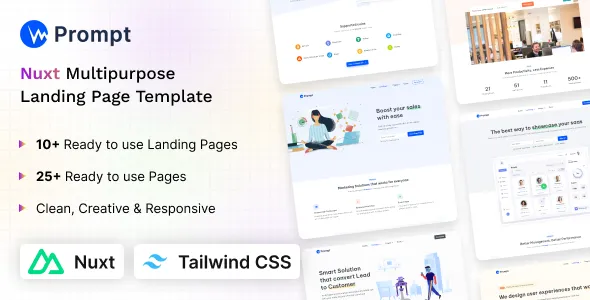
Prompt – Tailwind CSS Nuxt 4 Multipurpose Landing Template
Prompt – Tailwind CSS Nuxt 4 Multipurpose Landing Template is a modern and versatile web design solution created for developers, startups, agencies, entrepreneurs, and businesses that want to build attractive, professional, and responsive landing pages. Combining the flexibility of Nuxt 4 with the utility-first styling approach of Tailwind CSS, this multipurpose landing template provides a practical foundation for creating polished websites for a wide range of digital projects. Whether you are launching a SaaS product, promoting a mobile application, introducing a new service, building a startup website, or presenting a creative business online, Prompt offers a streamlined starting point for developing a distinctive web presence.
A well-designed landing page plays an important role in communicating a brand’s value, presenting its main offerings, and encouraging visitors to take meaningful actions. Prompt – Tailwind CSS Nuxt 4 Multipurpose Landing Template is suited to projects that require a clean presentation, organized content sections, contemporary styling, and a responsive user experience. Its multipurpose concept allows developers to adapt the design direction to different industries and business objectives rather than starting every project from an empty page. By combining a modern frontend framework with a flexible CSS utility system, the template can help make website development more structured and efficient.
A Modern Multipurpose Landing Page Solution
Businesses need websites that communicate information clearly while maintaining a professional visual identity. A landing page should help visitors understand what a company offers, why its products or services matter, and how they can take the next step. Prompt is designed around the needs of modern landing page projects, providing a starting point for building focused web experiences with an emphasis on presentation, usability, and customization.
The multipurpose nature of Prompt makes it relevant to a variety of website concepts. Developers can adapt its design approach for technology startups, software companies, digital agencies, consultants, product launches, creative portfolios, online services, and other business-oriented projects. Depending on the available layouts and the modifications made during development, the template can support different branding styles, content structures, and marketing goals.
Instead of creating every interface element from scratch, developers can begin with an existing template foundation and customize it to match a project’s requirements. This approach can reduce repetitive design work and help teams concentrate on content, functionality, branding, and user experience. The result is a more organized development process for building landing pages that align with a specific audience and business objective.
Built with Nuxt 4
Nuxt 4 is a modern framework built around Vue.js that provides a structured environment for developing web applications and websites. Its conventions and development tools help organize application code and support maintainable frontend projects. Prompt uses the Nuxt 4 ecosystem as its development foundation, making it a relevant option for developers who prefer Vue-based workflows and contemporary JavaScript development practices.
Nuxt can support a range of website architectures and rendering approaches depending on the project’s configuration. This flexibility makes it useful for projects that need more than a static visual layout, although the actual capabilities of a particular template depend on its implementation. Developers should review the supplied project structure, dependencies, and documentation to understand which Nuxt features are configured and how the template is intended to be extended.
For teams already familiar with Vue.js, working with a Nuxt-based landing template can make customization more approachable. Components can be organized around individual interface sections, allowing developers to update content and presentation in a structured manner. This component-oriented approach can also make it easier to maintain consistency when the website grows or additional sections are introduced.
Tailwind CSS for Flexible Styling
Tailwind CSS is a utility-first CSS framework that allows developers to style interfaces by combining small, reusable utility classes. Rather than relying entirely on large custom stylesheets, developers can use utility classes to control spacing, typography, colors, layout, borders, alignment, and responsive behavior directly within their markup.
Prompt – Tailwind CSS Nuxt 4 Multipurpose Landing Template combines this styling approach with a modern frontend development workflow. Tailwind CSS can make it easier to adjust visual details, experiment with different layouts, and create a consistent design system throughout a landing page. Developers can modify spacing, text sizes, backgrounds, component dimensions, and other styling details to better reflect a brand’s identity.
This flexibility is especially useful when adapting a general-purpose template for different industries. A technology startup may require a crisp, minimal interface, while a creative agency may prefer expressive typography and more prominent visual sections. Through appropriate customization, the same general foundation can be adapted to different design directions.
The precise Tailwind CSS version and configuration should be confirmed from the package files and documentation supplied with the product. Developers should also check the project’s setup instructions before making major configuration changes.
Suitable for Startups and SaaS Businesses
Startups and software companies often need landing pages that explain a product quickly and guide potential customers toward a clear action. Prompt can serve as a starting point for websites promoting software platforms, subscription services, productivity tools, technology products, or digital solutions.
A startup landing page commonly introduces the product, explains its main benefits, presents important features, and provides a clear route to registration, a demo request, or further information. Developers can structure the page around these objectives and tailor the content to the needs of their intended audience.
For SaaS projects, a customized landing page might include a product overview, feature highlights, use cases, pricing information, frequently asked questions, customer testimonials, and a prominent call to action. These sections should only be included where they fit the actual template structure or have been added during customization.
Prompt provides a potential foundation for this type of website, helping developers establish the visual direction before connecting the interface to any required application functionality. Features such as user authentication, subscription billing, customer dashboards, and payment processing should be treated as separate implementation requirements unless they are explicitly included in the product documentation.
Useful for Digital Agencies and Service Providers
Digital agencies need websites that demonstrate expertise, communicate services, and encourage prospective clients to make contact. Prompt can be adapted for agencies offering web development, branding, design, marketing, consulting, software development, or other professional services.
A service-oriented landing page benefits from a logical content hierarchy. Visitors should be able to identify the agency’s main offering, understand its approach, explore relevant capabilities, and find a clear way to request additional information. A carefully customized design can help communicate these details without overwhelming visitors with unnecessary content.
Developers can adapt headings, visual elements, service descriptions, and calls to action to reflect a particular agency’s positioning. Brand colors, typography, imagery, and supporting content can also be adjusted to create a more recognizable identity. The final presentation should be based on the agency’s real services and experience rather than generic claims.
For freelancers and independent consultants, the template can similarly provide a starting point for presenting professional services, introducing a personal brand, and directing visitors toward a contact or inquiry process.
Flexible Applications Across Different Industries
One of the main advantages of a multipurpose landing page template is its potential to support multiple project types. Prompt can be considered for a range of website concepts where a modern, focused landing page is appropriate.
Possible applications include:
- SaaS and software products: Introduce software features, communicate benefits, and direct visitors toward product information or registration.
- Technology startups: Present a new business concept, explain its value proposition, and build an initial online presence.
- Digital marketing agencies: Promote marketing services, outline areas of expertise, and encourage potential clients to submit inquiries.
- Creative studios: Showcase a creative offering, communicate a visual identity, and introduce services or selected projects.
- Mobile applications: Explain an application’s purpose, highlight its benefits, and guide visitors toward supported download destinations.
- Consulting businesses: Present consulting services, communicate areas of specialization, and provide a clear contact pathway.
- Online platforms: Introduce a digital service and organize information around its primary audience and use cases.
- Product launches: Build a dedicated page to explain a new product, communicate its key selling points, and encourage visitors to learn more.
- Freelance professionals: Present expertise, describe available services, and create a professional point of contact.
- Business campaigns: Support a focused promotional campaign with relevant information and a clearly defined conversion objective.
These applications are examples of how a multipurpose design foundation may be adapted. The suitability of Prompt for a particular use case depends on its included layouts, components, assets, and customization requirements.
Responsive Website Design
Responsive design is essential for modern websites because visitors may arrive using smartphones, tablets, laptops, desktop computers, and displays of different sizes. A landing page should remain readable and usable across these devices instead of relying on a single fixed layout.
Tailwind CSS provides responsive styling utilities that developers can use to customize layouts for different screen sizes. When configured appropriately, these utilities make it possible to adjust columns, spacing, typography, element visibility, and content alignment according to the available viewport width.
Prompt can be customized with responsive design principles in mind, helping developers create a landing page that accommodates different browsing environments. Important content should remain easy to understand on smaller screens, buttons should be convenient to use, and navigation should provide a straightforward way to reach key sections.
Responsive behavior should always be tested in practice. Developers should review the actual supplied layouts at common viewport sizes, check for overflowing content, and confirm that interactive elements remain accessible on touch devices. The final experience depends on the template implementation and any changes made during development.
Clean and Structured Frontend Development
A well-organized frontend project is easier to understand, customize, and maintain. Nuxt encourages a structured application architecture, while Vue components can help separate a website into reusable interface elements. This approach is useful when building pages that contain repeated patterns, such as feature cards, service descriptions, navigation elements, or calls to action.
Prompt’s Nuxt-based foundation can support a component-oriented workflow, depending on the structure included in the downloaded package. Developers can review the existing components and determine which elements are suitable for reuse, modification, or replacement.
A structured codebase can help reduce duplicated markup and make future updates more manageable. For example, shared navigation or footer elements can be maintained in a consistent location when the project is organized to support that pattern. Similarly, repeated content sections can be refactored into reusable components where appropriate.
Before extending the project, developers should examine the included directories, naming conventions, configuration files, and dependencies. Understanding the existing structure first can help avoid unnecessary changes and support a smoother customization process.
Customizable Branding and Visual Identity
A website should reflect the business or product it represents. Although a multipurpose template provides a starting point, effective customization is important for creating a distinctive and credible online presence.
Prompt can be adapted through changes to brand colors, typography, headings, imagery, page backgrounds, spacing, and other visual details supported by its implementation. Developers can align these choices with an existing brand guide or create a new visual direction for an upcoming product launch.
A consistent design system helps create a more unified experience. Reusing a defined color palette, establishing a clear type scale, and maintaining predictable spacing can improve visual coherence across the page. Calls to action should also be visually recognizable without competing unnecessarily with important content.
For businesses operating in crowded markets, customization can help prevent the final website from feeling generic. Relevant copy, authentic brand imagery, meaningful product explanations, and a clear information hierarchy are often more valuable than adding excessive decorative effects.
Landing Page Sections and Content Organization
Effective landing pages use content sections to guide visitors through a logical sequence. The exact sections available in Prompt should be verified against its current product preview and documentation, but a typical customized landing page may contain several of the following elements.
Hero section: Introduces the product or service with a clear headline, a concise supporting message, and a primary call to action. The most important value proposition should be easy to understand immediately.
Features section: Explains the main capabilities or benefits of the offering. Short descriptions and supporting visuals can help visitors understand what makes the product useful.
About section: Provides additional context about the company, product, or team. This content can help establish a recognizable identity and communicate the purpose behind the offering.
Services or use cases: Shows how the product or business can address particular needs. Specific examples can make the offering easier to understand for prospective customers.
Testimonials or social proof: If genuine customer feedback is available, it can help communicate real experiences. Any testimonials included in a live website should be authentic and used with appropriate permission.
Pricing information: For products or services with defined plans, a pricing section can help visitors compare available options. Pricing details should remain accurate and clearly explain relevant conditions.
Frequently asked questions: Answers common questions about the product, service, or purchasing process. This can reduce uncertainty and make important information easier to find.
Contact or conversion section: Provides a clear next step, such as submitting an inquiry, requesting a demonstration, or visiting a supported registration page.
Not every project needs every section. A focused page with relevant information can be more effective than a long page filled with unnecessary content. Developers should select and organize sections according to the audience, business objective, and available template components.
Performance-Conscious Development
Website performance influences usability, accessibility, and the overall browsing experience. Visitors generally benefit from pages that display important content efficiently, respond promptly to interactions, and avoid unnecessary visual or technical complexity.
Nuxt and Tailwind CSS provide tools that can be used within a performance-conscious development workflow. However, using a particular framework does not automatically guarantee a fast website. Actual performance depends on factors such as JavaScript execution, image sizes, external scripts, fonts, server configuration, caching, rendering strategy, and third-party integrations.
When customizing Prompt, developers should optimize images, remove unused assets where appropriate, limit unnecessary dependencies, and avoid adding scripts that do not contribute meaningful value. Images should be delivered at suitable dimensions, and font loading should be considered carefully to prevent avoidable delays.
Performance testing with tools such as Lighthouse and browser developer tools can help identify opportunities for improvement. Developers should measure the completed website instead of relying only on assumptions about the performance of the underlying framework.
Search Engine Optimization Considerations
A landing page should communicate its purpose clearly to visitors and search engines. Prompt can be customized to support sound on-page SEO practices through meaningful page titles, descriptive headings, relevant content, logical internal links, and appropriately written metadata.
The main heading should explain the page’s central subject, while supporting headings should organize related information into understandable sections. Page copy should address real user questions and describe the product or service accurately instead of repeating keywords unnaturally.
Developers should also review the project’s metadata configuration, canonical URL requirements, sitemap setup, robots directives, and rendering behavior. The appropriate configuration depends on the website’s deployment environment and technical requirements. Structured data may be added when relevant and when the content qualifies for the selected schema type.
Images should use descriptive alternative text when they convey meaningful information. Decorative images can be handled appropriately so that they do not create unnecessary noise for assistive technologies. Clear navigation and descriptive link text can further improve the experience for visitors and search engines.
An SEO-friendly template is only one part of an effective search strategy. Search visibility also depends on useful content, technical implementation, competition, site reputation, indexing, and many other factors. No template alone can guarantee rankings or organic traffic.
Accessibility and Usability
Accessible design helps more people navigate and understand a website. When customizing Prompt, developers should pay attention to semantic HTML, keyboard navigation, color contrast, visible focus states, descriptive labels, and appropriate alternative text.
Interactive elements should communicate their purpose clearly. Links should navigate to meaningful destinations, while buttons should perform the action indicated by their labels. Forms should provide understandable instructions and useful validation feedback.
Responsive layouts should not make important information inaccessible at smaller screen sizes. Text should remain legible, content should preserve a sensible reading order, and interactive controls should be usable with a keyboard as well as a pointer or touch input.
Accessibility should be tested throughout development rather than treated as a final visual adjustment. Automated checks can identify some common problems, but manual keyboard testing and assistive-technology review may also be needed for a more complete assessment.
A Practical Foundation for Developers
Prompt – Tailwind CSS Nuxt 4 Multipurpose Landing Template can be useful for developers who want a starting point for a new landing page without having to create every visual element independently. Its combination of Nuxt and Tailwind CSS is relevant to frontend developers who prefer component-based development and utility-driven styling.
Developers can begin by reviewing the supplied project files, installing the required dependencies, and following the included setup instructions. They can then identify the primary page structure, update the content, adjust the visual design, and connect any external services required by the project.
This workflow makes it possible to focus development effort on the parts of the website that matter most to the intended audience. Rather than spending the entire project establishing basic layout patterns, teams can direct more attention toward messaging, product presentation, brand consistency, and usability.
The amount of customization required will depend on the project’s scope. A simple promotional landing page may need only content and styling changes, while a more advanced business website may require additional routes, API integrations, form processing, analytics, or other functionality.
Customization for Different Business Goals
A landing page should be designed around a clear objective. Before customizing Prompt, developers should decide what visitors should understand and what action they should be encouraged to take.
For a SaaS product, the objective may be to explain a subscription service and direct users toward a trial or demo. For a digital agency, the page may focus on presenting services and generating qualified inquiries. For an application launch, the goal may be to communicate the product’s purpose and direct visitors to the appropriate download destination.
Once the objective is clear, the content hierarchy can be arranged to support it. The primary call to action should be easy to locate, supporting information should answer relevant questions, and unnecessary distractions should be reduced. Consistent visual styling can reinforce the message without making the interface difficult to navigate.
Testing alternative headlines, button labels, or content arrangements may help teams understand which presentation works best for their audience. Any performance improvements or conversion gains should be measured rather than assumed.
Development Workflow and Maintenance
Maintaining a website requires more than its initial launch. Dependencies may receive updates, browser behavior can change, and business requirements may evolve. A structured development process helps make future improvements more manageable.
When working with Prompt, developers should keep track of the project’s dependency versions and review compatibility before updating major packages. Changes to Nuxt, Vue, Tailwind CSS, or other libraries should be tested in a development environment before deployment.
Version control can help teams monitor changes and recover from unintended modifications. Clear component organization and consistent coding practices can also simplify collaboration when multiple developers work on the same project.
Before publishing, developers should review navigation, forms, external links, responsive layouts, error states, metadata, and loading behavior. They should also confirm that any third-party services are configured correctly and that the deployed environment matches the project’s technical requirements.
The exact commands, configuration steps, and supported deployment options should be confirmed using the documentation provided with the template.
Who Can Use Prompt?
Prompt – Tailwind CSS Nuxt 4 Multipurpose Landing Template may be suitable for a broad range of users working on modern web projects.
Frontend developers can use a Nuxt-based starting point to develop and customize landing page interfaces.
Web design agencies can adapt the template’s presentation to client branding and project requirements, subject to the available layouts and applicable license terms.
Startup founders can use a customized landing page to introduce a product or business concept and establish an online presence.
SaaS teams can build a focused marketing page that explains their offering and directs prospective customers toward relevant actions.
Freelancers can adapt the design for service promotion, project introductions, and professional online presentations.
Digital product creators can use a landing page to communicate product benefits, introduce a new release, or direct users toward a supported sales or registration destination.
Users should have a basic understanding of the project’s development environment to make deeper code-level changes. Beginners may need additional familiarity with JavaScript, Vue.js, Nuxt, Tailwind CSS, package management, and frontend development concepts.
Why Choose a Nuxt and Tailwind CSS Landing Template?
Choosing an appropriate template can help establish a consistent starting point for a website project. Prompt combines two widely used frontend technologies in a format intended for multipurpose landing page development.
Nuxt provides the application framework, while Tailwind CSS offers a utility-first method for styling the interface. Together, these technologies can support a workflow in which developers organize the application, customize page components, and refine the visual design without depending entirely on a large collection of handcrafted CSS rules.
The multipurpose approach can also be useful when project requirements change. Developers may be able to repurpose existing design patterns, revise content sections, or extend the project with additional components, depending on the template’s architecture and included assets.
The best results come from treating the template as a development foundation rather than a finished solution for every possible business. Reviewing the available features, confirming compatibility, and making purposeful changes will help ensure that the final website meets the intended requirements.
Conclusion
Prompt – Tailwind CSS Nuxt 4 Multipurpose Landing Template offers a modern starting point for developers and businesses seeking to create professional landing pages with Nuxt 4 and Tailwind CSS. Its multipurpose positioning makes it relevant to projects ranging from SaaS and technology startups to digital agencies, online services, product launches, and professional business websites.
By building on a contemporary frontend framework and a flexible styling approach, developers can customize the presentation, organize content around specific goals, and create a website that reflects their brand identity. Responsive design, clear messaging, accessibility, performance optimization, and search-friendly content can further strengthen the finished result when implemented and tested carefully.
Whether you are developing a promotional website for a new product or creating a landing page for an established business, Prompt can provide a useful foundation for your workflow. Review the product preview and included documentation to confirm the available layouts, components, dependencies, and compatibility before beginning customization.
Choose Prompt – Tailwind CSS Nuxt 4 Multipurpose Landing Template as a starting point for a focused, modern, and customizable web presence that can be shaped around your project’s goals, audience, and visual identity.