My Account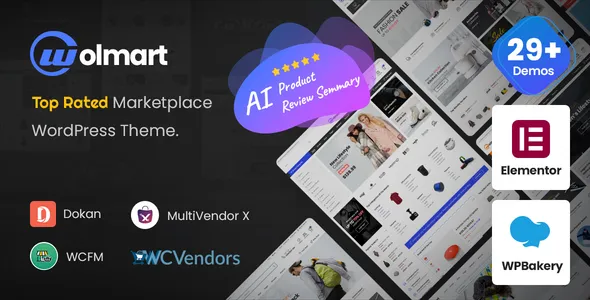
Wolmart | Multi-Vendor Marketplace WooCommerce Theme
Wolmart | Multi-Vendor Marketplace WooCommerce Theme is a versatile website design solution for businesses that want to build a professional online marketplace powered by WordPress and WooCommerce. Designed for eCommerce projects with multiple product categories and potential third-party sellers, Wolmart provides a foundation for creating a shopping experience where customers can browse products, compare options, discover new brands, and complete purchases through a centralized website. Whether you are planning a general shopping marketplace, a fashion store, an electronics platform, a home and lifestyle shop, or a specialized online retail business, this theme can help establish a structured and visually appealing digital storefront.
Building a multi-vendor marketplace involves more than displaying products on a website. A successful platform needs clear navigation, organized product listings, intuitive shopping pages, a convenient checkout journey, and a design that inspires customer confidence. It may also require vendor registration, seller management, commission configuration, order tracking, and other marketplace functions supplied through compatible WooCommerce extensions. Wolmart can serve as the visual foundation for this type of project, allowing store owners to develop a consistent brand identity while organizing a large product catalog.
By combining the WordPress content management system with WooCommerce eCommerce functionality, this marketplace theme supports a flexible approach to online retail website development. Store owners can use the available theme settings, compatible plugins, and product-management tools to shape their website around their business requirements. The result can be a scalable starting point for entrepreneurs, established retailers, marketplace operators, and digital businesses looking to create an engaging online shopping destination.
What Is Wolmart Multi-Vendor Marketplace WooCommerce Theme?
Wolmart is an eCommerce-focused WordPress theme intended for creating modern online stores and marketplace-style websites. Its marketplace-oriented design makes it relevant to projects that bring products from different categories or sellers together in one convenient shopping environment. Instead of building separate websites for every product department or seller, a marketplace can present a unified storefront where customers can explore different offerings through a familiar browsing experience.
WooCommerce provides the core store functionality, including product catalogs, cart management, checkout, and order processing. Multi-vendor capabilities generally depend on a compatible marketplace plugin, its configuration, and the services connected to the website. These tools can help transform a standard online store into a platform where multiple independent vendors manage their products within a shared marketplace.
Wolmart’s role is to provide the storefront design and theme-level presentation for this type of eCommerce experience. Depending on the installed version, available layouts, compatible extensions, and website configuration, store owners can customize the appearance of key pages and adapt the overall shopping experience to suit their target audience.
Build a Multi-Vendor Online Marketplace
A multi-vendor marketplace allows different sellers to offer their products through one online platform. This business model can help entrepreneurs expand their product selection without personally manufacturing, stocking, or managing every item listed by participating vendors. Depending on the marketplace model, sellers may manage their own listings and fulfill orders while the marketplace operator oversees platform policies, customer experience, and commercial arrangements.
Wolmart can provide a suitable visual starting point for this type of website. Store owners can organize the homepage around featured products, popular departments, promotional banners, seasonal collections, and selected brands. Product category pages can help customers move from broad shopping departments to more specific items, while individual product pages can present important information in a clear format.
A well-planned marketplace should also establish consistent visual standards across seller listings. Product photographs, descriptions, prices, availability information, and shipping details should follow a coherent presentation style. This makes the shopping experience easier to understand, even when products come from many different vendors.
The actual seller registration process, vendor dashboards, product-submission permissions, commission rules, and seller payment arrangements depend on the marketplace extension and payment services selected for the project. Choosing compatible tools and testing the complete purchasing process are important steps when developing a reliable multi-vendor platform.
WooCommerce-Powered eCommerce Functionality
WooCommerce is a widely used eCommerce platform for WordPress websites. It provides a foundation for managing products, creating shopping carts, configuring checkout options, processing orders, and maintaining store information. With a suitable theme and properly configured extensions, WooCommerce can support a variety of retail business models.
Wolmart is designed for WooCommerce-based store projects, making it relevant to businesses that want to combine storefront customization with established eCommerce management tools. Store administrators can organize products, assign categories, manage inventory information, configure taxes and shipping settings, and maintain essential store details through the appropriate WordPress and WooCommerce interfaces.
Depending on the chosen payment gateway and regional requirements, a WooCommerce store can support different payment methods. Available options may include card payments, digital wallets, bank transfers, cash on delivery, or other methods supported by the store’s installed extensions and providers.
For a marketplace, it is important to verify how payment collection, vendor commissions, refunds, cancellations, and seller payouts are handled. These functions are not determined by storefront design alone. They require a suitable combination of marketplace software, payment integrations, business policies, and careful testing before the website begins accepting real orders.
Modern Design for an Engaging Shopping Experience
The appearance of an online store can influence how visitors perceive a business and how easily they find products. A cluttered layout, inconsistent typography, or confusing category structure can make shopping difficult. A clean, organized storefront helps customers focus on product information and move through the website with greater confidence.
Wolmart can be used as the design foundation for a marketplace that emphasizes visual consistency and convenient navigation. Store owners can arrange product sections, promotional content, category displays, and supporting information to reflect their brand identity. The goal is to create a storefront that feels organized even when it contains a broad and frequently changing product catalog.
A marketplace homepage can include a prominent search area, shopping categories, featured products, special offers, popular brands, and links to important customer service pages. These elements should be arranged according to the needs of the target audience rather than added simply to fill available space.
For example, an electronics marketplace may emphasize product specifications, brand filters, and comparison-friendly product information. A fashion marketplace may prioritize product photography, clothing categories, size information, and seasonal collections. A home decor marketplace may focus on room-based categories, interior inspiration, and lifestyle photography.
The best design approach is one that makes the next step obvious to shoppers. Visitors should be able to identify the products available, understand how to explore the catalog, and find the information they need before placing an order.
Flexible Product Catalog Management
Product catalog organization is a fundamental part of running a successful online marketplace. When a website offers hundreds or thousands of items, customers need a logical structure that prevents the shopping experience from becoming overwhelming.
With WooCommerce and appropriate marketplace tools, administrators can organize products into categories, subcategories, tags, and other relevant classifications. These structures make it easier to manage the catalog and help shoppers navigate from general departments to specific product types.
A marketplace may include categories such as clothing, electronics, furniture, beauty products, sporting goods, accessories, home appliances, books, toys, and office supplies. The exact category structure should reflect the business model, the interests of the target audience, and the products offered by participating vendors.
Product pages should include accurate titles, useful descriptions, relevant photographs, prices, availability information, and other details that help customers make informed purchasing decisions. Depending on the product and store configuration, additional information may include size, color, materials, technical specifications, dimensions, warranty details, and shipping requirements.
Consistent catalog standards are particularly important when several vendors contribute listings. Marketplace operators can establish guidelines for product titles, image quality, descriptions, pricing information, and prohibited products. A consistent catalog improves readability and helps the platform maintain a recognizable standard across its departments.
Product Search, Filtering, and Navigation
Customers often arrive at a marketplace with a specific product in mind. Effective navigation and product discovery tools can help them locate suitable items without browsing every category manually.
A well-structured Wolmart marketplace can place search and category navigation prominently within the shopping experience. Depending on the theme configuration and installed WooCommerce extensions, store owners may also be able to provide filtering options that help customers narrow products by attributes such as brand, price, color, size, rating, availability, or product type.
The usefulness of these tools depends on the accuracy of the underlying product data. For example, color filters work best when vendors apply consistent product attributes, while brand filters depend on properly maintained brand information. Store administrators should establish clear catalog rules so that filters return relevant and predictable results.
Category navigation should use understandable labels and avoid unnecessary complexity. Too many overlapping categories can make a marketplace difficult to explore, while broad categories without useful subdivisions can leave shoppers searching through large collections of unrelated products.
For larger marketplaces, enhanced search plugins may offer additional capabilities such as live search suggestions, advanced filtering, or improved product relevance. Before adding these tools, operators should confirm compatibility with the active theme, WooCommerce version, and other installed extensions.
Detailed Product Pages That Support Conversions
The product page is one of the most important parts of an online shopping website. It gives customers the information they need to evaluate a product and decide whether it meets their requirements.
A thoughtfully configured product page can present the product title, price, image gallery, description, available variations, stock information, and purchasing options in a clear hierarchy. Additional sections may provide specifications, shipping information, return policies, product reviews, related products, or frequently asked questions, depending on the store’s configuration.
High-quality images are especially valuable for products that customers cannot inspect physically before buying. Multiple views, close-up photographs, and clear representations of product variations can help shoppers understand what they are purchasing. Images should be optimized for web delivery without sacrificing the details that matter to customers.
Descriptions should explain practical benefits as well as product characteristics. For example, an electronics listing might describe connectivity, compatibility, dimensions, and intended uses. A clothing listing could explain fabric composition, fit, care instructions, and available sizes.
For multi-vendor stores, consistent product-page standards help maintain quality across the platform. Marketplace owners can encourage vendors to use accurate descriptions, avoid misleading claims, provide complete specifications, and keep availability information updated. These practices contribute to a more dependable shopping experience.
Vendor Management and Seller Organization
Vendor management is an important consideration when developing a marketplace with multiple independent sellers. Each seller may need a way to maintain product listings, update stock information, review orders, and manage relevant account details.
A compatible multi-vendor plugin can provide the operational features required for these tasks. Depending on the selected extension and license, the available tools may include vendor registration, seller dashboards, product approval workflows, commission management, store profiles, and vendor-specific order information.
Wolmart can provide the storefront design used to present marketplace products and related shopping content. The actual seller-management workflow should be selected according to the business’s operational requirements rather than assumed to be included automatically in the theme.
Marketplace administrators should decide how new vendors are approved, which product categories they can access, what information sellers must provide, and how listing quality will be monitored. They should also establish clear policies for order fulfillment, customer communication, refunds, disputes, and prohibited listings.
A well-defined vendor process helps prevent inconsistent product information and reduces confusion between marketplace operators, sellers, and customers. It can also make it easier to onboard new vendors as the platform grows.
Flexible Marketplace Business Models
A multi-vendor marketplace can operate under different commercial models. Some platforms charge sellers a percentage of each sale, while others use subscription fees, listing fees, or combinations of these approaches. Certain businesses may also operate as curated marketplaces, where the administrator approves vendors and controls the overall product selection.
Wolmart can be considered for storefront projects built around these types of marketplace concepts, provided the required operational functionality is supplied by compatible software and services.
A commission-based model may be suitable for a platform that wants to reduce upfront barriers for sellers. A subscription model may appeal to marketplaces offering vendors access to ongoing services or dedicated storefront tools. A niche marketplace might focus on a specific industry, product category, or audience and use stricter approval standards to maintain quality.
The appropriate model depends on the marketplace’s audience, expected sales volume, operational costs, seller expectations, and regional regulations. Before launching, operators should calculate payment processing costs, hosting expenses, customer support requirements, promotional budgets, refunds, and any taxes or legal obligations that apply to the business.
The storefront should make the marketplace’s value proposition easy to understand. Clear communication about seller benefits, customer protections, product standards, and the purchasing process can help attract both shoppers and vendors.
Suitable for Fashion and Apparel Marketplaces
Fashion is a natural category for marketplace-style eCommerce because customers often want to compare products from different labels and sellers in one place. A fashion marketplace can organize clothing, footwear, bags, jewelry, and accessories into clear departments.
With Wolmart as the storefront foundation, a fashion business can plan homepage sections around new arrivals, seasonal collections, popular categories, featured brands, and promotional campaigns. Product pages can present size options, color variations, material information, fit guidance, and care instructions where relevant.
A successful apparel marketplace should also establish clear rules for product photography and sizing information. Different vendors may use different measurement systems or fit descriptions, so consistent presentation can reduce confusion. Return and exchange policies should be easy to find before checkout.
Fashion marketplaces can benefit from editorial content, style guides, seasonal landing pages, and carefully organized brand collections. These resources may help visitors discover products beyond their initial search and encourage repeat visits.
Suitable for Electronics and Technology Stores
An electronics marketplace needs a different approach to product organization and information. Shoppers may compare technical specifications, compatibility, warranty details, connectivity, performance, and prices before choosing a device.
A Wolmart-based electronics store can structure its catalog around categories such as computers, smartphones, accessories, home entertainment, smart devices, gaming equipment, and office technology. Subcategories and relevant product attributes can help shoppers locate specific items.
Product pages should prioritize factual specifications and compatibility information. For instance, customers purchasing a computer accessory may need to know which devices it supports, while buyers considering a display may want to compare size, resolution, refresh rate, and available connections.
Because electronics can involve manufacturer warranties and authorized distribution requirements, marketplace operators should establish rules for seller verification and product authenticity. Accurate stock information, dependable fulfillment, and transparent return policies are also important for customer confidence.
Advanced filtering and comparison tools may be helpful for larger catalogs, but these functions generally depend on the available product data and compatible extensions.
Suitable for Home, Furniture, and Lifestyle Marketplaces
Home and lifestyle marketplaces can bring together furniture, lighting, kitchen products, bedding, decorative accessories, garden supplies, and storage solutions. A broad catalog benefits from clear departments and product pages that explain dimensions, materials, installation requirements, and care instructions.
Wolmart can serve as the visual foundation for a home goods storefront that combines category navigation with lifestyle imagery and featured product collections. Store owners can use promotional sections to highlight seasonal decor, popular furnishings, home improvement products, or selected vendor collections.
Furniture listings should provide accurate measurements and material details because shoppers need to determine whether an item will fit their space. Larger products may also require specific delivery arrangements, assembly information, or additional shipping charges.
For products with multiple finishes, sizes, or configurations, product variations should be presented clearly. Store operators should also ensure that vendor descriptions accurately communicate product availability and fulfillment expectations.
A well-organized home and lifestyle marketplace can make browsing more enjoyable while helping customers find products appropriate for their homes and budgets.
Suitable for Beauty, Health, and Personal Care Retail
A beauty and personal care marketplace can offer skincare products, cosmetics, hair care, grooming accessories, fragrances, and related merchandise from different sellers. This type of store benefits from category structures that reflect how customers shop and from product descriptions that explain ingredients, intended uses, sizes, and relevant precautions.
A Wolmart-powered storefront can organize beauty departments around product types, brands, collections, or specific shopping needs. Featured product areas and promotional landing pages can help introduce new products and support seasonal campaigns.
For products with ingredients or usage restrictions, sellers should provide accurate and legally appropriate information. Marketplace operators should verify that product listings comply with applicable regulations and platform policies, particularly for products that require specific labeling or authorization.
Customer reviews and product information may help shoppers evaluate their options when these features are supported and properly configured. However, reviews should be moderated according to clear policies, and sellers should avoid unsupported claims about product results.
Responsive Design for Mobile Shopping
Customers may browse online stores from desktop computers, laptops, tablets, and smartphones. A marketplace should therefore provide an interface that remains readable and usable across different screen sizes.
Wolmart is intended for contemporary eCommerce website design, and responsive presentation is an important consideration when configuring the storefront. Store owners should test category pages, product pages, search results, account pages, cart screens, and checkout on commonly used mobile and desktop viewports.
On smaller screens, navigation should remain understandable, product images should fit their containers, and important buttons should be easy to locate. Text should be readable without unnecessary zooming, while forms should use clear labels and appropriate input fields.
Mobile performance also depends on factors beyond the theme itself, including hosting quality, image sizes, scripts, fonts, third-party integrations, and plugin choices. Store owners should measure real page performance and address unnecessary assets or slow-loading elements.
A mobile-friendly marketplace can make it more convenient for customers to discover products, revisit saved links, and complete purchases while away from their computers.
Customization and Brand Identity
A marketplace should reflect the identity of the business operating it. Even when several sellers participate in the same platform, customers should recognize a consistent brand across the homepage, product catalog, informational pages, and checkout experience.
Wolmart can be customized according to the options supported by the installed theme version and its compatible tools. Depending on those options, store owners may be able to adjust colors, typography, layout settings, headers, footers, page sections, and other presentation elements.
A fashion marketplace might use expressive product photography and editorial-style collections, while a business-to-business supplier directory may benefit from restrained typography, practical filters, and specification-focused product pages. A technology marketplace might emphasize product comparisons and category shortcuts.
Customization should prioritize usability rather than decoration alone. The logo should be recognizable, important navigation should remain visible, and promotional elements should not distract from product information or purchasing actions.
Before making extensive changes, administrators should review theme documentation, confirm compatibility with their page-building tools, and maintain backups. A staging environment can help test layout adjustments and plugin updates without disrupting the live store.
Search Engine Optimization for Marketplace Websites
Search engine optimization can help a marketplace attract visitors who are looking for particular products, categories, brands, or shopping solutions. A well-structured theme can support an SEO strategy, but search visibility depends on many factors beyond the visual design.
A strong SEO foundation includes descriptive page titles, useful meta descriptions, clear heading structures, readable URLs, relevant internal links, and original content. Category pages should explain what shoppers can find within each department rather than relying only on a list of product names.
Product listings should use descriptive titles and unique, informative descriptions. Reusing identical manufacturer text across numerous listings may make pages less distinctive, so vendors should be encouraged to provide accurate descriptions that address customer questions.
Images should use descriptive file names and appropriate alternative text when the images convey meaningful information. Image dimensions and compression should also be optimized to improve page speed.
Marketplace operators may use compatible SEO plugins to manage metadata, sitemaps, canonical settings, and supported structured data. They should avoid generating large numbers of thin category pages or near-duplicate product URLs without a clear purpose.
Technical SEO requires regular checks of crawlability, indexing, redirects, broken links, mobile usability, and page performance. No theme can guarantee a specific ranking, indexing outcome, or volume of organic traffic. Sustainable results depend on site quality, competition, content usefulness, and ongoing maintenance.
Performance and Loading Speed
Website speed affects the shopping experience. Slow pages can frustrate visitors who are browsing large product collections or attempting to complete checkout, particularly on mobile connections.
Performance depends on the theme, hosting environment, product catalog size, database configuration, images, scripts, plugins, and external services. A well-maintained Wolmart installation should therefore be tested and optimized as part of the complete WooCommerce setup.
Store owners can begin by compressing product images, choosing suitable image dimensions, enabling appropriate caching, and reducing unnecessary plugins. A content delivery network may help distribute static assets to visitors in different locations, depending on the hosting setup and traffic patterns.
Administrators should avoid adding too many animations, tracking scripts, pop-ups, or third-party widgets without considering their effect on loading time. Product filters and live search tools can improve convenience, but they should be evaluated for their performance impact on large catalogs.
Regular testing can identify slow templates, oversized images, excessive requests, and inefficient integrations. Performance should be measured on important shopping journeys rather than judged by the homepage alone.
Security and Customer Trust
A marketplace handles important customer and business information, including account details, order records, addresses, and payment-related data. Protecting this information is essential for maintaining trust.
WordPress and WooCommerce websites should use secure hosting, HTTPS, strong administrator passwords, appropriate user permissions, and regular software updates. Administrators should install themes and extensions from trustworthy sources and remove unused components that could introduce unnecessary maintenance or security risks.
Multi-vendor platforms also need carefully planned access permissions. Vendors should have access only to the features and records they are authorized to manage. Marketplace operators should test registration, product-submission, order-management, and administrative workflows to verify that permissions behave as expected.
Payment processing should be handled through reputable providers and configured according to their security requirements. Operators should not assume that a theme itself provides complete marketplace security or payment compliance.
Clear shipping policies, refund terms, privacy information, seller details, and customer support contacts can further strengthen confidence. Security and trust require ongoing attention throughout the lifetime of the website.
Content Marketing and Promotional Campaigns
Content marketing can help a marketplace attract visitors, explain product benefits, and encourage customers to explore new categories. WordPress provides content-management tools that can be used alongside WooCommerce to publish articles, guides, announcements, and other supporting material.
A marketplace selling home products might publish room-planning guides, while a fashion store could create seasonal styling articles. An electronics marketplace may provide buying guides that explain the differences between product specifications. These resources can answer customer questions and provide relevant links to product categories.
Promotional landing pages can also support seasonal campaigns, new product launches, featured sellers, and special collections. Store owners should ensure that campaign content is accurate, that discounts are clearly explained, and that product availability is maintained throughout the promotion.
Email marketing tools and customer communication extensions may help the business share updates with subscribers who have provided the appropriate consent. Social media integrations can direct interested audiences toward selected products or shopping collections.
Content should be created primarily to help customers. Search terms can guide topic selection, but repetitive keyword placement and low-value pages may weaken the overall experience.
WooCommerce Extensions and Integrations
A marketplace usually requires more than a theme and the core WooCommerce installation. Additional extensions may be necessary for vendor management, shipping rules, payment processing, product filters, marketing, analytics, customer support, and other business operations.
Before installing an extension, store owners should confirm that it supports their current versions of WordPress, WooCommerce, and the selected marketplace plugin. They should also review the extension’s maintenance history, documentation, support arrangements, licensing terms, and effect on performance.
Useful integrations vary by business model. A marketplace with many independent sellers may prioritize vendor dashboards and commission management. A store with complex shipping requirements may need advanced shipping rules, while a business selling configurable products may require enhanced product options.
The aim should be to build a reliable set of tools rather than install every available feature. Excessive plugins can increase maintenance demands, introduce compatibility conflicts, and make troubleshooting more difficult.
Administrators should document key integrations and test them after major updates. A staging site and recent backups can reduce the risk associated with changes to a live marketplace.
Easy Product and Store Administration
Efficient administration is important for businesses that manage large catalogs or work with many sellers. WooCommerce provides tools for managing product information and orders, while compatible marketplace extensions can add seller-specific workflows.
Administrators can establish processes for approving new listings, checking product information, reviewing vendor applications, handling customer complaints, and monitoring stock accuracy. Clear responsibilities help reduce delays and prevent important tasks from being overlooked.
For a growing marketplace, consistent product data is particularly valuable. Vendors should follow defined naming conventions, use suitable categories, maintain accurate prices, and update availability when products change. These standards make the catalog easier to manage and improve the customer experience.
Routine operational checks may include reviewing failed orders, checking payment notifications, monitoring abandoned carts, confirming shipping settings, and testing checkout after software updates. The exact administrative tools available depend on the installed WooCommerce and marketplace extensions.
A clear management process allows the business to spend more time improving the product selection and supporting customers rather than repeatedly correcting inconsistent listings.
Who Should Use Wolmart Multi-Vendor Marketplace WooCommerce Theme?
Wolmart may be a useful starting point for a variety of businesses that want to create a WordPress-based eCommerce website with marketplace-style presentation.
Entrepreneurs and startups: People launching a new online marketplace can use a structured storefront design as the basis for testing a niche, attracting early vendors, and introducing products to their target audience.
Established retailers: Retail businesses expanding beyond a single-brand store may use a marketplace model to introduce complementary product lines or work with selected third-party sellers.
Niche marketplace operators: Businesses focused on a specific product category, industry, hobby, or customer group can organize specialized collections and create a shopping experience tailored to that audience.
Fashion and lifestyle businesses: Clothing, footwear, accessories, home decor, and lifestyle retailers can structure their catalog around product categories, brands, and seasonal collections.
Electronics retailers: Technology-focused stores can organize products by device type, brand, compatibility, and technical specifications.
Wholesale and business suppliers: Depending on the required pricing, account, tax, and order-management functionality, businesses can investigate a WooCommerce marketplace setup for professional buyers and specialized supplier networks.
Agencies and website developers: Developers creating eCommerce websites for clients can evaluate Wolmart as a theme foundation, subject to the client’s requirements, licensing, available features, and compatibility with the necessary extensions.
The suitability of the theme depends on the project requirements and the capabilities of the installed version. Before choosing it for a production marketplace, review its current documentation, supported integrations, licensing conditions, and update policy.
Tips for Launching a Successful Marketplace
A marketplace should be planned around a clear customer need and a manageable operational model. Before investing in extensive design customization, decide which products the platform will offer, who the intended customers are, and why sellers would choose to participate.
Start with a focused product selection rather than launching too many unrelated categories at once. A clear niche can make it easier to explain the marketplace’s value and establish consistent quality standards.
Select a multi-vendor extension that supports the required seller workflows, payment arrangements, commissions, and order management. Confirm how vendors are approved and how customer service responsibilities are divided between the marketplace and individual sellers.
Create written guidelines for product descriptions, photographs, pricing, shipping information, returns, prohibited products, and dispute resolution. These policies should be visible to the relevant sellers and customers.
Before launch, test the entire purchasing process. Register a test customer, browse categories, use search and filters, add products to the cart, complete a test checkout through the configured payment workflow, and verify the resulting order information. If vendors have separate dashboards, test their access and order-management capabilities as well.
Finally, prepare a maintenance plan covering backups, security updates, performance monitoring, product moderation, and customer support. A marketplace becomes more complex as the number of vendors, products, and orders grows, so a reliable operational foundation is as important as the storefront design.
Why Choose Wolmart for a WooCommerce Marketplace Project?
Selecting a theme for an online marketplace involves balancing design flexibility, shopping usability, compatibility, and long-term maintenance. Wolmart is a candidate for businesses that want a marketplace-oriented storefront built around WordPress and WooCommerce.
Its value for a particular project should be evaluated in the context of the complete website setup. Store owners should consider the layouts and customization controls available in their installed version, how well the theme supports their preferred product categories, and whether the required marketplace extension works correctly with it.
A suitable marketplace design can help present a large catalog in an organized way, support consistent branding, and give customers clear paths from product discovery to checkout. Combined with accurate listings, appropriate vendor management software, reliable payment integrations, and useful customer policies, it can contribute to a professional shopping experience.
Theme selection should also account for documentation, updates, support, accessibility, and compatibility with the plugins needed for day-to-day operations. These considerations help reduce unexpected problems after the website launches.
Final Thoughts on Wolmart | Multi-Vendor Marketplace WooCommerce Theme
Wolmart | Multi-Vendor Marketplace WooCommerce Theme offers a starting point for businesses planning to create a modern online store or multi-vendor marketplace with WordPress and WooCommerce. Its marketplace-oriented purpose makes it relevant to projects that bring products from different departments and potentially different sellers into a shared shopping environment.
From fashion and electronics to home goods, beauty products, and niche retail collections, a well-planned marketplace can make product discovery more convenient and provide a central destination for customers. The right category structure, detailed product pages, responsive presentation, and consistent branding can help visitors understand the catalog and navigate the purchasing journey.
The theme is only one part of the complete solution. WooCommerce handles core store operations, while vendor registration, seller dashboards, commissions, and other specialized marketplace features generally require compatible extensions and careful configuration. Performance, security, search engine optimization, and customer service also depend on the broader website setup and the ongoing work of the marketplace operator.
For entrepreneurs, retailers, developers, and businesses exploring a multi-vendor eCommerce model, Wolmart can be evaluated as a foundation for building a branded shopping platform. By pairing an appropriate theme configuration with dependable marketplace tools, clear seller policies, accurate product information, and continuous optimization, businesses can work toward a more organized and trustworthy online shopping experience.